Transform Your Photos: The Magic of Photo Animate AI
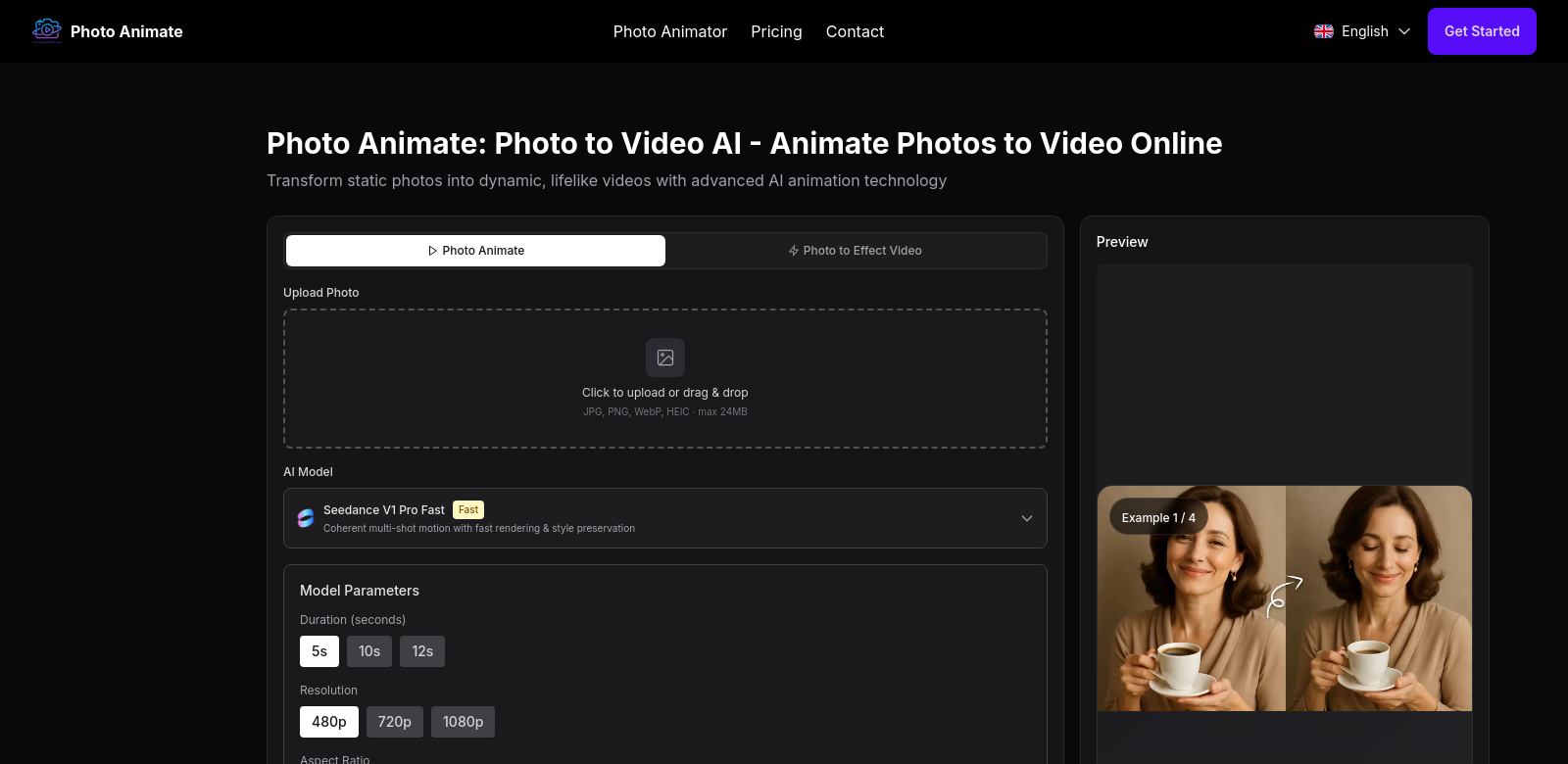
In today's world, where telling stories with pictures is super important, being able to make those pictures come alive is a game-changer. Photo Animate is a cool AI tool that turns your favorite photos into awesome videos, letting you share your memories in a whole new way. It's really good at making portraits move and creating clips that look like they're real, giving you lots of control while making sure the animations stay true to the original photos.
Who Uses Photo Animate?
What's great about Photo Animate isn't just the tech, but also how many different kinds of people use it. Knowing who these users are helps us see how useful the app can be. Here are some of the folks who get a lot out of Photo Animate:
-
Photographers: If you're a photographer, Photo Animate is a great way to show off your work. You can turn your still photos into videos, giving your clients something new and making your portfolio or exhibitions more interesting. This helps grab people's attention and makes a lasting impression, which is super important when everyone's trying to stand out.
-
Social Media Influencers: On social media, where there's tons of stuff to look at, influencers are always looking for ways to be different. Photo Animate lets them make unique videos from their photos, which gets people more interested. By animating their pictures, they can tell stories that connect with their audience and feel really engaging.
-
Content Creators and Marketers: Video marketing is huge right now, so there's a big need for content that grabs attention. Marketers can use Photo Animate to make cool promotional videos from images, which helps get people involved. By using this tool, brands can keep their visual content fresh and interesting, which helps get more customers.
-
Event Planners: Events usually have tons of photos that everyone wants to remember. Event planners can use Photo Animate to create videos that show off the best moments, capturing the feeling and excitement of the event. This is not only a good way to market their services but also gives clients a special way to remember their event.
-
Families and Personal Users: Families can turn their favorite memories into animated videos. With Photo Animate, you can make slideshows from family photos, sharing and reliving those special moments in a fun way. This makes the pictures more personal and helps everyone feel more connected to those memories, turning them into stories that come alive.
What Problems Does Photo Animate Solve?
Photo Animate is great because it fixes some common issues that people have when they're trying to tell stories with still photos.
Problems Photo Animate Found
-
Photos Don't Move: Regular photos capture moments, but they don't move, so they can't show as much emotion as videos. This can make it harder to share stories that really connect with people.
-
Hard to Grab Attention: With so many pictures out there, it's hard to get people to pay attention to yours. Videos usually get more attention than photos on social media.
-
Presentations Can Be Boring: Just showing photos in a regular way might not do justice to what they represent, so you miss out on telling a great story.
-
Making Videos Is Hard: A lot of people don't know how to edit videos or make them look good, so they can't share their memories in a way that really stands out.
-
It Takes Too Long: Editing videos can take a lot of time and effort, which stops people from turning their photos into videos.
Solution by Photo Animate
Photo Animate solves these problems with a simple, easy-to-use design and powerful AI tech. It uses smart algorithms to look at your photos and create smooth animations that look good. With its easy dashboard, you can quickly turn photos into videos without needing to know a lot about video editing. This saves you time and lets you focus on telling your story.
Use Case
Imagine a wedding photographer. They can use Photo Animate to take a photo of the couple's first dance and turn it into a short video that shows the rhythm and happiness of the moment. This not only shows off their skills but also makes a big impression on the couple and other potential clients. Or, a family can take photos from a reunion and make a video to remember the fun they had together.
Top Features of Photo Animate
Photo Animate has some awesome features that make it easy to use and produce great videos:
-
Easy to Use: The app is made to be simple, so anyone can use it, even if they're not tech-savvy.
-
Smart AI Animation: Using AI, Photo Animate makes animations that look real, keeping the photos looking good while adding movement.
-
Templates You Can Change: You can pick from different templates to fit your needs, adding your own personal touches to your videos.
-
High-Quality Videos: The videos come out in high resolution, so they look sharp and clear, perfect for sharing online.
-
Share Instantly: Once you make a video, you can easily share it on social media or download it, making it super easy to show off your work.
Frequently Asked Questions with Photo Animate
-
What kinds of photos work with Photo Animate?
You can use Photo Animate with all sorts of photos, like portraits, landscapes, and group shots. It's really flexible and can make great animations from any kind of image. -
How long can the videos be?
The length of the videos depends on the plan you choose. You can make videos that are just a few seconds long or several minutes, so you can make them exactly how you want. -
Can I change the animations after they're made?
Yes! You can tweak the animations, add different music, or change the speed to make them fit your story better. -
Is Photo Animate good for businesses?
Definitely. Lots of businesses use it for marketing and making promotional content, so it's a great tool for commercial use. -
What formats can I download the videos in?
You can download your videos in several popular formats, so they'll work on any device or platform.