QuickVid Autopilot
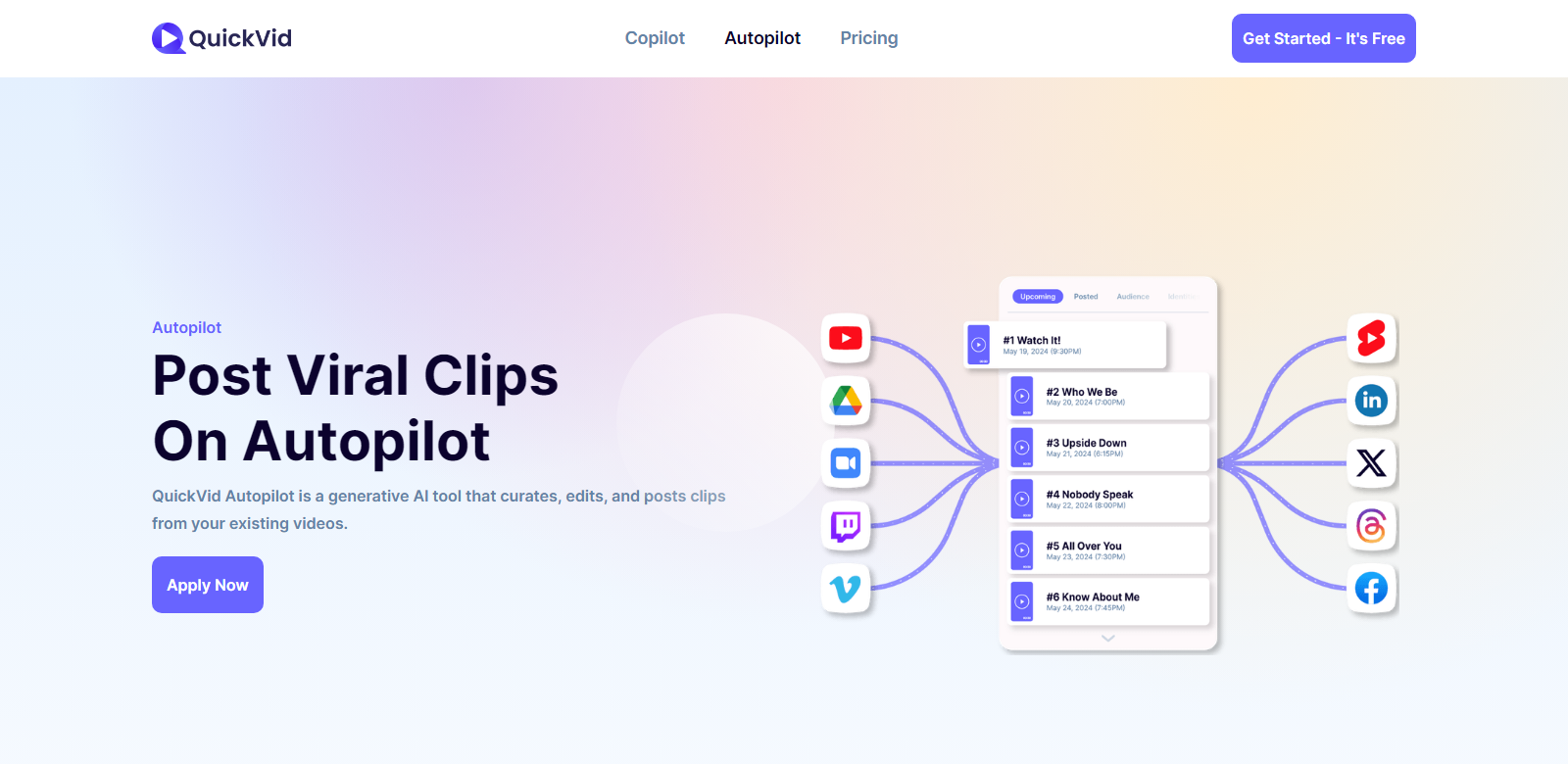
QuickVid Autopilot is an advanced generative AI tool designed to repurpose existing video content into engaging clips. It automates the process from curation to posting, ensuring the highest quality and maximum reach on platforms like YouTube, LinkedIn, X, and TikTok.
Customers
The primary customers of QuickVid Autopilot include:
- Content Creators: Individuals looking to maximize the value of their video content without manually editing and posting each clip.
- Social Media Managers: Professionals who need to ensure a steady flow of content on various platforms while adhering to optimal posting schedules.
- Marketing Teams: Teams aiming to increase their outreach and engagement through consistently high-quality video content.
- Small Business Owners: Entrepreneurs who want to maintain a strong social media presence without dedicating extensive time to content management.
- Educational Institutions: Organizations repurposing educational content into bite-sized, shareable clips for wider dissemination.
Problems and Solution
Problems
QuickVid Autopilot addresses several key problems:
- Time-consuming Content Curation: Manually finding and editing interesting parts of videos takes a significant amount of time.
- Inconsistent Posting: Without proper scheduling, posts might not reach the intended audience effectively.
- Lack of Engagement Insights: Users often struggle to understand which content works best for their audience.
Solution
QuickVid Autopilot solves these problems by using AI to curate, edit, and post clips automatically. It schedules posts at the optimal time, grades clip virality, and provides weekly insights, freeing users to focus on creating content rather than managing it.
How It Works
- Connect Video Sources: Users connect their YouTube, Google Drive, Twitch, Vimeo, or Zoom accounts.
- AI Curates Clips: The AI scans the content for interesting clips, grades them, and prepares them for posting.
- Customize Branding: Users can add brand colors, subtitle fonts, and watermarks.
- Automated Posting: The curated clips are scheduled and posted automatically to the chosen platforms at the optimal times.
Use Case
Imagine a busy content creator with a large library of videos stored across various platforms. Manually editing and posting clips from these videos takes hours each week. By using QuickVid Autopilot, the creator can automatically generate high-quality clips from their videos, schedule posts for peak engagement times, and receive detailed performance insightsâall without lifting a finger. This enables the creator to focus on producing new content and interacting with their audience.
Frequently Asked Questions
-
How does QuickVid Autopilot find the best clips?
QuickVid Autopilot uses advanced AI algorithms to scan and select the most engaging parts of your videos based on various metrics.
-
Can I customize my clips?
Yes, you can add your brand colors, choose subtitle fonts, add watermarks, and make other customizations to ensure the clips match your brand identity.
-
What platforms can I post to?
QuickVid Autopilot supports posting to YouTube, LinkedIn, X, TikTok, and other major social media platforms.
-
How does the AI determine the best posting times?
The AI analyzes engagement patterns and platform algorithms to schedule posts when they are most likely to reach your target audience.
-
What insights will I receive each week?
You will receive a detailed breakdown of your clips' performance, including views, engagement rates, and tailored suggestions for improvement.