Build an ROI Calculator to Capture Leads
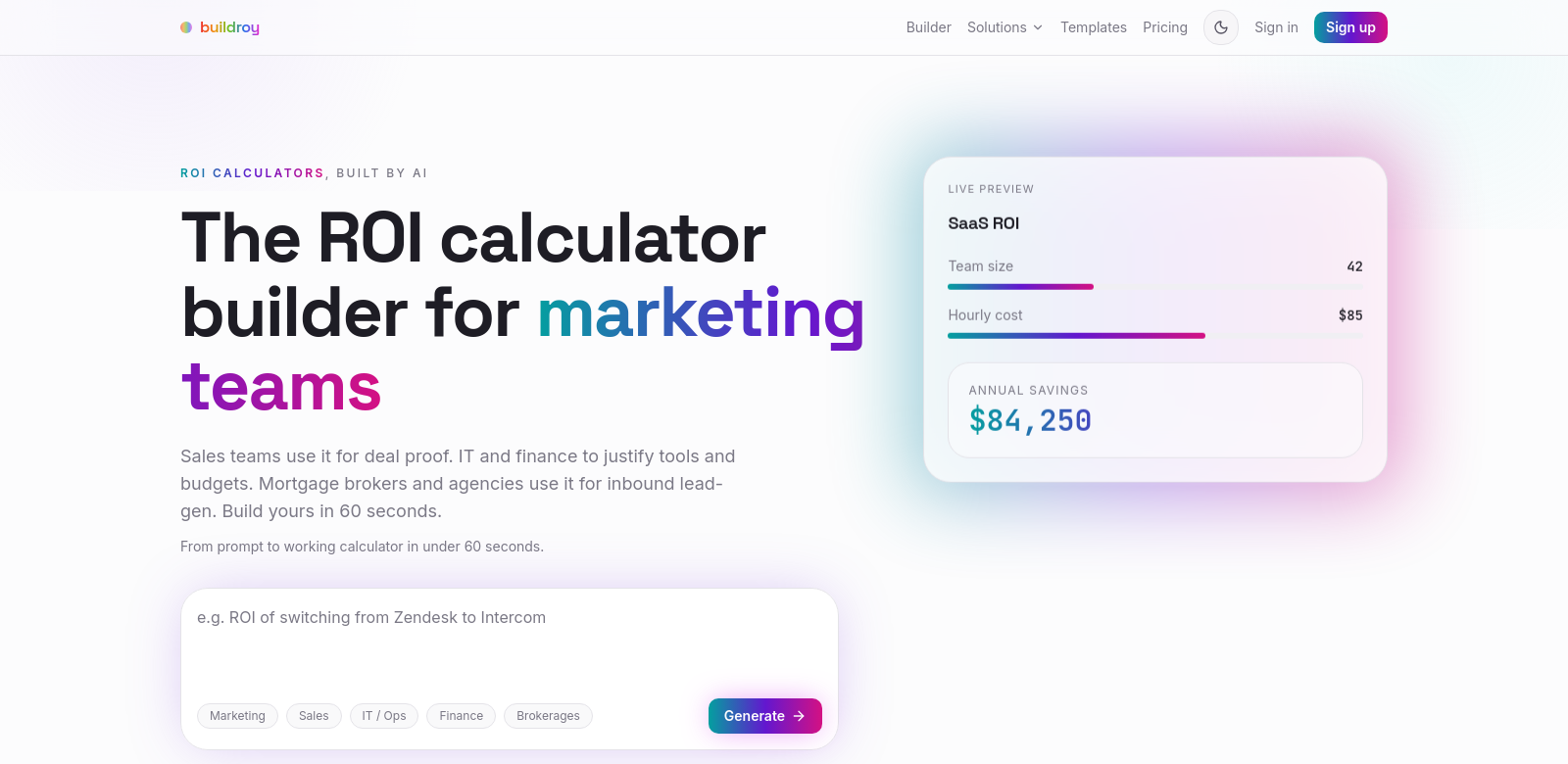
The ROI Calculator Builder helps businesses capture leads by letting them create and embed custom financial calculators on their websites. You can build a branded calculator in plain English, drop it onto any site in seconds, and even capture leads or share results as a link or PDF. It's free to try, and you don't need any coding skills.
Who Uses the ROI Calculator Builder?
Lots of different people use the ROI Calculator Builder. It gives them a simple, custom way to show financial projections. Here's why it's useful for each group:
-
Small Business Owners: Small businesses need good marketing to show off their products. The calculator helps them prove potential returns on investment, making it easier to convince clients their product is worth it.
-
Marketing Professionals: Marketers use the calculator to get prospects more involved. Embedding it on their website gives potential clients instant ROI insights, which helps them make decisions and move leads forward.
-
Financial Advisors: Financial advisors use this tool to show clients clear financial projections. This openness helps build trust and stronger relationships, as clients can see the benefits of their investments.
-
Educators and Trainers: Educators can use the ROI calculator in schools to teach students financial ideas and strategies. This hands-on method makes learning better by showing how theory applies in real life.
-
Non-Profit Organizations: Non-profits can use the calculator to show how donations make an impact. It makes it clear how contributions turn into real-world benefits. This clarity can boost donor involvement and loyalty.
What Problems Does the ROI Calculator Builder Solve?
Businesses often hit roadblocks when trying to improve their finances. The ROI Calculator Builder helps with these common issues:
Common Problems
-
Confusing Financials: Many businesses can't easily explain complex financial terms to clients. This leads to misunderstandings and lost sales.
-
Tough Lead Generation: It's hard to get leads when potential clients don't have enough info to really connect with a business.
-
Poor Customer Interactions: Businesses often struggle to give personalized interactions that truly click with customers, missing out on sales.
-
High Resource Costs: Building custom calculators takes a lot of time and technical effort, which many businesses can't afford.
-
Missing Engagement Tools: Many companies don't have good tools to turn prospects into paying customers.
The ROI Calculator Builder's Solution
The ROI Calculator Builder directly solves these problems. It gives you a simple interface to quickly build calculators, cutting out the technical hurdles of older methods. You can create branded calculators without any code, opening it up to anyone.
Its built-in lead capture means every visitor can become a potential lead. As clients check out their financial options, they're prompted to give their contact info, turning simple interest into real business chances. Plus, you can share results via links or PDFs, making it easy to send information and improve your follow-up.
How to Use It
You can use the ROI Calculator Builder in many ways to get the most out of it. For example:
- A small business can embed the calculator right on its landing page. This helps guide visitors and often leads to more conversions.
- Financial advisors can put the tool in their newsletters or client presentations, offering real-time calculations that make client talks better and help with decisions.
- Non-profits can use the calculator to tell powerful stories about money raised, showing exactly how donor contributions change things.
Key Features
Here are the main features that make the ROI Calculator Builder so useful:
-
Drag-and-Drop Interface: Building custom calculators is easy with drag-and-drop. Anyone can do it, no matter their skill level.
-
Lead Capture: Gather important user info directly through the calculator. This helps you capture leads effectively.
-
Quick Embedding: Put the calculator on your website in under 60 seconds. Get it live fast and start engaging.
-
Branded Look: Match the calculator's design to your brand. This keeps your identity consistent and builds user trust.
-
Easy Sharing: Users can share their calculator results as a link or PDF. This means clients can access the info even if they don't visit your site right away.
Frequently Asked Questions
-
How does the ROI Calculator Builder work? It lets you build custom calculators you can embed on your website. It's easy to use and doesn't need any coding. Just input your numbers and branding to make a calculator that fits your needs.
-
Does it cost anything to use? It's free to try. You can test out all its features before you decide to pay. This way, you can see if it works for you before spending money.
-
Can I change how the calculator looks? Yes, you can customize its appearance. This helps the calculator match your brand, making it feel more authentic and engaging for users.
-
How do I capture leads with the calculator? The calculator has a built-in lead capture feature. It asks users for their contact info as they interact with it. This lets you follow up directly with interested people.
-
What kind of reports can I get? You can share results as links or PDFs. This makes sure all the important data and insights get to your stakeholders or clients clearly. It's flexible for different situations.