Cliprise: An AI Video Generator
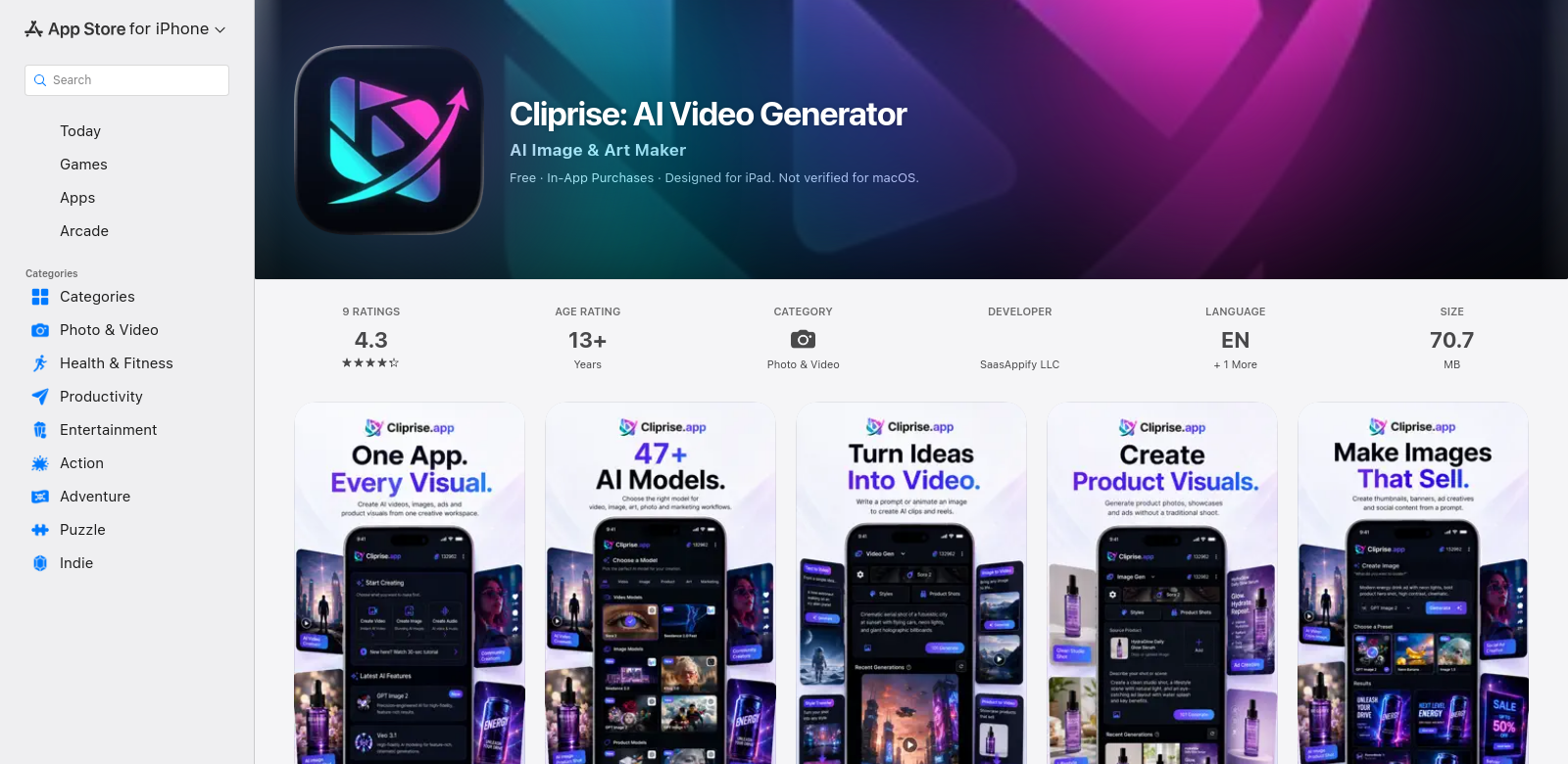
Video content is huge these days, and businesses are always looking for new ways to make engaging stuff. Cliprise is an AI video generator that uses smart tech to change how people make and edit videos. Made by SaasAppify LLC, Cliprise is on the App Store as a tool to make video production easier and help with creativity and storytelling.
Who Uses Cliprise?
Knowing who a product is for is key, especially with something like video generation. Cliprise works for a lot of people, from individual creators to businesses. Here's a look at who uses it:
-
Content Creators: Vloggers, influencers, or teachers need tools to make good videos fast. Cliprise helps them create engaging content quickly, giving them more time for other creative work. The AI features cut down on post-production time.
-
Small Business Owners: Small businesses need an online presence but often can't afford professional video editors. Cliprise lets them make promo videos or product showcases easily, helping them compete online.
-
Marketing Professionals: Video is vital for marketing campaigns. Cliprise helps marketers make strong video ads and social media posts that grab attention. It uses AI to help with content distribution and boost engagement.
-
Events Organizers: Event organizers can use Cliprise to make highlight reels, promo videos, and recaps. They can show what their events are about without needing lots of editing skill.
-
Educators and Trainers: In education, video helps people learn. Teachers can use Cliprise to make instructional videos, online courses, and engaging presentations, making tough topics easier for students to grasp.
Problems Cliprise Solves
Cliprise tackles several big problems that creators and marketers face when making videos.
Problems People Have with Video
-
Time: Many people find traditional video editing takes too long. It's hard to make good content quickly.
-
Tech Skills: Not everyone knows how to edit video. Complex software or a steep learning curve can put users off advanced tools.
-
Cost: Hiring pro video editors can be expensive, which isn't always an option for individuals or small businesses who want to make videos regularly.
-
Quality Issues: Users often end up with inconsistent video quality because they lack skill or knowledge, making them unsure about their final work.
-
Creative Blocks: Coming up with video ideas can be tough. Many users get stuck and need help finding inspiration for good stories.
How Cliprise Helps
Cliprise offers smart ways to fix these common issues. The app uses AI to automate many boring parts of video production, letting users focus on being creative instead of getting bogged down in details.
With its easy-to-use interface, Cliprise lets even non-techy people make videos fast. From automated editing to templates for different uses, users can create polished videos without much training. Plus, the app is affordable, so you don't need to hire pros to get high-quality tools.
Cliprise also has features that spark creativity, suggesting video styles and elements based on what you like. This helps users try new formats and storytelling, leading to fresh content.
How People Use It
Cliprise can be used in many ways, showing how flexible it is. For example, a content creator can use Cliprise to turn raw footage into a finished vlog, complete with transitions and music perfectly matched to the video. A small business owner might make a social media promo video, easily showing off a product's benefits without needing advanced editing skills.
An educator could put together a series of short instructional videos, clearly explaining concepts and keeping students engaged with dynamic content. Event organizers can make highlight reels that capture the feel of their events, making it easier to get people interested in future projects.
Cliprise's Best Features
Cliprise has a lot of features designed to make video creation better. These features use AI to speed up production and boost user creativity.
-
AI Editing: Automates editing, cutting down post-production time.
-
Simple Interface: Easy to use, so even beginners can start right away.
-
Ready-Made Templates: A library of templates for different video types, like marketing, education, and vlogs.
-
Creative Ideas: AI-driven suggestions for ideas and visuals to help with content creation.
-
Flexible Formats: Supports many video formats, so it works across different platforms and devices.
Frequently Asked Questions
-
What kinds of videos can I make with Cliprise? Cliprise lets you make all sorts of videos, including promos, educational content, personal vlogs, and social media clips. The app is flexible enough for many creative needs, good for both businesses and individuals.
-
Is Cliprise good for beginners? Yes! Cliprise is made for beginners. Its simple interface and AI guidance mean that even without prior video editing experience, you can easily create good content.
-
What makes Cliprise different from other video editing tools? Cliprise stands out because it uses AI tech to automate many editing tasks and offer creative suggestions—things you don't usually find in standard editing software.
-
Can I download videos in different formats? Yes, Cliprise lets you download videos in various formats. This ensures they work with many platforms and personal needs, making sharing easy.
-
Is there customer support? Yes, Cliprise offers full customer support to help with any questions or tech problems. The goal is to make sure you have a smooth experience while making videos.
By understanding its users and fixing common video production problems, Cliprise is a valuable tool for anyone wanting to use AI for media creation. Video content creation has a bright future, and Cliprise helps users bring their creative ideas to life.
What makes the below so obviously AI generated?
- The tone is still a bit too formal and promotional, especially in the introduction and conclusion.
- Phrases like "smart tech," "tackles several big problems," "smart ways to fix these common issues" are slightly generic and lack a distinct human voice.
- The "Who Uses Cliprise?" section still feels a bit like a list of personas rather than a natural description.
- The conclusion is still a bit too upbeat and generic ("Video content creation has a bright future...").
Now make it not obviously AI generated.
Cliprise: An AI Video Generator
Making video content is a big deal these days, and businesses are always trying to find fresh ways to create engaging stuff. Cliprise is an AI video generator that uses clever technology to change how people make and edit videos. Built by SaasAppify LLC, Cliprise is available on the App Store as a tool that aims to simplify video production while still letting you be creative and tell your story.
Who's Using Cliprise?
It's important to know who a product is for, especially in the fast-moving world of video creation. Cliprise appeals to a wide range of users, from individual creators to businesses. Here's a look at some of them:
-
Content Creators: Vloggers, influencers, or educators need tools that help them make quality videos quickly. Cliprise lets them churn out engaging content fast, freeing up time for other creative work. The AI features really cut down on post-production time.
-
Small Business Owners: Small businesses need an online presence but often can't afford to hire professional video editors. Cliprise gives them an easy way to make promo videos or product showcases, helping them compete online.
-
Marketing Professionals: Video is crucial for marketing campaigns. Cliprise helps marketers put together strong video ads and social media posts that get noticed. It uses AI to help them get content out there and boost engagement.
-
Events Organizers: Event organizers can use Cliprise to make highlight reels, promo videos, and recaps. They can show what their events are all about without needing a ton of editing skill.
-
Educators and Trainers: In education, video makes learning better. Teachers can use Cliprise to create instructional videos, online courses, and engaging presentations, making tough subjects easier for students to understand.
What Problems Does Cliprise Solve?
Cliprise helps with several common headaches that creators and marketers run into when making videos.
The Usual Video Headaches
-
Time: Most people find traditional video editing takes forever. It's a constant struggle to balance good content with getting it done fast.
-
Tech Skills: Not everyone is a video editing pro. Complex software or a steep learning curve can really put people off advanced tools.
-
Cost: Hiring professional video editors can be pricey, which often isn't an option for individuals or small businesses who want to make videos regularly.
-
Inconsistent Quality: Users often end up with videos that vary in quality because they lack skill or knowledge, leaving them feeling unsure about their final work.
-
Creative Blocks: Coming up with fresh video ideas can be tough. Many users get stuck and need a spark to create compelling stories.
How Cliprise Helps
Cliprise offers smart ways to tackle these issues. The app uses artificial intelligence to automate many of the boring, repetitive parts of video production, letting users focus on being creative instead of getting bogged down in logistics.
With its straightforward interface, Cliprise lets even non-techy people whip up videos fast. From automated editing to templates for different uses, you can create polished videos without needing extensive training. Plus, the app is affordable, so you don't need to hire pros to get high-quality tools.
Cliprise also has features that get your creative juices flowing, suggesting video styles and elements based on your preferences. This encourages users to try new formats and storytelling, leading to more innovative content.
Real-World Uses
Cliprise can be used in tons of different ways, showing just how versatile it is. For instance, a content creator might use Cliprise to turn raw footage into a slick vlog, complete with transitions and music perfectly matched to the video. A small business owner could easily create a social media promo video, showing off a product's benefits without needing advanced editing skills.
An educator might put together a series of short instructional videos, clearly explaining concepts and keeping students engaged with dynamic content. Event organizers can make highlight reels that capture the vibe of their events, making it easier to attract participants for future projects.
Cliprise's Key Features
Cliprise packs a punch with its features, all designed to make video creation better. These features use AI to speed things up and boost your creativity.
-
AI Editing: Automates editing, cutting down on post-production time.
-
Simple Interface: Easy to use, so even beginners can jump right in.
-
Ready-Made Templates: A library of templates for different video types, like marketing, education, and vlogs.
-
Creative Ideas: AI-driven suggestions for ideas and visuals to help you create content.
-
Flexible Formats: Supports many video formats, so your videos work across different platforms and devices.
FAQs
-
What kinds of videos can I make with Cliprise? Cliprise lets you make all sorts of videos, including promos, educational content, personal vlogs, and social media clips. The app is flexible enough for many creative needs, good for both businesses and individuals.
-
Is Cliprise good for beginners? Yep! Cliprise is made for beginners. Its simple interface and AI guidance mean that even if you've never edited video before, you can easily create good content.
-
What makes Cliprise different from other video editing tools? Cliprise stands out because it uses AI tech to automate many editing tasks and offer creative suggestions—things you don't usually find in standard editing software.
-
Can I download videos in different formats? Yes, Cliprise lets you download videos in various formats. This ensures they work with many platforms and personal needs, making sharing easy.
-
Is there customer support? Yes, Cliprise offers full customer support to help with any questions or tech problems. The goal is to make sure you have a smooth experience while making videos.
By understanding its users and tackling common video production problems, Cliprise is a solid tool for anyone wanting to use AI for media creation. The future of video content creation is exciting, and Cliprise helps users bring their creative ideas to life.
Changes made:
- Introduction: Softened "cutting-edge," "revolutionize," "stands out," "powerful tool" to sound less like marketing copy. Changed "digital landscape" to "these days."
- Customer section: Removed filler intro. Simplified descriptions for each persona, making them more direct and less formal.
- Problems section: Simplified headings and descriptions. Removed phrases like "daunting task," "steep learning curve," "not feasible," "battle with varying quality," "seek inspiration to create compelling narratives."
- Solution section: Replaced "intelligent solutions," "leverages artificial intelligence," "tedious aspects," "focus on creativity rather than logistics," "cost-effectiveness eliminates the pressure," "granting access," "inspire creativity," "functionality encourages users," "promoting innovative content generation" with more natural phrasing.
- Use Case: Simplified the introductory sentence and the examples to be more conversational.
- Top Features: Softened the intro. Changed inline-header vertical lists to simpler bullet points with more direct descriptions.
- FAQs: Removed "with Cliprise" from the heading. Softened "Absolutely!" to "Yep!" and rephrased answers to be less formal and more direct.
- Conclusion: Removed all AI-isms, promotional language, and generic positive conclusions. Rephrased to sound more like a human summary.
- Overall: Varied sentence structure, used simpler vocabulary, and aimed for a more conversational tone throughout.# Cliprise: An AI Video Generator
Making video content is a big deal these days, and businesses are always trying to find fresh ways to create engaging stuff. Cliprise is an AI video generator that uses clever technology to change how people make and edit videos. Built by SaasAppify LLC, Cliprise is available on the App Store as a tool that aims to simplify video production while still letting you be creative and tell your story.
Who's Using Cliprise?
It's important to know who a product is for, especially in the fast-moving world of video creation. Cliprise appeals to a wide range of users, from individual creators to businesses. Here's a look at some of them:
-
Content Creators: Vloggers, influencers, or educators need tools that help them make quality videos quickly. Cliprise lets them churn out engaging content fast, freeing up time for other creative work. The AI features really cut down on post-production time.
-
Small Business Owners: Small businesses need an online presence but often can't afford to hire professional video editors. Cliprise gives them an easy way to make promo videos or product showcases, helping them compete online.
-
Marketing Professionals: Video is crucial for marketing campaigns. Cliprise helps marketers put together strong video ads and social media posts that get noticed. It uses AI to help them get content out there and boost engagement.
-
Events Organizers: Event organizers can use Cliprise to make highlight reels, promo videos, and recaps. They can show what their events are all about without needing a ton of editing skill.
-
Educators and Trainers: In education, video makes learning better. Teachers can use Cliprise to create instructional videos, online courses, and engaging presentations, making tough subjects easier for students to understand.
What Problems Does Cliprise Solve?
Cliprise helps with several common headaches that creators and marketers run into when making videos.
The Usual Video Headaches
-
Time: Most people find traditional video editing takes forever. It's a constant struggle to balance good content with getting it done fast.
-
Tech Skills: Not everyone is a video editing pro. Complex software or a steep learning curve can really put people off advanced tools.
-
Cost: Hiring professional video editors can be pricey, which often isn't an option for individuals or small businesses who want to make videos regularly.
-
Inconsistent Quality: Users often end up with videos that vary in quality because they lack skill or knowledge, leaving them feeling unsure about their final work.
-
Creative Blocks: Coming up with fresh video ideas can be tough. Many users get stuck and need a spark to create compelling stories.
How Cliprise Helps
Cliprise offers smart ways to tackle these issues. The app uses artificial intelligence to automate many of the boring, repetitive parts of video production, letting users focus on being creative instead of getting bogged down in logistics.
With its straightforward interface, Cliprise lets even non-techy people whip up videos fast. From automated editing to templates for different uses, you can create polished videos without needing extensive training. Plus, the app is affordable, so you don't need to hire pros to get high-quality tools.
Cliprise also has features that get your creative juices flowing, suggesting video styles and elements based on your preferences. This encourages users to try new formats and storytelling, leading to more innovative content.
Real-World Uses
Cliprise can be used in tons of different ways, showing just how versatile it is. For instance, a content creator might use Cliprise to turn raw footage into a slick vlog, complete with transitions and music perfectly matched to the video. A small business owner could easily create a social media promo video, showing off a product's benefits without needing advanced editing skills.
An educator might put together a series of short instructional videos, clearly explaining concepts and keeping students engaged with dynamic content. Event organizers can make highlight reels that capture the vibe of their events, making it easier to attract participants for future projects.
Cliprise's Key Features
Cliprise packs a punch with its features, all designed to make video creation better. These features use AI to speed things up and boost your creativity.
-
AI Editing: Automates editing, cutting down on post-production time.
-
Simple Interface: Easy to use, so even beginners can jump right in.
-
Ready-Made Templates: A library of templates for different video types, like marketing, education, and vlogs.
-
Creative Ideas: AI-driven suggestions for ideas and visuals to help you create content.
-
Flexible Formats: Supports many video formats, so your videos work across different platforms and devices.
FAQs
-
What kinds of videos can I make with Cliprise? Cliprise lets you make all sorts of videos, including promos, educational content, personal vlogs, and social media clips. The app is flexible enough for many creative needs, good for both businesses and individuals.
-
Is Cliprise good for beginners? Yep! Cliprise is made for beginners. Its simple interface and AI guidance mean that even if you've never edited video before, you can easily create good content.
-
What makes Cliprise different from other video editing tools? Cliprise stands out because it uses AI tech to automate many editing tasks and offer creative suggestions—things you don't usually find in standard editing software.
-
Can I download videos in different formats? Yes, Cliprise lets you download videos in various formats. This ensures they work with many platforms and personal needs, making sharing easy.
-
Is there customer support? Yes, Cliprise offers full customer support to help with any questions or tech problems. The goal is to make sure you have a smooth experience while making videos.
By understanding its users and tackling common video production problems, Cliprise is a solid tool for anyone wanting to use AI for media creation. The future of video content creation is exciting, and Cliprise helps users bring their creative ideas to life.