
Dreem: AI Visuals for E-commerce
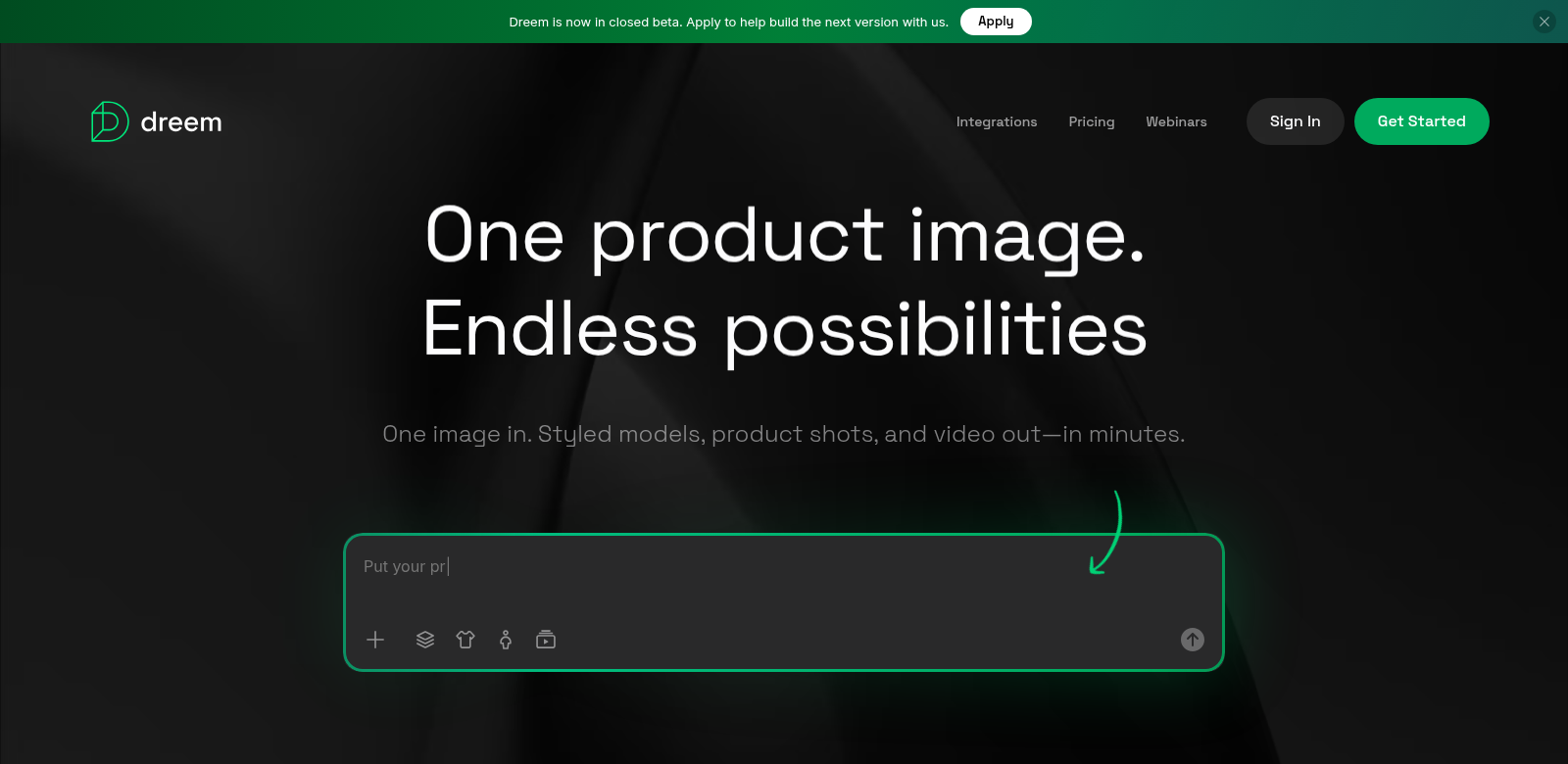
Dreem is changing how e-commerce brands create visuals. It's an AI virtual studio that lets them make high-quality product images in an instant. This tool cuts out the usual headaches of making good online content, like needing physical samples or hiring pro photographers. Brands can now make great-looking images that grab shoppers' attention and boost their marketing, all without breaking a sweat. If you're into smart tech, Dreem makes it much easier and better to show off products online.
Who Uses Dreem
Knowing who uses a product is key for any company. Dreem works with all sorts of clients, and each one has their own needs. Here are some of Dreem's main customers:
-
E-commerce Retailers: These businesses need strong visuals to sell more. Quick, high-quality images help them stay on top of fast-moving market trends.
-
Small Business Owners: Owners of small online shops often lack the budgets for professional photography. Dreem gives them an affordable way to stand out against bigger players.
-
Marketing Agencies: Agencies can use Dreem to quickly make tons of visuals for different campaigns. This speed helps them hit tight deadlines and keep clients happy.
-
Content Creators: Creative freelancers find Dreem's interface easy to use, letting them mix products with artistic designs without fuss.
-
Product Designers: Designers can see their ideas come to life without needing physical prototypes. This speeds up the design process and gets new products to market faster.
The Problems Dreem Solves
Many e-commerce brands struggle to make product visuals that actually grab shoppers' attention. Dreem tackles these issues directly with smart tech.
The Headaches
-
High Costs of Professional Photography: Traditional photoshoots cost a fortune for many e-commerce brands, making them shy away from good product images.
-
Time-Consuming Processes: Setting up photoshoots, handling all the details, and waiting for images to be processed can really drag out marketing campaign launches.
-
Inconsistency in Quality: Using different photographers often means inconsistent image quality and style, which can mess with a brand's look.
-
Inaccessibility to Quality Resources: Smaller businesses often can't get professional photographers or good equipment, making it hard for them to show off their products well.
-
Demanding Market Trends: E-commerce moves fast. Brands need to constantly update their visuals to keep up, and that can feel overwhelming without help.
The Dreem Fix
Dreem solves these problems by using advanced AI to let users create product visuals instantly. By removing the need for traditional photography, Dreem helps brands save both time and money. Just upload product images and tell it what you want. The AI then whips up high-quality visuals you can use anywhere—your website, social media, or ads.
Plus, the platform keeps all your visuals consistent, which is great for your brand's look. Dreem's interface is so easy to use, you don't need any tech skills. That means small business owners and creative folks can all jump right in. With quick results, brands can easily react to market trends, always having fresh content ready for their audience.
How People Use It
Dreem is super flexible and works in many real-world situations. Here's how people use it:
-
Seasonal Promotions: E-commerce retailers can quickly make themed visuals for holidays or sales, boosting their marketing during busy shopping times.
-
New Product Launches: Brands can get high-quality images ready for new products right away, making sure they grab shoppers' attention from day one.
-
Social Media Campaigns: Content creators can use Dreem to make striking images perfect for social media, which helps them get more engagement from followers.
-
Email Marketing: Good-looking visuals made with Dreem can make email campaigns work better, meaning more people click through.
-
A/B Testing: Businesses can quickly create different visual options to test marketing strategies and see what connects best with their audience.
Dreem's Best Features
Dreem has several features that make e-commerce visuals better:
-
Instant Image Generation: Make professional-quality images in seconds. This helps brands stay competitive and quick.
-
Easy-to-Use Interface: You don't need design experience. Anyone can use it, no matter their tech skills.
-
Customization Options: Users can tweak images to fit their exact needs, making everything feel more personal.
-
Cloud-Based: It's cloud-based, so you can access Dreem from anywhere. This makes it easier for teams to work together.
-
Consistent Quality: The AI makes sure all visuals look great, building a strong, consistent brand look across all your channels.
Common Questions About Dreem
-
How does Dreem make images so fast? Dreem uses advanced AI to quickly look at product images and make visuals exactly how the user wants them, cutting down the time usually spent on photoshoots.
-
Can I use Dreem for videos? Right now, Dreem focuses on images. But we might add video creation in future updates, which would be a big help for e-commerce brands.
-
Is Dreem hard to learn? Dreem is designed to be super easy to pick up. Users can quickly get comfortable with the platform and start making pro-quality visuals even if they've never done it before.
-
What kinds of products can I show off with Dreem? Dreem can handle all sorts of products—fashion, accessories, home goods, tech. It works for pretty much any e-commerce niche.
-
How does Dreem keep image quality high? Dreem uses smart algorithms to make sure the visuals aren't just high-res, but also look great and meet professional standards, no matter the product.