DueDrop: Managing Invoices for Businesses
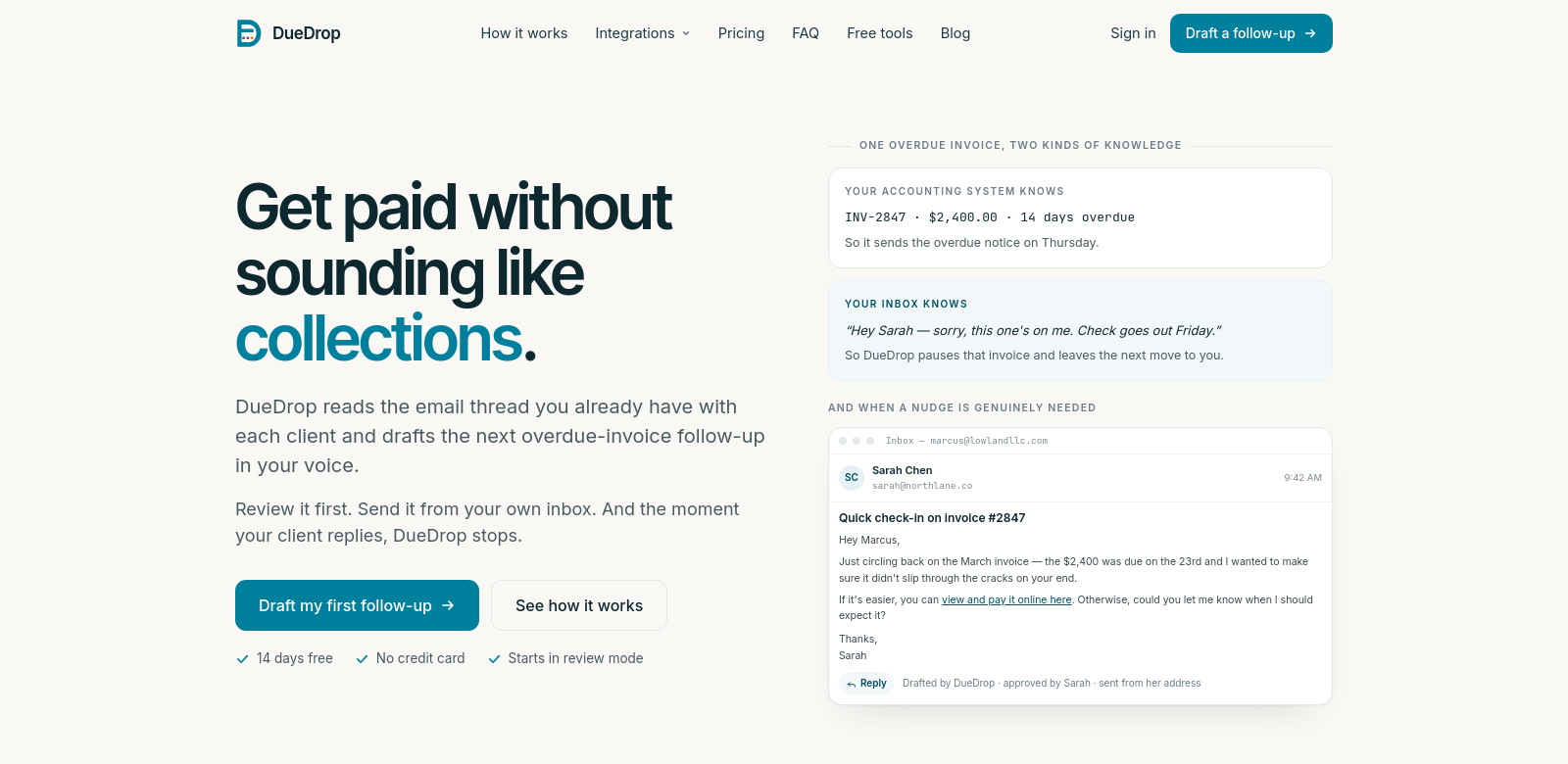
Keeping cash flowing is essential for any business, especially today. DueDrop helps businesses chase overdue invoices without sounding pushy or aggressive. It uses your existing email conversations with clients to draft follow-up messages in your own voice. This makes communication easier and helps you get paid faster. If you use accounting software like QuickBooks, Xero, FreshBooks, or Wave, DueDrop plugs right in, making invoicing even simpler. DueDrop keeps things professional and ensures you collect payments respectfully.
Customers of DueDrop
Lots of different businesses and professionals need good invoice management, and DueDrop is built for them. Here are some of the people who use it:
-
Freelancers: Freelancers often juggle many projects and clients, which can make invoicing complicated. DueDrop helps freelancers stay professional when chasing overdue invoices, saving them time and effort.
-
Small business owners: Small business owners wear many hats, and managing invoices can feel overwhelming. DueDrop simplifies this, letting them focus on what really matters: running their business.
-
Accountants: Accountants can use DueDrop to improve their client services. It ensures accurate, timely invoice follow-ups, adding value to their bookkeeping and freeing up their time.
-
Consultants: Consultants often work with many different clients. DueDrop helps them keep their invoicing organized, which is key to a healthy consulting practice.
-
Service providers: Service providers, whether they're in cleaning, maintenance, or personal services, often struggle with payment delays. DueDrop's message creation makes communication more efficient, helping cash flow smoothly.
Problems and solution by DueDrop
Many businesses struggle with efficient invoice management. DueDrop tackles these problems head-on:
Problems DueDrop found
-
Communication gaps: Many businesses don't follow up quickly enough, which delays payments.
-
Lack of personal touch: Generic follow-up messages can feel impersonal, hurting client relationships and causing misunderstandings.
-
Time-consuming processes: Writing follow-up messages takes a lot of time away from other business tasks.
-
Inconsistency in messaging: Without a consistent approach, different team members might send follow-ups with varying tones and messages, leading to confusion and looking unprofessional.
-
Ineffective integration: Businesses often use many accounting tools, which can fragment processes and make it hard to track communications.
Solution by DueDrop
DueDrop solves these problems by creating personalized follow-up messages from your existing client email threads. This approach keeps your communications in your voice, building familiarity and professionalism. Once the draft is ready, you can review it before sending it from your inbox. This control keeps your brand's tone consistent and your messages clear.
It integrates with popular accounting software, so you don't have to switch between platforms. This makes invoicing less of a headache and frees up time for your main business activities.
Use case
Imagine a freelance graphic designer with many clients who struggles to chase overdue payments. With DueDrop, the designer can feed in recent email exchanges, and DueDrop will generate a tailored follow-up message. This saves time, helps keep client relationships positive, and ultimately means better cash flow and less stress over unpaid invoices.
Top features of DueDrop
DueDrop has several features that make it great for managing overdue invoices:
-
Email thread utilization: DueDrop analyzes existing email threads to make sure messages are relevant and fit the context.
-
Customization: It drafts messages in your voice, keeping a personal connection that builds better client relationships.
-
Software integration: Works with popular accounting tools like QuickBooks, Xero, FreshBooks, and Wave.
-
Review and approve: You can review drafts before sending to keep control over your communications.
-
User-friendly interface: It has an intuitive interface, making it simple for anyone to get started, no matter their technical background.
Frequently asked questions with DueDrop
-
How does DueDrop know my voice? DueDrop looks at your past email communications to draft follow-ups that match your style and tone.
-
Is my data secure with DueDrop? Yes, DueDrop uses strong security measures to protect your data and privacy.
-
Can I use DueDrop with different accounting software? Yes! DueDrop works with many popular accounting platforms, so it's flexible for different business needs.
-
What happens if a client replies to my follow-up? If a client replies, DueDrop recognizes the conversation has moved on and stops the follow-up process to keep communication natural.
-
Do I need technical expertise to use DueDrop? No, DueDrop is designed to be easy to use, so you don't need any special technical skills to use it effectively.