Turn Images into 3D-Printable STL Files, Online
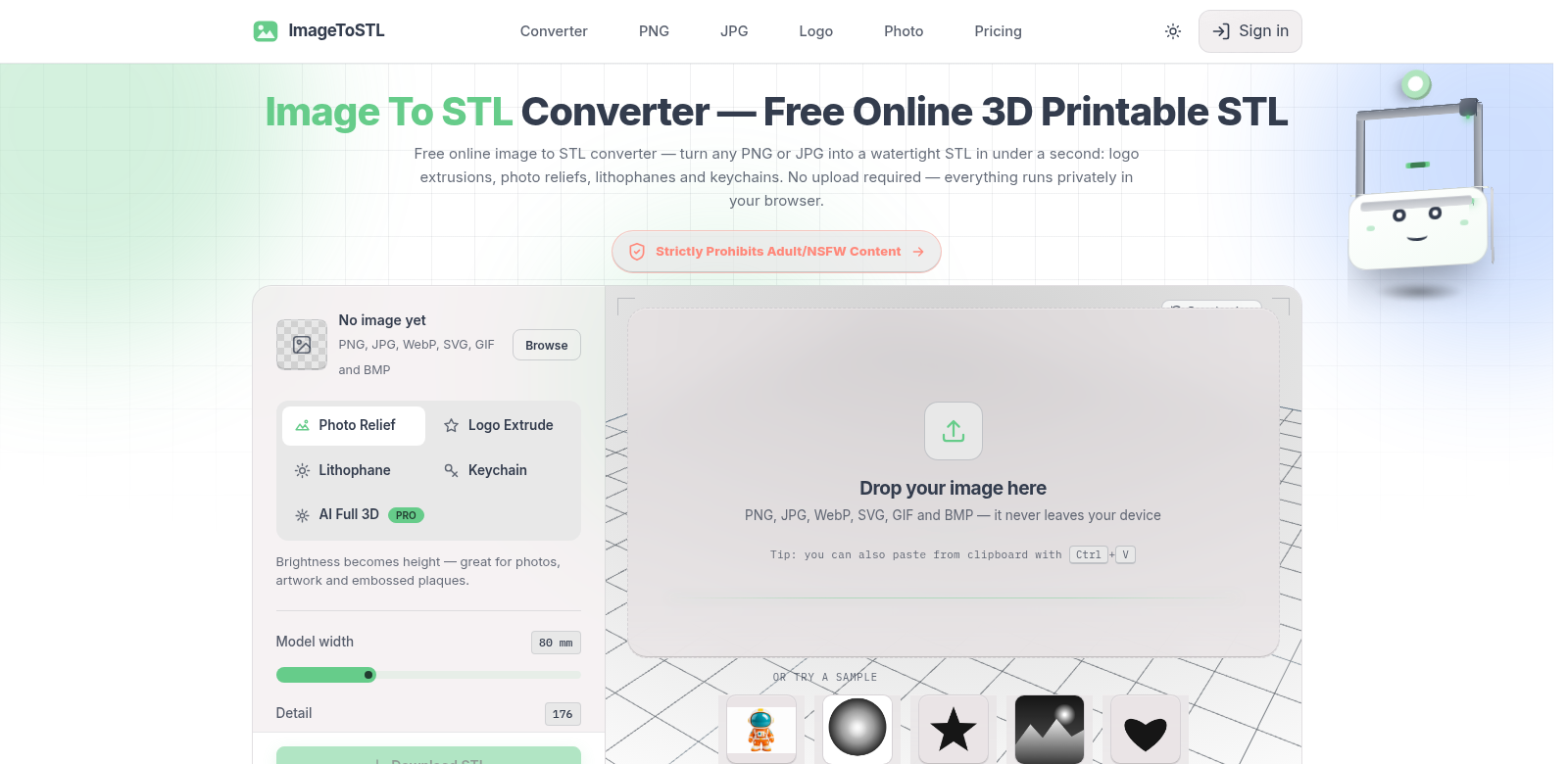
Want to turn an image into a 3D-printable STL file? Image to STL Converter makes it simple. It works with PNG and JPG files, so hobbyists and professional designers alike can use it. Using AI, you can make all sorts of 3D models: extruded logos, reliefs, lithophanes, or even keychains. Do it all right in your browser – no complicated software to install, no coding skills needed.
Who uses Image to STL Converter?
Image to STL Converter helps a lot of different people. Here's who uses it and why:
Hobbyists
Many hobbyists use the converter to try new creative ideas. They love how simple it is to upload an image and get a 3D model, even without much experience. It helps them bring their projects to life.
Small Business Owners
Entrepreneurs, especially those making crafts or personalized gifts, use this tool to add unique products. They can offer custom-made items, which helps them stand out.
Educators and Students
Teachers and students use it in schools to learn about 3D printing. Converting images easily makes STEM education more hands-on, helping them understand design and technology.
Graphic Designers
Professional designers need quick ways to turn 2D graphics into 3D. Image to STL Converter helps them do this, saving time they'd otherwise spend in complex modeling software.
Nonprofit Organizations
Nonprofits, like those doing art therapy or community projects, use the converter to make 3D printed materials. This helps them reach more people and encourage creativity in places that need it.
How Image to STL Converter Solves Common Problems
Technology can boost creativity, but it also brings its own headaches. Image to STL Converter tackles several common problems people hit when trying to make 3D models from images.
The Problems It Solves
Complex Software
Most 3D modeling tools need advanced skills and complicated setup. That's a big turn-off for casual users.
Expensive Software
Software that converts images to 3D often costs a lot, pricing out many potential users.
Time-Wasting Learning Curves
Learning complex programs takes ages, leading to wasted time and a lot of frustration.
Hard to Access
Many people interested in 3D printing can't get the tools they need, which stifles their creativity.
Compatibility Headaches
Converting images often leads to errors or a drop in quality.
The Solution
Image to STL Converter is a simple, web-based tool that fixes these problems. You can upload images fast and get STL files instantly. It makes the whole process easy with an interface anyone can use, no matter their skill level. Forget about needing prior software expertise. You can quickly make changes and see your models, moving smoothly from an idea to a finished 3D product. Since it's free and online, it cuts costs for everyone – individuals and organizations alike. Plus, it supports different formats, so you get high-quality results without compatibility headaches. It's the best way to handle any image-to-3D conversion.
Real-World Uses
Image to STL Converter has tons of uses. A hobbyist just getting into 3D printing might turn personal photos into cool keepsakes or decorations. A small business owner could make company logos into promotional keychains – a real, physical marketing tool. In schools, students learning design can use it to turn drawings into 3D models, helping them grasp spatial ideas. Nonprofits can also use the service to create educational materials, making resources more engaging and interactive for different communities.
What Makes It Great
- Simple Interface. We built it to be easy. Navigation is clear, so you can convert images without a fuss.
- Instant Results. Get your 3D model fast, without losing quality. This saves you valuable time.
- Lots of Output Choices. You're not stuck with one type of model. Create different 3D shapes and designs to really stretch your creativity.
- AI Magic (Optional). Want to polish your model? Our optional AI can automatically refine it for a better print.
- Works Anywhere. Since it's all online, you can use it from any device. No special computer or software needed.
FAQs
- What file types can I use? We support PNG and JPG. Most people use these, so you probably won't need to convert your files first.
- Does it cost anything? Nope, it's completely free. We don't want money to stop anyone from creating.
- Do I need 3D modeling experience? Not at all. It's built to be super easy to use, even if you've never touched 3D software before.
- How fast is the conversion? You'll usually see your results in just a few seconds. It's quick, especially if you're in a hurry.
- Can I change the STL file later? Yes! Once you have your STL, you can open and edit it in most 3D printing software if you want to customize it further.