Make Videos from JSON
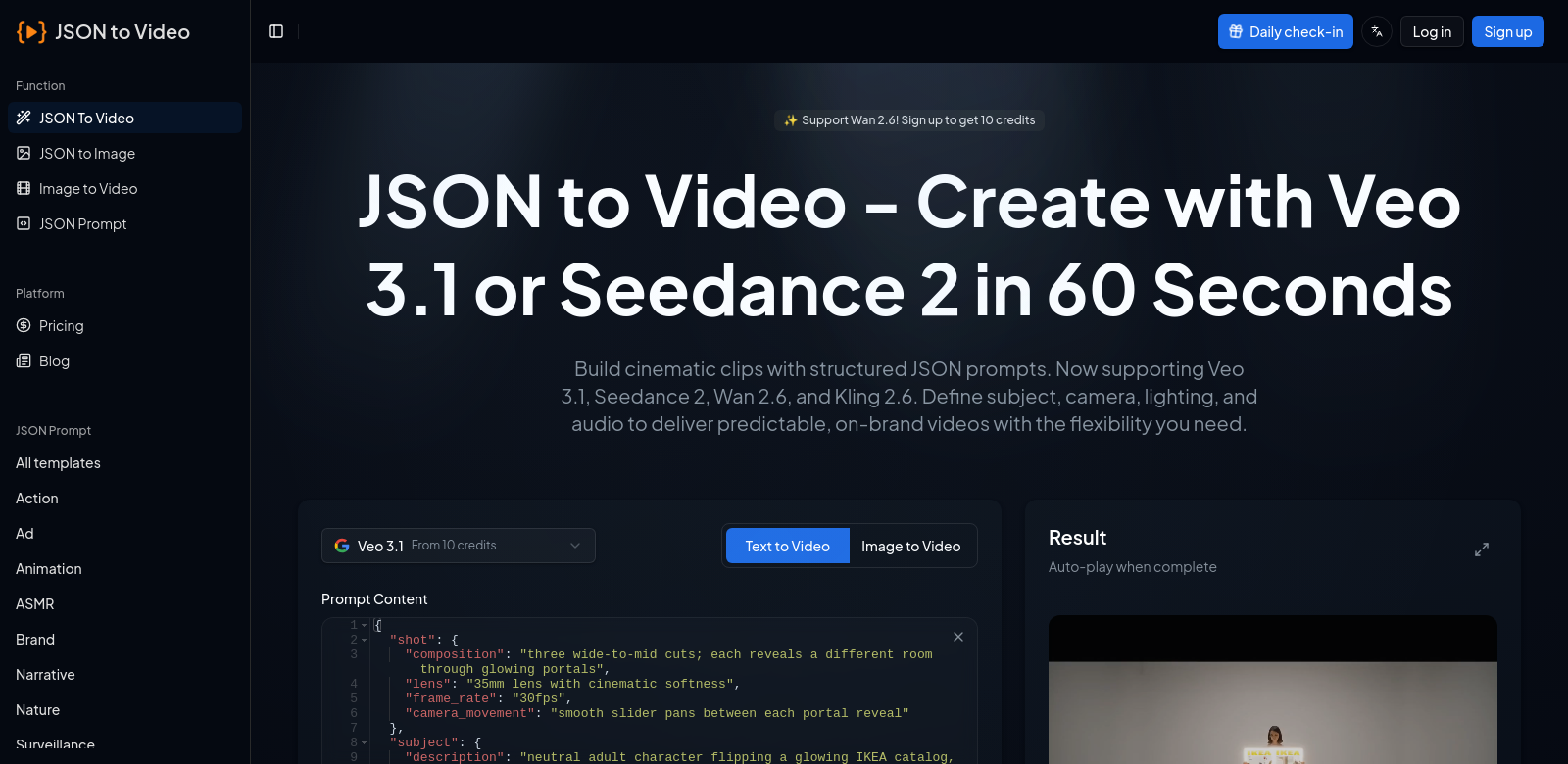
Making great video content just got a lot easier with the JSON to Video tool. It uses advanced AI models like Veo 3.1 and Seedance 2 to turn structured JSON prompts into videos. The best part? The videos are always on-brand and predictable. Its simple interface means anyone, from beginners to pros, can create impressive videos without a fuss. Whether you're a marketer or an educator, this tool is incredibly useful across many fields, showing just how much people want high-quality video.
Who Uses JSON to Video?
Lots of different people get a lot out of the JSON to Video tool. Seeing who uses it helps show how widely applicable it is.
-
Marketers: Digital agencies use JSON to Video to quickly make targeted ads. Turning data into engaging videos helps them speed up their work, making it simpler to run video marketing campaigns that boost brand visibility and get customers talking.
-
Content Creators: Independent creators and influencers can use this tool to quickly produce professional-looking videos for their audience. JSON to Video takes the headache out of turning ideas into dynamic video, letting creators focus on what they do best: telling stories and connecting with viewers.
-
Educators: Teachers and trainers in education can use the tool to make instructional videos. By turning complex topics into visual lessons, educators can help students understand and remember information better, all in a way that encourages interaction and engagement.
-
Corporate Trainers: Companies use JSON to Video to efficiently create onboarding and training materials. When videos explain key concepts in an engaging way, employees pick up information faster and more effectively. This leads to better performance and quicker learning.
-
Non-Profits: Non-profit organizations can use the tool to tell powerful stories about their mission. Through strong video narratives, they can attract more support and make sure their message truly connects with their audience, raising awareness and engagement for their causes.
Problems JSON to Video Solves
The JSON to Video tool tackles several common headaches in video production and marketing.
Problems People Face
-
Time-Consuming Content Creation: Making videos often takes a lot of editing and planning. JSON to Video cuts down this time by letting users input structured data and generate videos fast.
-
Lack of Technical Skills: Many people who want to make videos don't have advanced editing skills. JSON to Video offers an easy-to-use interface that opens up video creation to everyone, even those with minimal tech experience, so they can still make high-quality videos.
-
Inconsistent Quality: Traditional video production can lead to wildly different quality levels depending on the creator. By using AI, JSON to Video ensures every video looks consistent and professional.
-
Struggling to Make Engaging Content: It's tough to consistently create video content that truly grabs an audience. The tool's ability to turn structured data into visually appealing content helps overcome this challenge easily.
How JSON to Video Helps
JSON to Video effectively solves these problems by blending technology with creativity. It uses structured JSON prompts as input for video creation, offering a straightforward, systematic way to generate videos. Users just set the data parameters, pick their desired output model (Veo 3.1 or Seedance 2), and let the AI do the rest. This dramatically cuts down the time and effort needed to create polished video content, all while making sure the final product is engaging and high-quality.
Real-World Uses
The JSON to Video tool is incredibly flexible, showing its value in many different situations. For instance, a marketing pro can feed customer data and ad scripts into JSON to quickly churn out custom advertisements. Similarly, educators can take course outlines and turn them into short video lessons for online platforms. Non-profits can craft compelling stories from data about their outreach, and corporate trainers can transform complex training manuals into easy-to-understand video tutorials. These examples show how the tool boosts efficiency and creativity across various fields.
Top Features of JSON to Video
The JSON to Video tool comes with several key features that make it powerful and easy to use.
-
Structured Data Input: Users can easily upload structured JSON data, which acts as the starting point for video generation, simplifying content creation.
-
AI Models: Access to advanced AI models like Veo 3.1 and Seedance 2 means you get diverse video styles and outputs, fitting all sorts of user needs.
-
User-Friendly Interface: The intuitive interface makes the tool accessible even for people with little technical background, bringing in a wider range of users.
-
Quick Video Generation: Save time with fast video rendering. Users can produce and publish content much quicker than with traditional methods.
-
Brand-Safe Outputs: The videos it generates stick to brand guidelines, giving companies a safe way to keep their image consistent across all content.
Frequently Asked Questions about JSON to Video
Here are some common questions about the JSON to Video tool, clearing up what it can do and how it's used.
-
What kinds of videos can I make with JSON to Video? JSON to Video handles a wide range of video formats, including promotional content, educational videos, and training materials, making it adaptable for any user.
-
Do I need technical skills to use this tool? No, JSON to Video's user-friendly design lets anyone create professional videos without needing technical skills.
-
Can I use my own JSON data? Absolutely! Users can upload their own structured JSON data, tailoring the video content to fit specific stories or requirements.
-
What's the expected quality of the videos? Videos generated through JSON to Video maintain a high output quality, making them suitable for professional use in various settings.
-
Is customer support available? Yes, JSON to Video offers strong customer support to help users with any questions or technical issues they might run into.