Kling 3.0: Bringing Motion to Life with AI
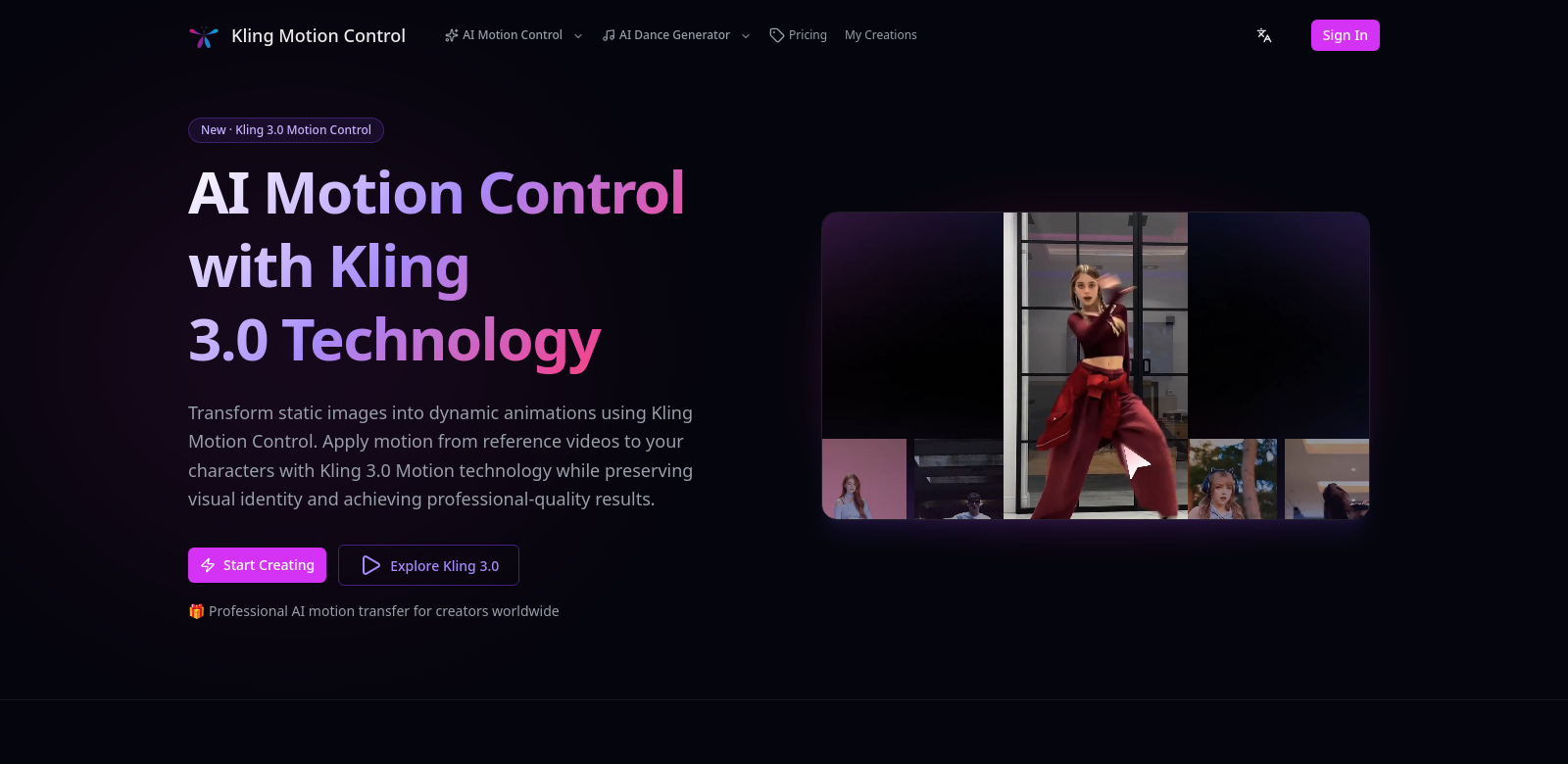
Ever wish you could just make your static images move? Kling Motion Control is doing just that, leading the charge in animation tech with its Kling 3.0 system. This platform lets you turn still pictures into smooth, dynamic animations. Thanks to AI Motion Control, you can grab realistic movement from a reference video and apply it directly to your characters. Kling 3.0 isn't just a fancy tool for animators; it's sparking creativity across all sorts of industries, fundamentally changing how we create and consume visual content.
Who's Using Kling Motion Control?
It's pretty cool how flexible Kling 3.0 is, drawing in all kinds of folks who want to level up their visuals. When you look at who's actually using it, you start to get a real sense of how Kling 3.0 tackles different needs.
-
Animators: For the pros, Kling 3.0 is a workflow accelerator. Imagine automating motion capture – suddenly, you're spending less time on tedious tasks and more on the actual storytelling. The tool helps them unearth subtle movements from reference videos, opening up creative avenues they might not have had time for before, all without cutting corners on quality.
-
Game Developers: Game makers are using Kling to craft character animations that feel truly alive, making gameplay experiences richer. By baking in motion transfer, they can slash the time it takes to animate character movements, which means more immersive game worlds hitting your screen sooner.
-
Film and Television Studios: The film industry is getting a huge boost from Kling 3.0. Studios can bring characters to life in a flash. Directors can quickly mock up scenes with moving characters, making the editing process much more fluid. It's all about speeding up production and making things more efficient, which, let's be honest, everyone loves.
-
Marketing Professionals: Marketing teams are jumping on board too. Turning static images into dynamic content? That's gold for ads and promos that actually grab attention – a must-have in today's blink-and-you-miss-it digital world.
-
Educators and Trainers: Even teachers are finding Kling's motion tech useful for making lessons more engaging. Animated visuals can clarify tough concepts and keep students glued to the screen, making the whole learning experience just... better.
The Headaches Kling 3.0 Solves
Let's face it, making dynamic content used to come with some serious pain points. Kling 3.0 was built specifically to tackle those.
Common Animation Headaches
-
Animation Takes Forever: Traditional animation is often a long, grueling process. Artists often find themselves animating frame by frame, which isn't just a time sink; it can really stifle creativity.
-
Animations Look Stiff: Getting animations to look truly natural is still a beast. Many tools just don't quite nail the transfer of realistic movements from live-action, leaving characters looking, well, a bit robotic.
-
Production Costs Are Sky-High: Animation production can be incredibly expensive, thanks to the labor and specialized tools needed for quality results. This often shuts out smaller studios and independent creators.
-
Too Many Tools, Too Little Flow: Creators often juggle a dozen different animation tools, leading to wasted time and inconsistent quality. What we really needed was a single, all-in-one solution to smooth out the workflow.
How Kling Motion Control Helps
Kling Motion Control steps in with a clever solution, packing advanced tech into one platform. Kling 3.0 uses AI algorithms to automatically transfer motion from video references directly onto static images. This isn't just a small improvement; it drastically cuts animation times and seriously boosts overall quality. The result? Animations that don't just look good, they feel real.
And it's not just powerful; Kling 3.0 offers an interface that's genuinely easy to use, making the whole animation experience better. Features that used to be a nightmare to figure out are now straightforward, lowering the barrier for new users while still giving experienced pros the depth they need. Plus, having all these tools integrated within Kling means you're not constantly bouncing between different software, which makes for a much more connected, less frustrating workflow.
Real-World Uses
The cool thing about Kling 3.0 is how many different ways you can use it. It's incredibly adaptable. Think about an animation studio: they could use Kling 3.0 to quickly animate a short film, saving tons of time on character movements by automating motion capture. Or in gaming, developers can make characters move faster, allowing for quicker iterations and getting those new titles out the door sooner.
Marketers? They're using this tech to whip up animated content for social media campaigns, grabbing user attention way more effectively than a static image ever could. And schools? They're finding it super useful for creating animations that clearly explain concepts and keep students engaged. These examples just scratch the surface, but