Minimax Music 3: An AI Music Generator Worth Your Time
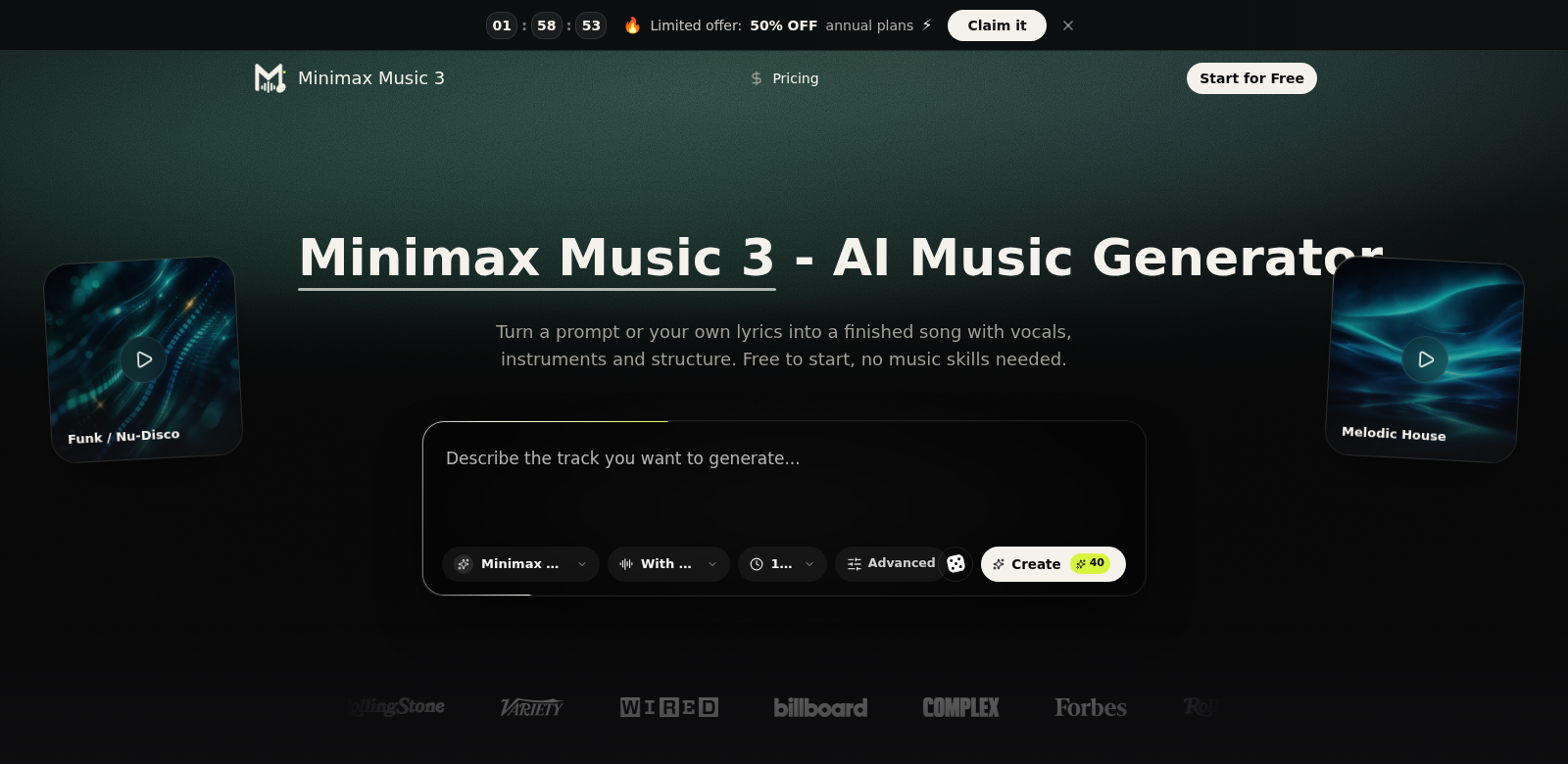
Minimax Music 3 is an AI music generator that takes text prompts and lyrics and turns them into full songs. It's pretty impressive, actually. This tool can create complete five-minute tracks with real-sounding vocals and instruments, all with a solid structure. If you're a musician, content creator, or just curious about music production, you'll probably find it useful. Minimax Music 3 has made a name for itself in a busy market, and I can see why many people are starting to use it.
Who Uses Minimax Music 3?
Minimax Music 3 gets used by all sorts of people, and they each come to it with different goals. Seeing who uses it helps you understand just how broad its appeal is. Here's a breakdown:
- Musicians: Whether you're just starting out or you've been at it for years, this tool helps you quickly whip up original backing tracks. That means more room to experiment and get creative without needing a ton of production know-how.
- Content Creators: YouTubers and podcasters can make their projects sound way better with custom music that perfectly fits their content. It's a great way to boost engagement and overall quality.
- Music Producers: Producers can use Minimax Music 3 to speed up songwriting. This helps them tackle client requests more efficiently and creatively.
- Marketers: For advertising, marketers can create custom jingles and soundtracks that really connect with their target audience, helping their brand stand out.
- Educators: Teachers in music production can use this software as a hands-on tool in the classroom, getting students involved in making music and giving them direct experience with AI technology.
The Problems Minimax Music 3 Solves
Making music and content today comes with its own set of headaches that can really slow down creativity and productivity. Minimax Music 3 tackles these head-on.
What Problems Does Minimax Music 3 Solve?
- Not enough time: Traditional music-making takes ages, and many creators just don't have that kind of time to produce quality tracks.
- Lack of skills: Not everyone has formal training in music composition, which can really hold back their creative ideas.
- Expensive resources: Getting your hands on professional-grade music and sound libraries can be tough, either because they're hard to find or they cost a fortune.
- Tricky collaborations: Working with other musicians or producers can be a pain, especially when you're not in the same room.
How Minimax Music 3 Solves Them
Minimax Music 3 offers a smart way to tackle these issues, making the whole music creation process much smoother:
First off, it cuts down the time it takes to make music, big time. Just type in some text prompts or lyrics, and you can quickly get full musical tracks. This means you can try out ideas and tweak them super fast.
Second, Minimax Music 3 makes it easy for non-musicians to get started. It has a simple interface and automated features that generate music, opening up creative possibilities for everyone, no matter their musical experience.
Plus, it comes with a huge library of instrument sounds and vocals that you can easily drop into your tracks. This means you don't need expensive gear or access to pro studios to get high-quality sounds.
And collaboration? That's a breeze. You can share your generated tracks with others without any fuss, making group projects way smoother and more productive.
Use Cases
Minimax Music 3 is super flexible, which means you can use it for all sorts of creative projects:
- Custom Jingles: Businesses can easily make unique jingles for their marketing campaigns, helping their brand really stick with people.
- Background Music for Videos: Content creators can whip up background music specifically for their videos, making them more engaging and watchable.
- Songwriting Help: If you're a songwriter, you can use this to create melodies and chord progressions, helping you build out your ideas faster.
- Teaching Tool: Music teachers can show students how AI makes music, getting them ready for what's next in music production.
- Quick Mockups: Producers can use Minimax Music 3 to quickly generate mockups. This is great for showing clients or collaborators ideas during the early stages of a project.
Minimax Music 3's Best Features
Minimax Music 3 comes packed with features that make it a pleasure to use:
- Text-to-Song: Just give it lyrics and prompts, and the generator will create a full song.
- Real Instruments: The software uses high-quality instrument sounds, making your music sound more realistic and expressive.
- Tweakable Output: You can adjust things like tempo, genre, and instruments to get the exact sound you need.
- Easy-to-Use Interface: The design is super intuitive, so anyone, no matter their skill level, can jump in and start making music without a huge learning curve.
- Simple Sharing: Easily share your generated tracks with others, which makes teamwork and collaboration in music production a breeze.
Common Questions About Minimax Music 3
- How does Minimax Music 3 turn text into music? It uses smart algorithms and machine learning to understand your text inputs. Then, it converts those into musical parts like melody, harmony, and rhythm.
- Does the music sound professional? Absolutely. Minimax Music 3 uses high-quality audio samples and instruments, so the songs it produces meet professional standards and work well for all sorts of media.
- Can I use the songs I make for commercial projects? Usually, yes! But you should always check the licensing agreements to be clear on exactly how you can use your generated tracks.
- What kinds of music can I make? It's pretty versatile. You can create a huge variety of music genres, from pop and classical to hip-hop and electronic, and everything in between.
- Are there tutorials or support if I get stuck? Yep! Minimax Music 3 offers plenty of user guides and customer support to help you get the most out of the software and make the best music possible.