Picture Editor: What It Does
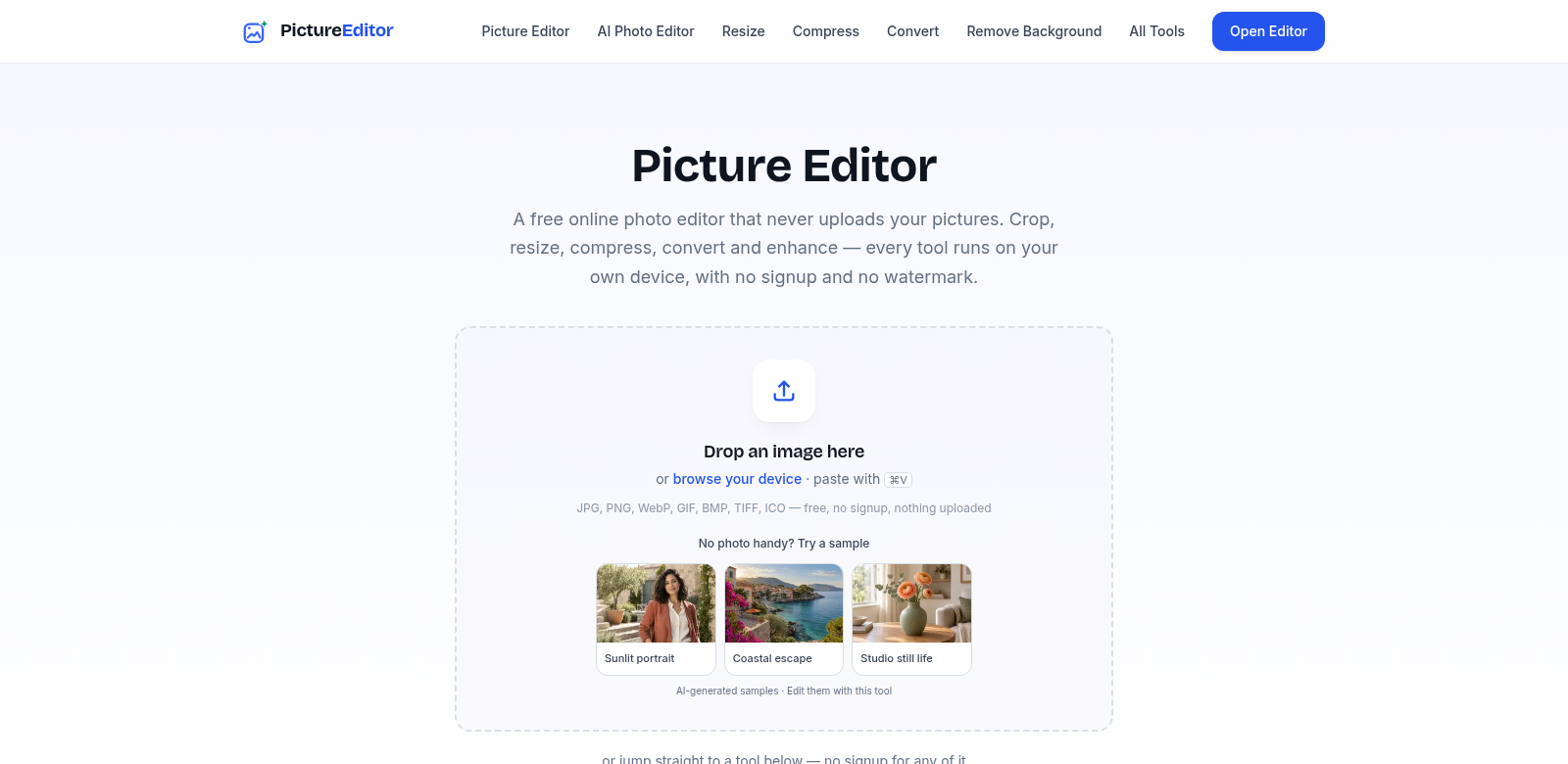
Picture Editor is a free online photo editing tool with over 30 features for all sorts of editing jobs. You can crop, resize, compress, convert, and enhance your images right in your browser. This keeps things private and super convenient. No software downloads needed, so it just fits right into how you work. It's easy to use and packed with features, which is probably why so many people, from casual users to pros, pick it.
Who Uses Picture Editor?
Picture Editor works for all kinds of people, each with their own reasons for using it. Seeing who uses it helps explain why it's so popular and useful.
-
Photographers: Both pros and hobbyists like Picture Editor because it has the tools they need to quickly make their photos look better. They especially appreciate being able to change image sizes without losing quality, which is crucial for getting their work ready to publish or print.
-
Social Media Managers: People who run social media accounts use Picture Editor to make eye-catching posts. Its simple features help them create sharp images that grab followers' attention and boost their clients' brand.
-
Small Business Owners: Business owners can use Picture Editor for marketing materials, ads, and product photos. It's so easy to use that even non-designers can create good-looking graphics that match their brand, which is key for any promo campaign.
-
Bloggers and Content Creators: If you're a writer or creator who needs better visuals, Picture Editor is a quick fix. Making thumbnails or infographics can really boost click-throughs and keep people engaged, helping you build your audience.
-
Educators and Students: Teachers and students often need to edit images for presentations or school projects. Picture Editor offers simple, easy-to-access tools that make learning and creativity easier, helping them put together great-looking visuals.
What Problems Does Picture Editor Solve?
Image editing can be a real headache for people and businesses these days. Picture Editor tackles a bunch of common problems, making it a solid choice for many.
Common Image Editing Headaches
-
Complex Software: A lot of image editing programs are so loaded with features that they're hard to learn, which puts people off using them properly.
-
Costly Subscriptions: Pro-level photo editing software can be really expensive, making advanced features out of reach for hobbyists and small businesses.
-
Time-Consuming Processes: Even simple edits can take forever with traditional software, slowing down your work and killing productivity.
-
Lack of Accessibility: Many tools need you to install software, which is a pain if you just want to make a quick edit without downloading anything.
-
Privacy Concerns: People often worry about uploading private images to online tools. They want something that guarantees their data is safe.
How Picture Editor Helps
Picture Editor tackles these problems head-on. It's an easy-to-use platform packed with features that anyone can access. Since it runs in your browser, you don't have to install anything. You can just start editing right away. It has a full set of tools, but they're not overly complicated. This makes photo editing something anyone can do, not just experts.
Plus, Picture Editor really cares about privacy. All your image processing happens right in your browser, so your photos stay secure. This focus on security, combined with the fact that it's free, means anyone – individuals or businesses – can use powerful editing tools without paying a cent.
Real-World Uses for Picture Editor
Picture Editor is useful in tons of situations where you need to make images look better. Say a photographer needs to touch up photos before a gallery show – they can use the crop and resize tools to get the composition just right. Or a small business owner might use its design tools to whip up some eye-catching promo stuff for a social media campaign. Bloggers can make their website images pop, helping their content get noticed and pull in more readers. Every example shows how flexible and effective Picture Editor is for all kinds of editing needs.
Picture Editor's Best Features
Picture Editor has a great set of features that really make it shine for all sorts of users. They make it easier and better to use.
-
Easy to Use: We built it to be simple. Anyone can get around the platform without trouble, no matter their editing skill.
-
Lots of Editing Tools: Whether you just need to crop or want to do some serious image enhancement, Picture Editor has tools for everyone, guaranteeing good results.
-
Super Fast: Because it's browser-based, everything processes quickly. You can finish your edits fast without annoying delays.
-
Your Privacy Matters: All editing happens right in your browser, so Picture Editor keeps your images private and secure.
-
Completely Free: You get powerful editing tools without paying a dime. That makes Picture Editor a great choice for everyone, from beginners to pros.
Picture Editor: Your Questions Answered
-
What formats can I edit with Picture Editor? Picture Editor handles common image formats like JPEG, PNG, and GIF. This means you can easily work with all sorts of visual content.
-
Can I access Picture Editor on mobile devices? Yep, Picture Editor works great on phones and tablets. So you can edit images wherever you are.
-
Is there a limit to the file size I can upload? You can upload big image files, but there might be some limits depending on our server. For most standard image sizes, though, you shouldn't hit any roadblocks.
-
Are my images saved after editing? No, Picture Editor doesn't save your images on our servers. Once you're done editing, you need to download them yourself to keep your changes. This is part of our strict privacy policy.
-
Does Picture Editor provide tutorials or help resources? Absolutely! The platform has plenty of guides and help sections to walk you through the editing process, so you can make the most of every feature.