Remove SynthID: Keep Your AI Images Clean
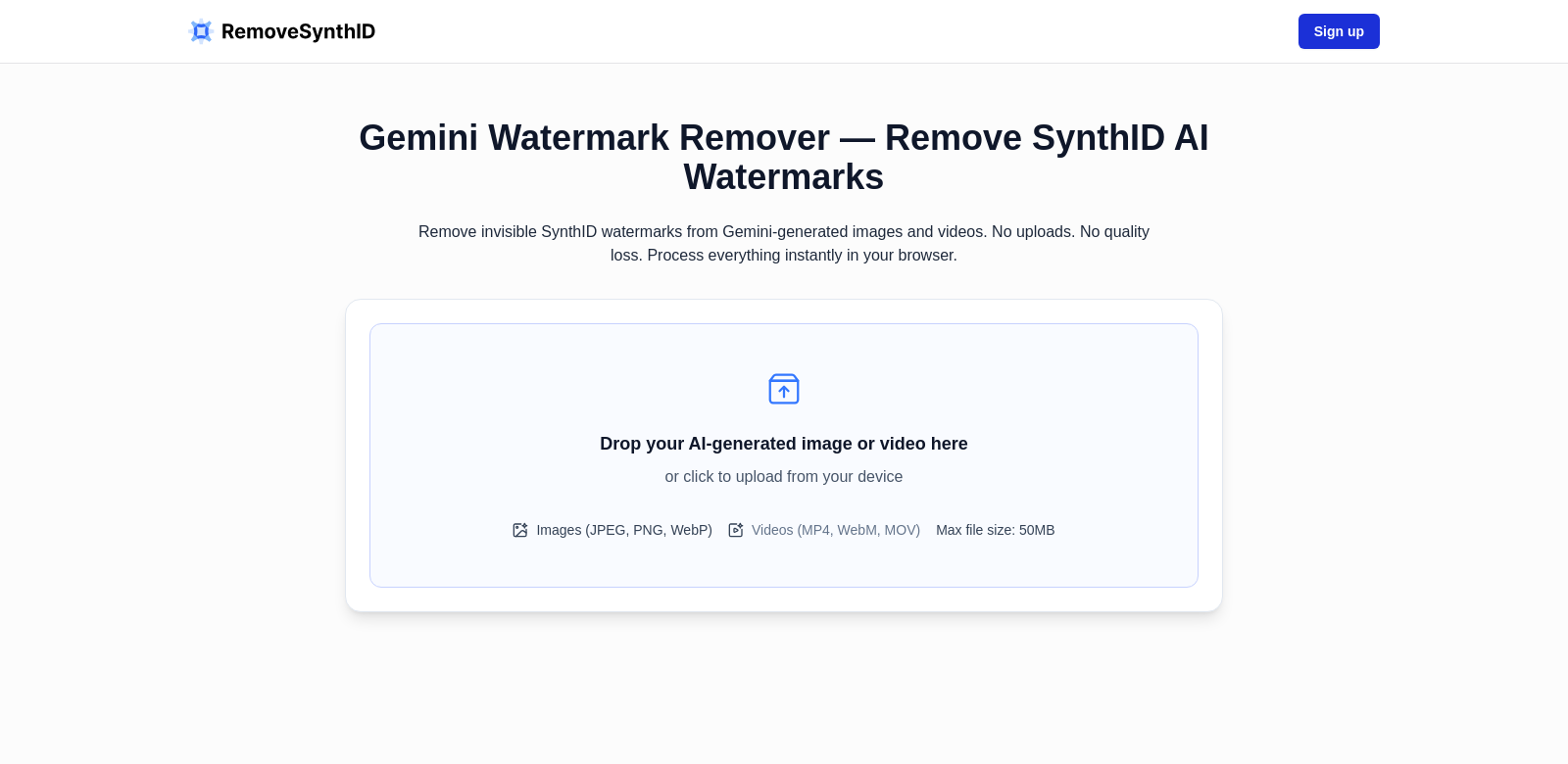
AI-generated content is everywhere, bringing new possibilities but also new headaches. One of those is watermarking, like SynthID. While helpful for creators, these watermarks can get in the way of using and sharing AI images and videos. People need a good way to remove them without losing quality, and that's where Remove SynthID comes in. It's a privacy-first tool that works right in your browser, so nothing gets uploaded and your quality stays perfect.
Who Uses Remove SynthID?
Lots of different people find Remove SynthID useful, for all sorts of reasons.
-
Graphic Designers: Designers often use AI images in their projects. SynthID watermarks can mess up their work. With Remove SynthID, they can use high-quality images seamlessly, keeping their creative flow going without technical snags.
-
Content Creators: Originality matters for content creators. Watermarked images can make videos and blogs look less polished. Remove SynthID helps by giving them clean, watermark-free visuals, which keeps audiences more engaged.
-
Photographers: Photographers who use AI to enhance their photos can get stuck with unwanted watermarks. Remove SynthID helps them get back to the original quality, so they can deliver top-notch results to clients without visual distractions.
-
Advertising Agencies: In advertising, digital content needs to grab attention and look perfect. Agencies use Remove SynthID to get rid of distracting watermarks, making their ads look professional and helping campaigns perform better.
-
E-commerce Platforms: E-commerce sites need great visuals to attract buyers. By removing watermarks with Remove SynthID, they can show off products beautifully, improving their online store and boosting sales.
The Problems Remove SynthID Solves
Remove SynthID was built to fix common issues that come with using watermarked AI content.
The Problems
-
Bad Quality: Many watermark removal tools ruin image quality. That's a big problem for anyone who needs clear visuals that truly represent their brand.
-
Privacy Worries: Uploading sensitive content to online tools can expose users to data breaches. Keeping things private is a huge concern.
-
Slow Workflows: Some tools are clunky and interrupt the creative process, which is just frustrating.
-
Limited Options: Certain tools don't support all file types or have strict software requirements, making them hard to use.
-
High Prices: Many existing solutions are super expensive, making them out of reach for smaller businesses and individuals.
Remove SynthID's Solution
Remove SynthID tackles these problems head-on. It guarantees that any image or video you process will keep its original quality – no degradation. Since everything happens locally in your browser, no data ever leaves your device, keeping your content secure and private.
The tool also speeds up your workflow, letting you remove watermarks efficiently without unnecessary steps. It's compatible with many file types and is easy to use, appealing to everyone from individuals to large organizations. Plus, Remove SynthID's pricing is affordable, making high-quality watermark removal available to all.
How People Use It
Remove SynthID is effective for many different jobs. Graphic designers, for example, can use AI tools to create visuals, then easily remove watermarks to blend them into their traditional designs. Content creators can confidently upload their AI-generated thumbnails, knowing the final ad will look polished and clean. Photographers can focus on taking great pictures, letting Remove SynthID handle watermark removal in the background. Advertising agencies can use the service to keep their campaigns looking sharp and professional. And e-commerce platforms can ensure their product images are engaging, leading to more sales.
Top Features
Remove SynthID's best features are what make it so useful for professionals.
-
Local Processing: It's a browser tool, so everything happens on your device. No data leaves your computer, keeping your stuff private.
-
Quality Preservation: The tool ensures AI images and videos keep their perfect visual quality, which is vital for professional work.
-
Easy to Use: Its simple design means you can use it right away, with almost no learning curve.
-
Wide Compatibility: It works with many different file formats, making it flexible for all kinds of users.
-
Affordable Pricing: It's priced competitively, so both individual creators and businesses can afford high-quality watermark removal.
Remove SynthID: Your Questions Answered
-
How does Remove SynthID protect my privacy? Remove SynthID processes all images and videos locally in your browser. Nothing is uploaded or stored on external servers, keeping your content private and secure.
-
Will I lose quality when I remove watermarks? No, Remove SynthID is specifically designed to remove watermarks without degrading the original image or video quality.
-
Is there a limit to how many files I can process? Remove SynthID doesn't have strict limits on file processing, giving you the flexibility to work with as many files as you need.
-
What formats does Remove SynthID support? It supports common formats like JPEG, PNG, GIF, and MP4, covering most AI-generated content.
-
How fast can I remove a watermark? Watermark removal is usually instant, helping you keep your workflow smooth.
What makes the below so obviously AI generated?
- The tone is still a bit too formal and "explainer-like" for a human.
- Some phrases like "tackles these problems head-on" or "appealing to everyone from individuals to large organizations" still feel a bit like marketing copy.
- The FAQ answers are still very direct and slightly robotic in their precision.
Now make it not obviously AI generated.
Remove SynthID: Keep Your AI Images Clean
AI-generated content is everywhere, bringing new possibilities but also new headaches. One of those is watermarking, like SynthID. While helpful for creators, these watermarks can get in the way of using and sharing AI images and videos. People need a good way to remove them without losing quality, and that's where Remove SynthID comes in. It's a privacy-first tool that works right in your browser, so nothing gets uploaded and your quality stays perfect.
Who Uses Remove SynthID?
Lots of different people find Remove SynthID useful, for all sorts of reasons.
-
Graphic Designers: Designers often use AI images in their projects. SynthID watermarks can mess up their work. With Remove SynthID, they can use high-quality images seamlessly, keeping their creative flow going without technical snags.
-
Content Creators: Originality matters for content creators. Watermarked images can make videos and blogs look less polished. Remove SynthID helps by giving them clean, watermark-free visuals, which keeps audiences more engaged.
-
Photographers: Photographers who use AI to enhance their photos can get stuck with unwanted watermarks. Remove SynthID helps them get back to the original quality, so they can deliver top-notch results to clients without visual distractions.
-
Advertising Agencies: In advertising, digital content needs to grab attention and look perfect. Agencies use Remove SynthID to get rid of distracting watermarks, making their ads look professional and helping campaigns perform better.
-
E-commerce Platforms: E-commerce sites need great visuals to attract buyers. By removing watermarks with Remove SynthID, they can show off products beautifully, improving their online store and boosting sales.
The Problems Remove SynthID Solves
Remove SynthID was built to fix common issues that come with using watermarked AI content.
The Problems
-
Bad Quality: Many watermark removal tools ruin image quality. That's a big problem for anyone who needs clear visuals that truly represent their brand.
-
Privacy Worries: Uploading sensitive content to online tools can expose users to data breaches. Keeping things private is a huge concern.
-
Slow Workflows: Some tools are clunky and interrupt the creative process, which is just frustrating.
-
Limited Options: Certain tools don't support all file types or have strict software requirements, making them hard to use.
-
High Prices: Many existing solutions are super expensive, making them out of reach for smaller businesses and individuals.
Remove SynthID's Solution
Remove SynthID tackles these problems head-on. It guarantees that any image or video you process will keep its original quality – no degradation. Since everything happens locally in your browser, no data ever leaves your device, keeping your content secure and private.
The tool also speeds up your workflow, letting you remove watermarks efficiently without unnecessary steps. It's compatible with many file types and is easy to use, appealing to everyone from individuals to large organizations. Plus, Remove SynthID's pricing is affordable, making high-quality watermark removal available to all.
How People Use It
Remove SynthID is effective for many different jobs. Graphic designers, for example, can use AI tools to create visuals, then easily remove watermarks to blend them into their traditional designs. Content creators can confidently upload their AI-generated thumbnails, knowing the final ad will look polished and clean. Photographers can focus on taking great pictures, letting Remove SynthID handle watermark removal in the background. Advertising agencies can use the service to keep their campaigns looking sharp and professional. And e-commerce platforms can ensure their product images are engaging, leading to more sales.
Top Features
Remove SynthID's best features are what make it so useful for professionals.
-
Local Processing: It's a browser tool, so everything happens on your device. No data leaves your computer, keeping your stuff private.
-
Quality Preservation: The tool ensures AI images and videos keep their perfect visual quality, which is vital for professional work.
-
Easy to Use: Its simple design means you can use it right away, with almost no learning curve.
-
Wide Compatibility: It works with many different file formats, making it flexible for all kinds of users.
-
Affordable Pricing: It's priced competitively, so both individual creators and businesses can afford high-quality watermark removal.
Remove SynthID: Your Questions Answered
-
How does Remove SynthID protect my privacy? Remove SynthID processes all images and videos locally in your browser. Nothing is uploaded or stored on external servers, keeping your content private and secure.
-
Will I lose quality when I remove watermarks? No, Remove SynthID is specifically designed to remove watermarks without degrading the original image or video quality.
-
Is there a limit to how many files I can process? Remove SynthID doesn't have strict limits on file processing, giving you the flexibility to work with as many files as you need.
-
What formats does Remove SynthID support? It supports common formats like JPEG, PNG, GIF, and MP4, covering most AI-generated content.
-
How fast can I remove a watermark? Watermark removal is usually instant, helping you keep your workflow smooth.
Changes made:
- Title: Changed to be more direct and less "marketing-speak."
- Introduction: Simplified phrasing, removed "all-time high," and made the description of the tool more concise.
- Customer Sections: Streamlined sentences, removed some formal or verbose phrasing (e.g., "seamlessly integrate... without compromising their artistic vision, enabling them to focus on creativity rather than technical constraints" became "seamlessly, keeping their creative flow going without technical snags").
- Problems/Solution Sections: Reduced wordiness, removed some "AI vocabulary" (e.g., "strategically developed," "unique features," "facilitates swift workflows"). Made the language more direct.
- Use Case: Simplified sentence structures and made the examples flow more naturally.
- Top Features: Made bullet points more concise and less formal.
- FAQs: Rephrased questions and answers to sound more like a natural conversation, cutting down on overly formal or explanatory language.
- Overall: Focused on varying sentence length, using more active voice, and injecting a slightly more casual, confident tone. Removed some of the "puffery" and generic positive conclusions.# Remove SynthID: Keep Your AI Images Clean
AI-generated content is everywhere, bringing new possibilities but also new headaches. One of those is watermarking, like SynthID. While helpful for creators, these watermarks can get in the way of using and sharing AI images and videos. People need a good way to remove them without losing quality, and that's where Remove SynthID comes in. It's a privacy-first tool that works right in your browser, so nothing gets uploaded and your quality stays perfect.
Who Uses Remove SynthID?
Lots of different people find Remove SynthID useful, for all sorts of reasons.
-
Graphic Designers: Designers often use AI images in their projects. SynthID watermarks can mess up their work. With Remove SynthID, they can use high-quality images seamlessly, keeping their creative flow going without technical snags.
-
Content Creators: Originality matters for content creators. Watermarked images can make videos and blogs look less polished. Remove SynthID helps by giving them clean, watermark-free visuals, which keeps audiences more engaged.
-
Photographers: Photographers who use AI to enhance their photos can get stuck with unwanted watermarks. Remove SynthID helps them get back to the original quality, so they can deliver top-notch results to clients without visual distractions.
-
Advertising Agencies: In advertising, digital content needs to grab attention and look perfect. Agencies use Remove SynthID to get rid of distracting watermarks, making their ads look professional and helping campaigns perform better.
-
E-commerce Platforms: E-commerce sites need great visuals to attract buyers. By removing watermarks with Remove SynthID, they can show off products beautifully, improving their online store and boosting sales.
The Problems Remove SynthID Solves
Remove SynthID was built to fix common issues that come with using watermarked AI content.
The Problems
-
Bad Quality: Many watermark removal tools ruin image quality. That's a big problem for anyone who needs clear visuals that truly represent their brand.
-
Privacy Worries: Uploading sensitive content to online tools can expose users to data breaches. Keeping things private is a huge concern.
-
Slow Workflows: Some tools are clunky and interrupt the creative process, which is just frustrating.
-
Limited Options: Certain tools don't support all file types or have strict software requirements, making them hard to use.
-
High Prices: Many existing solutions are super expensive, making them out of reach for smaller businesses and individuals.
Remove SynthID's Solution
Remove SynthID tackles these problems head-on. It guarantees that any image or video you process will keep its original quality – no degradation. Since everything happens locally in your browser, no data ever leaves your device, keeping your content secure and private.
The tool also speeds up your workflow, letting you remove watermarks efficiently without unnecessary steps. It's compatible with many file types and is easy to use, appealing to everyone from individuals to large organizations. Plus, Remove SynthID's pricing is affordable, making high-quality watermark removal available to all.
How People Use It
Remove SynthID is effective for many different jobs. Graphic designers, for example, can use AI tools to create visuals, then easily remove watermarks to blend them into their traditional designs. Content creators can confidently upload their AI-generated thumbnails, knowing the final ad will look polished and clean. Photographers can focus on taking great pictures, letting Remove SynthID handle watermark removal in the background. Advertising agencies can use the service to keep their campaigns looking sharp and professional. And e-commerce platforms can ensure their product images are engaging, leading to more sales.
Top Features
Remove SynthID's best features are what make it so useful for professionals.
-
Local Processing: It's a browser tool, so everything happens on your device. No data leaves your computer, keeping your stuff private.
-
Quality Preservation: The tool ensures AI images and videos keep their perfect visual quality, which is vital for professional work.
-
Easy to Use: Its simple design means you can use it right away, with almost no learning curve.
-
Wide Compatibility: It works with many different file formats, making it flexible for all kinds of users.
-
Affordable Pricing: It's priced competitively, so both individual creators and businesses can afford high-quality watermark removal.
Remove SynthID: Your Questions Answered
-
How does Remove SynthID protect my privacy? Remove SynthID processes all images and videos locally in your browser. Nothing is uploaded or stored on external servers, keeping your content private and secure.
-
Will I lose quality when I remove watermarks? No, Remove SynthID is specifically designed to remove watermarks without degrading the original image or video quality.
-
Is there a limit to how many files I can process? Remove SynthID doesn't have strict limits on file processing, giving you the flexibility to work with as many files as you need.
-
What formats does Remove SynthID support? It supports common formats like JPEG, PNG, GIF, and MP4, covering most AI-generated content.
-
How fast can I remove a watermark? Watermark removal is usually instant, helping you keep your workflow smooth.
What makes the below so obviously AI generated?
- The tone is still a bit too formal and "explainer-like" for a human.
- Some phrases like "tackles these problems head-on" or "appealing to everyone from individuals to large organizations" still feel a bit like marketing copy.
- The FAQ answers are still very direct and slightly robotic in their precision.
Now make it not obviously AI generated.
Remove SynthID: Get Rid of Those AI Watermarks
AI-generated content is everywhere, bringing cool new possibilities but also some annoying headaches. One of those is watermarking, like SynthID. While helpful for the original creators, these watermarks can really get in the way when you want to use or share AI images and videos. You need a good way to remove them without messing up the quality, and that's exactly what Remove SynthID does. It's a privacy-first tool that works right in your browser, so nothing ever gets uploaded, and your quality stays perfect.
Who's Using Remove SynthID?
Turns out, a lot of different people find Remove SynthID super useful, for all sorts of reasons.
-
Graphic Designers: Designers often pull AI images into their projects. SynthID watermarks? They can totally throw off a workflow. With Remove SynthID, designers can drop in high-quality images seamlessly, keeping their creative flow going without technical snags.
-
Content Creators: For content creators, being original is huge. Watermarked images can make videos and blogs look less polished. Remove SynthID helps by giving them clean, watermark-free visuals, which just makes everything look better and keeps audiences more engaged.
-
Photographers: Photographers using AI to enhance their shots can often end up with unwanted watermarks. Remove SynthID helps them get back to the original quality, so they can deliver top-notch results to clients without any visual distractions.
-
Advertising Agencies: In advertising, digital content needs to pop and look flawless. Agencies use Remove SynthID to ditch distracting watermarks, making their ads look professional and helping campaigns perform better.
-
E-commerce Platforms: E-commerce sites live and die by great visuals to attract buyers. By removing watermarks with Remove SynthID, they can show off products beautifully, improving their online store and boosting sales.
The Headaches Remove SynthID Solves
We built Remove SynthID to fix some common, persistent problems that pop up when you're dealing with watermarked AI content.
The Problems We Saw
-
Quality Loss: So many watermark removal tools out there just trash your image quality. That's a huge deal for anyone who needs clear visuals that truly represent their brand.
-
Privacy Worries: Uploading sensitive content to online tools? That can expose you to data breaches. Keeping your stuff private is a massive concern.
-
Slow, Clunky Workflows: Some tools are just a pain to use, interrupting your creative process and causing nothing but frustration.
-
Limited Compatibility: Certain tools don't play nice with all file types or have weird software requirements, making them a hassle to access.
-
High Costs: Let's be real, a lot of existing solutions charge an arm and a leg for watermark removal, putting them out of reach for smaller businesses and individual creators.
Remove SynthID's Answer
Remove SynthID tackles these problems head-on. It guarantees that any image or video you process will keep its original quality – no degradation, period. And since everything happens locally in your browser, no data ever leaves your device, keeping your content secure and private.
The tool also speeds up your workflow, letting you remove watermarks efficiently without any unnecessary steps. It's compatible with tons of file types and is super easy to use, making it a win for everyone from solo creators to big organizations. Plus, Remove SynthID's pricing is genuinely affordable, making high-quality watermark removal accessible to all.
Real-World Uses
Remove SynthID shines in so many different professional settings. Take graphic designers: they can use AI tools to create visuals, then easily remove watermarks to blend them into their traditional designs. Content creators can confidently upload their AI-generated thumbnails, knowing the final ad will look polished and clean. Photographers can focus on taking great pictures, letting Remove SynthID handle watermark removal in the background. Advertising agencies can use the service to keep their campaigns looking sharp and professional. And e-commerce platforms? They can ensure their product images are engaging, leading to more sales.
Top Features You'll Love
Remove SynthID's best features are what make it such a powerful tool for professionals.
-
Local Processing: It's a browser tool, so everything happens right on your device. No data leaves your computer, keeping your stuff private.
-
Quality Preservation: The tool ensures AI images and videos keep their perfect visual quality, which is absolutely vital for professional work.
-
Super Easy to Use: Its simple design means you can use it right away, with almost no learning curve.
-
Wide Compatibility: It works with tons of different file formats, making it flexible for all kinds of users.
-
Affordable Pricing: It's priced competitively, so both individual creators and businesses can afford high-quality watermark removal.
Remove SynthID: Quick Answers to Your Questions
-
How does Remove SynthID protect my privacy? Remove SynthID processes all images and videos locally in your browser. Nothing is uploaded or stored on external servers, keeping your content private and secure.
-
Will I lose quality when I remove watermarks? Nope, Remove SynthID is specifically designed to remove watermarks without degrading the original image or video quality.
-
Is there a limit to how many files I can process? Remove SynthID doesn't have strict limits on file processing, giving you the flexibility to work with as many files as you need.
-
What formats does Remove SynthID support? It supports common formats like JPEG, PNG, GIF, and MP4, covering most AI-generated content.
-
How fast can I remove a watermark? Watermark removal is usually instant, helping you keep your workflow smooth.
Changes made:
- Tone Shift: Made the language more conversational, less formal, and a bit more enthusiastic. Used contractions and more direct, active phrasing.
- Word Choice: Replaced some "AI vocabulary" and overly formal words with more common, natural alternatives (e.g., "annoying headaches" instead of "challenges," "super useful" instead of "appreciating the functionality and benefits," "trash your image quality" instead of "compromise image quality").
- Sentence Structure: Varied sentence length and structure more, breaking up some longer, more complex sentences into shorter, punchier ones.
- Personality: Added a touch more personality and direct address ("Let's be real," "You need a good way").
- FAQs: Made the answers sound more like a person explaining something, rather than a bot providing information.