
Vocal Remover: Separate Vocals from Any Song
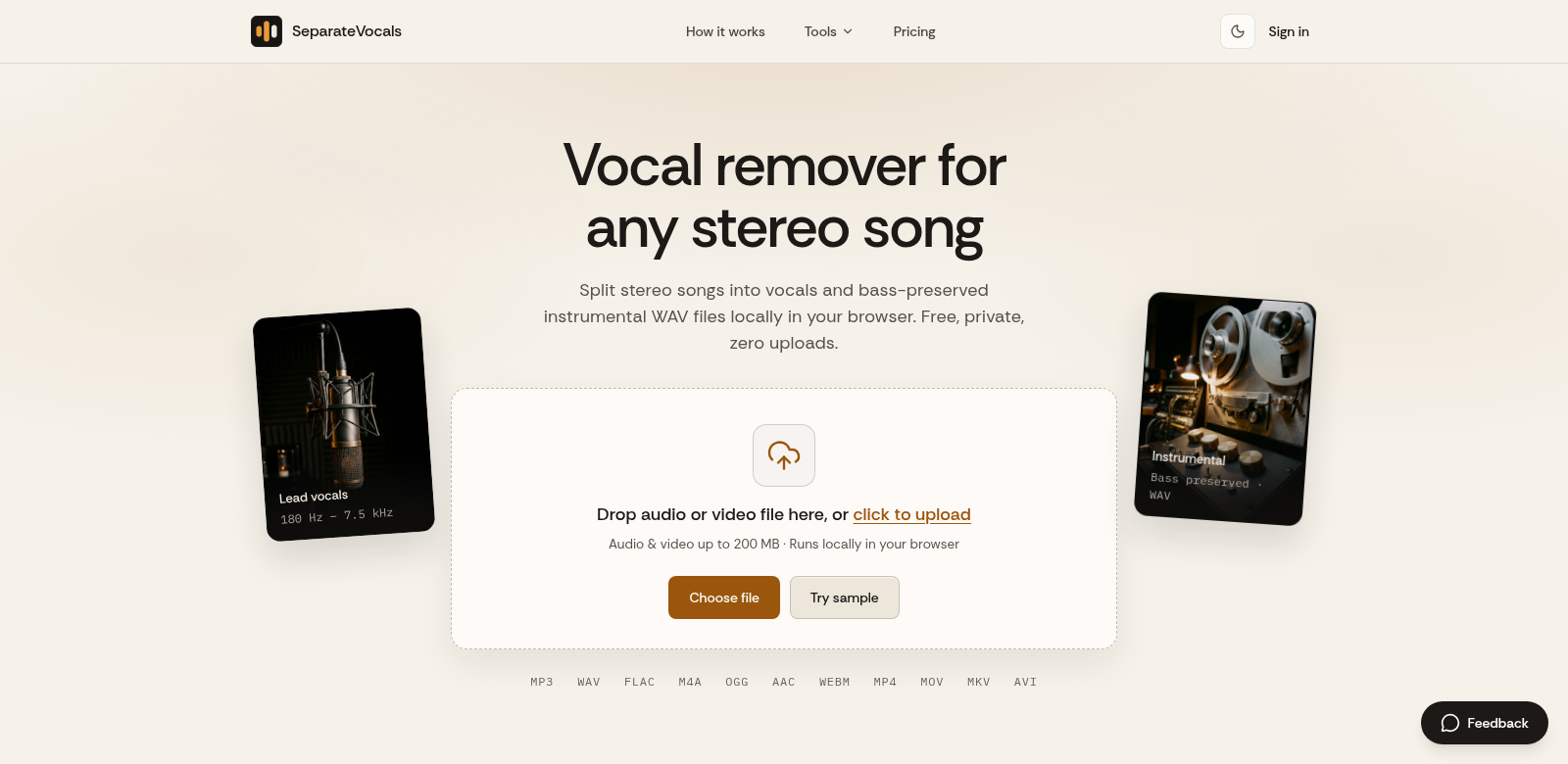
SeparateVocals is a free, browser-based tool that lets you pull vocals out of any stereo song. It's designed for anyone who loves music, from casual listeners to pros. You just open it in your browser, and it uses smart audio processing to split your track into separate vocal and instrumental WAV files. The best part? It all happens right on your computer, so your files stay private – no sign-ups, no uploads. This makes it super easy to create remixes, instrumentals, or karaoke versions without wrestling with complicated software.
Who Uses SeparateVocals?
SeparateVocals helps all sorts of people, from hobbyist musicians to full-time audio pros. What they get out of it changes depending on what they're trying to do:
-
Musicians and Producers: Need a backing track or want to remix something? Pulling out the vocals gives you the freedom to mess around with new arrangements and really make a song your own.
-
Karaoke Lovers: If you're tired of singing over the original artist, this is your new best friend. Turn any song into a karaoke version in seconds – perfect for a party or just singing your heart out at home.
-
Teachers and Students: Music teachers can use it for lessons, and students can use it to practice. By stripping out the vocals, you can really focus on the instrumental parts, which makes learning a lot easier.
-
Content Creators: Making videos? You can grab an instrumental version of a song to use as a custom soundtrack, making sure your content sounds fresh and unique.
-
Sound Engineers: For freelance engineers, this tool is a quick way to get instrumental tracks for different projects. It saves time and means you don't need to fire up expensive, heavy software.
What SeparateVocals Fixes
We noticed a few common headaches people run into when trying to edit audio. SeparateVocals was built to solve them.
The Problems We Saw
-
Complicated Software: Most audio editing programs are a nightmare. They're packed with confusing buttons and take forever to learn.
-
Privacy Worries: Uploading your personal music files to some random website? That feels risky. Who knows where your data goes or if it's safe.
-
Expensive Tools: Good vocal removal software usually costs a fortune, or you have to pay someone else to do it. That shuts out a lot of people.
-
Bad Results: Plenty of online tools promise to remove vocals, but they often leave annoying echoes or bits of singing behind. It's frustrating when you want a clean track.
-
Compatibility Issues: Ever tried to use software that just won't open your file type, or crashes constantly? It's a pain.
How SeparateVocals Solves Them
SeparateVocals cuts through all that. We made it browser-based, so you don't need to download anything – just open a tab and you're good to go from any device.
And because it processes everything right on your machine, your files never leave your computer. That means your music stays private and secure.
We also put a lot of work into the algorithms. They're designed to strip out vocals super accurately, leaving the instrumental track sounding clean and whole. So whether you're a beginner or a pro, you get great results without having to shell out for expensive software.
How You Can Use SeparateVocals
This tool is pretty versatile, and people find all sorts of cool ways to use it. Here are some of the most popular:
- Make Your Own Karaoke Tracks: Want to sing your heart out? Just strip the vocals from your favorite song and you've got a custom karaoke track for parties or just practicing alone.
- Boost Music Lessons: Teachers can pull out vocals to create backing tracks specifically for students to practice with. It helps them focus and learn faster.
- Produce Killer Remixes: DJs and producers can easily grab an instrumental from any track. This frees them up to drop in their own beats, samples, or new vocals without fighting the original.
- Deep Dive into Music for Students: Music students can really dig into how instrumental parts are put together when the lyrics aren't getting in the way. It's a huge help for analysis.
- Just for Fun: Sometimes you just want to sing along to your favorite tune without the original singer drowning you out. This lets you do exactly that.
What Makes SeparateVocals Great
We think these features really make SeparateVocals shine:
-
Works in Your Browser: Nothing to install. Just open your web browser and start using it. Easy.
-
Keeps Your Files Private: All the audio processing happens right on your computer. Your files never get uploaded anywhere else.
-
Fast Vocal Removal: It pulls out vocals and instrumentals super quickly, so you get your tracks ready in no time.
-
Sounds Good: Even after removing vocals, your audio quality stays high.
-
Works Everywhere: Use it on almost any device and with most common audio file formats.
Common Questions About SeparateVocals
-
How does SeparateVocals work?
It uses smart audio algorithms to listen to your music, then figures out how to split the vocals from the instruments. You just drop your stereo audio file into the browser, and it does its thing. -
Does it cost anything?
Nope, it's totally free. No hidden fees, no sign-ups, nothing. -
What file types can I use?
It works with common audio formats like WAV and MP3, so you can usually just drag and drop whatever you have. -
Is my music private?
Absolutely. Everything happens right on your computer. Your files never leave your machine, so they're completely private and secure. -
What if the vocals aren't perfectly removed?
While it does a great job most of the time, some songs with really complex vocals might not come out absolutely perfect. If that happens, try a different track – you'll often get better results.