Stylize Image: Turn Photos into Art with AI
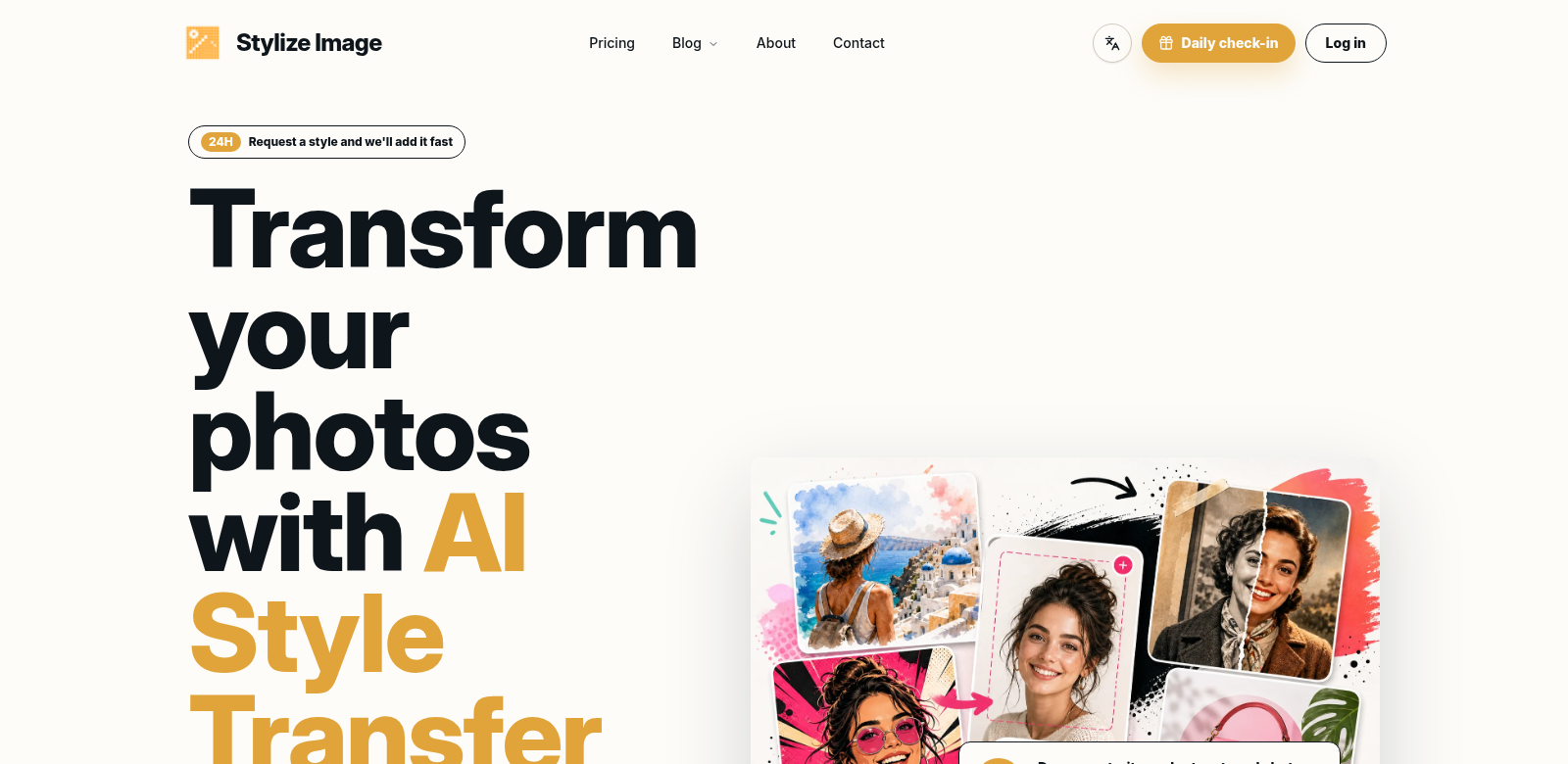
Stylize Image is an online tool that uses AI to turn your photos into art. You can apply styles from famous paintings or just make your pictures pop with color. It's a browser-based photo editor with features like background removal, photo colorization, and batch editing, so it works for anyone, from casual users to pros. Check out Stylize Image to see how easy it is to get great-looking photos.
Who Uses Stylize Image?
Who uses Stylize Image? All sorts of people, from hobbyists to seasoned pros. Everyone finds value in different features that fit what they need.
-
Casual Users: Casual users want quick, easy ways to make their photos better. Stylize Image's simple interface lets them improve pictures without needing special skills. Tools like background removal and quick filters make editing fun and fast.
-
Professional Photographers: Professional photographers need powerful editing tools to get great results for clients. Stylize Image helps them with batch editing and precise control over styles. This saves them time and still lets them deliver top-notch images.
-
Social Media Influencers: Social media influencers need eye-catching content to keep their audience hooked. Stylize Image lets them quickly make striking posts with cool effects and styles, helping them stay fresh and creative across all their platforms.
-
Graphic Designers: Graphic designers can use Stylize Image to try out different styles and techniques for their projects. Being able to play with images creatively helps them explore new ideas and artistic looks, which makes their portfolios stronger.
-
Marketers: Marketers need strong visuals for their campaigns. Stylize Image's tools help them make unique marketing materials that grab attention in a busy online world, getting their brand's message across with powerful images.
Problems Stylize Image Solves
Photo editing can be tough. People often hit roadblocks when trying to make great images. Stylize Image tackles these problems head-on, offering a real solution.
Problems Stylize Image Found
-
Complex Editing Tools: Many powerful photo editors are hard to learn or need a lot of skill, which scares people off. If a tool isn't easy to use, people can't explore their creative side.
-
Time-Consuming Processes: Editing images takes a lot of time, especially if you have many to do. People often get stuck doing the same things over and over instead of being creative.
-
Limited Artistic Expression: Old-school photo editors might not let you add the creative styles and effects that really transform a picture.
-
Low-Quality Results: Getting high-quality results usually means you need technical skills and pricey software, which isn't an option for everyone.
Solution by Stylize Image
Stylize Image tackles these problems directly. It's a simple, easy-to-use platform that gives powerful editing tools to everyone. Its AI style transfer lets anyone apply complex artistic styles with just one click, cutting out the usual hassle of photo editing. This means you can spend more time being creative and less time figuring out tricky software.
Plus, important features like batch editing help users who need to work fast. You can make quick changes to many images at once, saving a lot of time. The platform also promises HD quality, so anyone can make professional-looking photos without needing deep technical know-how.
Use Case
Picture a freelance photographer who just finished a client photoshoot. They need to quickly edit and send out images, but still want them to have a special touch that captures the shoot's vibe. Stylize Image lets them upload photos and, with an easy interface, apply styles that work for anything—a social media campaign, a portfolio, whatever.
An influencer juggling several brands can use batch editing to keep their feed looking consistent, quickly applying different artistic styles that match their brand. Marketers making ads can use the tool to create eye-catching visuals that grab customers, all while keeping their brand look consistent.
Top Features of Stylize Image
Stylize Image comes with many tools for its different users. Here are some of the main ones:
-
AI Style Transfer: You can change your images by applying styles from famous paintings or other cool visuals, giving your photos a unique artistic touch.
-
Background Removal: This easy-to-use tool lets you quickly cut subjects out of their backgrounds, giving you more freedom with your photo layouts.
-
Batch Editing: Apply changes to many images at once. This really speeds things up for photographers and marketers.
-
Photo Colorization: Automatically add color to black-and-white photos. Bring old pictures to life or get creative with new colors.
-
User-Friendly Interface: It's built to be easy to use, so even beginners can get great results without any hassle.
Common Questions About Stylize Image
-
How does the AI style transfer feature work? Stylize Image uses smart algorithms to look at an artwork's style and then put it onto your photo. This way, the original picture stays intact, but gets a unique artistic touch.
-
Is Stylize Image free to use? Stylize Image has a free option to get started. But for more features and styles, you might need a subscription to unlock premium content.
-
What type of images can I edit with Stylize Image? You can edit many types of image formats with Stylize Image. Upload photos from different places and edit them without a hitch.
-
Can I use Stylize Image on mobile devices? Yes, Stylize Image works in your browser, so you can use it on any device with internet, like your phone or tablet.
-
Will my images lose quality after editing? No, Stylize Image makes sure your final images are high-definition. Your pictures will keep their quality and clarity, no matter what edits you make.