Turn Your Images and PDFs into Editable Presentations
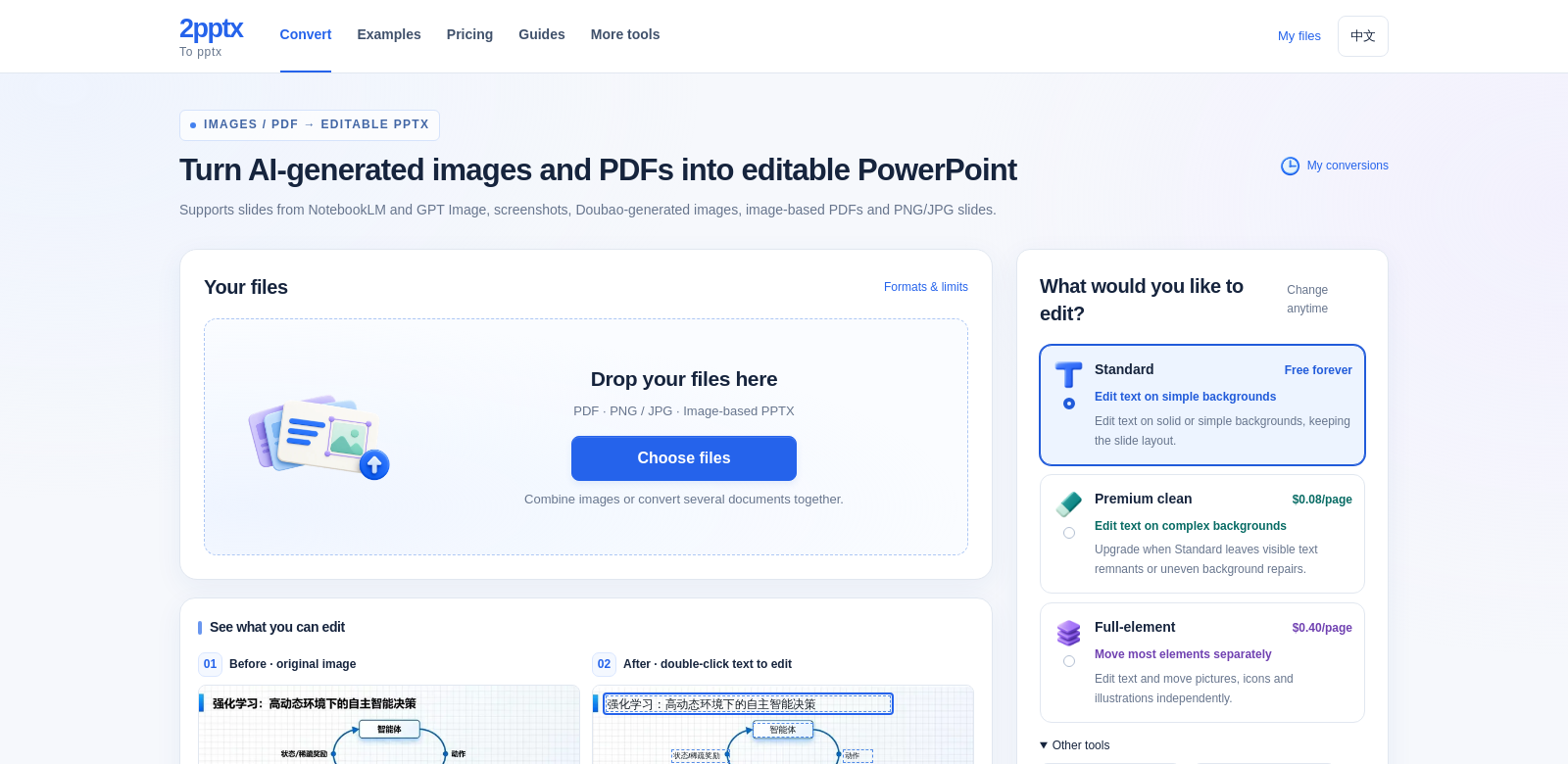
2pptx takes your images and PDFs and turns them into editable PowerPoint (PPTX) files. This means AI-generated images, NotebookLM slides, screenshots, image PDFs, and PNG/JPG exports can all become something you can actually work with. You get to choose from Standard, Premium, or Full-element editable conversions, so there's an option for whatever your project demands. It offers customizable features to help you get your presentations just right. Simple backgrounds or complex textures? 2pptx has a way to handle your editing needs.
Who Uses 2pptx?
All sorts of professionals. Here's how different groups get the most out of this conversion service:
-
Business Professionals: They often need presentations that are exact and easy to change. They can turn infographics, reports, and custom designs into editable files, making sure their presentations really hit home with stakeholders. 2pptx's premium features let them make tweaks to fit corporate standards.
-
Educators and Students: Education often means making complex information easy to understand. Teachers can convert lecture slides and visual aids. Students can turn research into PPTX files, which helps them grasp it better and present it more easily.
-
Content Creators and Designers: Keeping designs looking right in presentations is key for them. 2pptx lets them hold onto their design elements while making needed edits and changes, so their original vision stays intact.
-
Marketers: They can use 2pptx to turn promotional graphics into editable presentations. This flexibility helps them create marketing materials specifically for different audiences, keeping their brand and message consistent across everything.
-
Freelancers and Consultants: Freelancers often have clients who need custom presentations. 2pptx makes it easy for them to convert client images and documents into editable files, which smooths out their work and makes clients happier.
Problems 2pptx Solves
Making presentations often comes with its own set of headaches. 2pptx tackles them directly.
The Headaches 2pptx Fixes
-
Compatibility Issues: Trying to edit non-PPTX files is a pain, and it stops you from using your existing visuals.
-
Time Sinks: Manually converting images and PDFs takes forever and kills your productivity.
-
Bad Quality: Other conversion tools often mess up image quality or formatting when you bring them into PowerPoint.
-
Tricky Backgrounds: Putting text over complex textures or gradients is hard and usually looks bad.
-
Can't Customize: Most tools don't let you change specific parts of an image, which is a real problem when you need exact edits.
How 2pptx Solves Them
2pptx has solid answers for these common problems. With its full range of conversion choices, you can easily adapt your content without losing quality. The Standard conversion works great for simple backgrounds, making text edits a breeze. If your images have complex designs, the Premium clean conversion makes sure text over tricky textures still looks clear and good. And with the Full-element editable PPT option, you can tweak icons, shapes, and other visuals on their own, giving your presentations a polished look.
Use Cases
-
Corporate Training Sessions: Companies can turn training manuals and multimedia presentations into editable PPTX files, helping employees learn better.
-
Academic Conferences: Researchers can convert their papers and visuals into presentations that clearly explain their findings to an audience.
-
Marketing Campaigns: Marketers can quickly adjust their promotional materials to make targeted presentations, showing off products with custom visuals.
-
Event Planning: Event planners can use design concepts and marketing materials to pitch proposals to clients, showing them what their organization envisions.
-
Design Feedback: Designers can convert sketches and draft visuals into editable formats to get client feedback, making revisions smoother.
Top Features of 2pptx
Here's what makes 2pptx stand out:
-
Standard Conversion: Great for simple backgrounds, letting you edit text easily and keep things clear.
-
Premium Clean Conversion: Built for complex visuals. It keeps the quality high, even with tricky textures or gradients.
-
Full-element Editing: You can move and change every part of your presentation on its own, giving you total creative freedom.
-
Easy-to-Use Interface: The platform is simple to figure out, so anyone, new or experienced, can convert files without a hitch.
-
Fast Conversions: You'll get quick results, which really speeds up your work and makes your workflow more efficient.
Frequently Asked Questions
-
How does 2pptx ensure quality during conversion? 2pptx uses smart technology to keep your images looking sharp and clear, making sure your presentations are top-notch.
-
What types of files can I convert with 2pptx? You can convert all sorts of files: AI-generated images, PDFs, screenshots, and PNG/JPG exports, all into editable PPTX.
-
Is there a limit to the number of files I can convert at once? Yes, 2pptx lets you convert files in bulk, but the exact limits depend on your plan. Check the platform for details.
-
What if I encounter issues during conversion? If you run into trouble, 2pptx has customer support ready to help you out and keep things running smoothly.
-
Can I try 2pptx before committing? Often, there's a free trial available. It's a good way to check out the features before you decide to subscribe.