Seedance 2.5: AI for 4K Video Creation
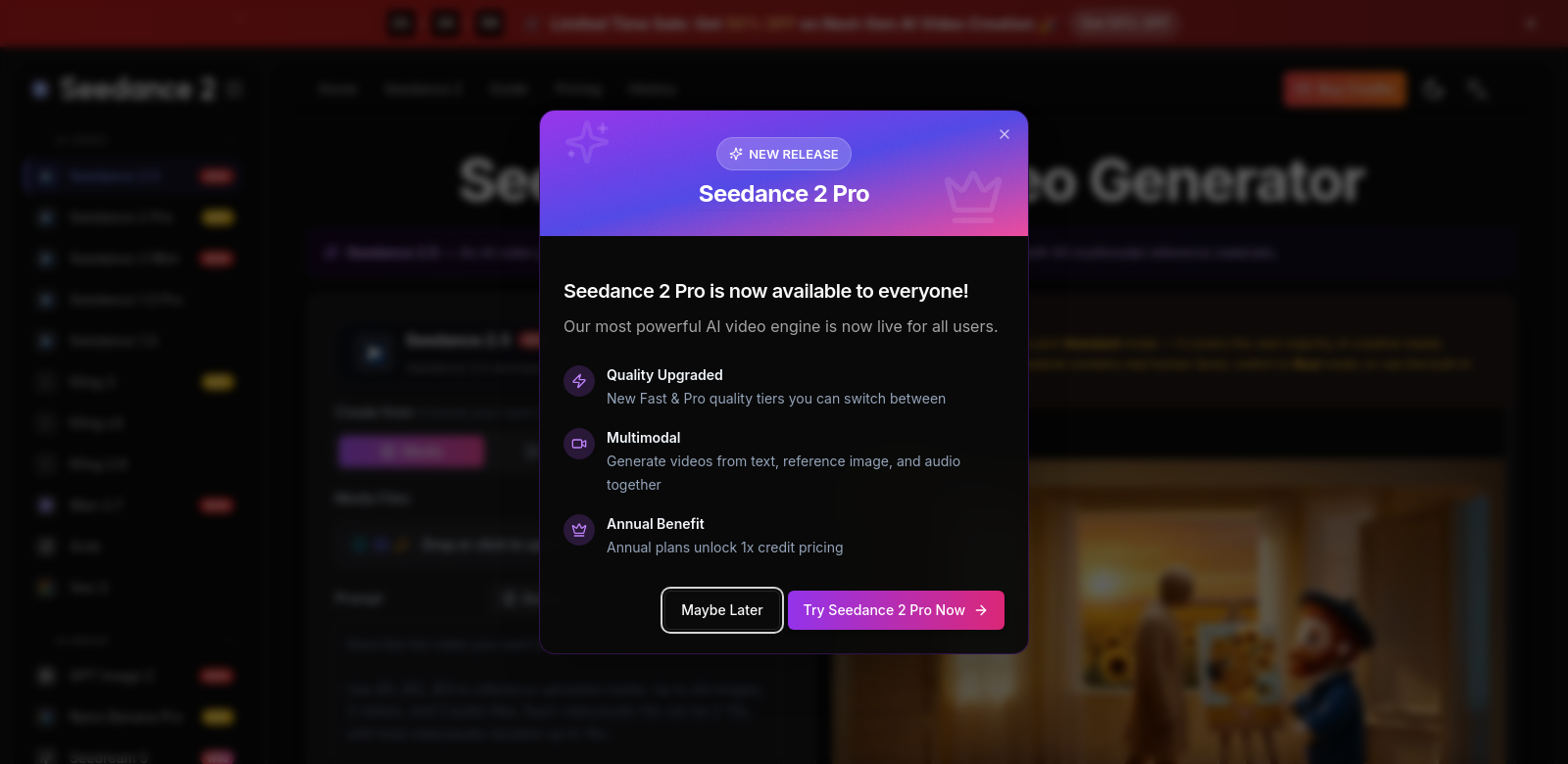
Seedance 2.5 aims to make 4K video creation faster and more creative. This AI video generator helps users make high-definition 30-second videos, giving them control over the look, characters, and scenes. With 50 different reference styles, Seedance 2.5 helps bring ideas to life for everyone, from beginners to pros.
Who Uses Seedance 2.5?
Seedance 2.5 helps different kinds of users, each getting something unique out of it.
-
Content Creators: Digital content creators can use Seedance 2.5 to quickly test video ideas and make engaging content. Whether you're a YouTube influencer or a social media marketer, it helps you produce professional videos much faster, giving you an edge.
-
Businesses and Brands: Marketing teams and brand managers use Seedance 2.5 to make promotional videos that grab attention. Customizing characters and styles helps brands stay true to themselves while showing off products. It lets businesses be more creative and strategic with video marketing, without the usual production headaches.
-
Educators and Trainers: Visual content is key for engaging students and trainees. Seedance 2.5 gives educators tools to make video lessons. They can design characters and situations that mirror real life, helping learners remember and understand topics better through stories.
-
Freelancers and Agencies: Seedance 2.5 makes things much more efficient for freelancers and creative agencies. Making high-quality video for clients usually takes a lot of time and money. This tool speeds up the process, lets them make quick changes, and offers custom options for clients.
-
Artists and Animators: Artists wanting to try new things can explore the creative options in Seedance 2.5. It lets them experiment with characters and scenes, turning still ideas into moving stories. This helps artists reach new audiences and show off their work in video.
How Seedance 2.5 Solves Common Video Creation Problems
Every creative project hits snags. Seedance 2.5 aims to fix some of the biggest ones in video production.
Problems Seedance 2.5 Found
-
Time Constraints: Making good videos takes a lot of time. The old way of doing things often means many rounds of edits before you get to the final version.
-
Limited Creative Control: It's hard for many to keep their unique style. Current software often restricts creativity, making it tough to get the look and feel you want.
-
Resource Intensive: High-quality videos usually mean hiring a big team of videographers and editors. Small businesses or solo creators often can't afford to make polished content.
-
Technical Knowledge Requirement: A lot of video tools are hard to learn, which scares off beginners. They might feel overwhelmed by all the technical stuff needed to use them.
-
Inconsistent Output Quality: It's tough to keep video quality consistent across projects, which can hurt branding and leave users unhappy with the final product.
How Seedance 2.5 Helps
Seedance 2.5 was built to fix these problems and change how we make videos:
-
Streamlined Production Process: Seedance 2.5 uses AI to make video creation faster. Users can make high-quality videos much quicker, leading to faster project completion and more content.
-
Enhanced Creative Control: The platform gives users lots of customization options, letting them control the look and story details. This means creators can bring their unique ideas to life without limits.
-
Cost-Effective Solution: Seedance 2.5 cuts down on the need for a big production team because it automates many tasks. This makes it a great tool for freelancers or small businesses who want professional content without breaking the bank.
-
User-Friendly Interface: Seedance 2.5 is easy to use for everyone, no matter their skill level. It has tutorials and guides to help new users get started with video creation without feeling overwhelmed.
-
Consistent Quality Output: With AI tools, Seedance 2.5 helps keep video quality consistent. This is especially good for brands that want a unified look across all their marketing.
How People Use It
Seedance 2.5 can be used in many different ways:
-
Social Media Campaigns: A coffee shop might use Seedance 2.5 to make quick, fun videos showing off new menu items or daily specials for social media, getting customers interested.
-
Online Courses: Teachers can make video lessons with animated characters that act out different learning situations, making complex topics easier and more engaging for students.
-
Corporate Training: A company's training department could use Seedance 2.5 to create custom training videos. They can add their company culture to the characters and scenes, helping employees feel more connected and understand the material better.
-
Marketing Videos: A marketing agency can quickly make promotional content for different clients. This ensures each video matches the client's brand and saves time and money.
-
Event Promotions: Event planners can turn past event highlights into animated teaser videos to get people excited about upcoming events.
Key Features of Seedance 2.5
Seedance 2.5 has several features that make video production better:
-
AI Video Generation: AI technology makes video creation simpler, so users can focus on the story and their creative ideas.
-
Lots of Customization: Users can change characters and scenes to match their vision, making sure every video is unique and shows what they intended.
-
50 Reference Styles: With 50 different reference materials, users can try out many styles and situations, making the creative process more varied and interesting.
-
Easy-to-Use Interface: Seedance 2.5 is designed to be easy for anyone to use, even if they've never made a video before.
-
Consistent Quality: Automated checks and feedback help keep production standards high, so every video looks polished.
FAQs about Seedance 2.5
-
What kinds of videos can I make with Seedance 2.5? You can make many types of videos, like promos, educational content, and social media clips. It works for lots of different uses and industries.
-
Do I need special tech skills for Seedance 2.5? No, Seedance 2.5 is made for everyone, no matter your tech ability. The platform has tutorials and help to guide you.
-
How fast can I make a video with Seedance 2.5? You can make high-quality 30-second videos much faster than with old methods, often in minutes, depending on how complex your project is.
-
Can teams work together on Seedance 2.5 projects? Yes, the platform lets teams collaborate, share ideas, and refine video projects together in real time.
-
Is there customer support? Yes! Seedance 2.5 has strong customer support to help you with any problems you run into while making videos, making sure you have a smooth experience.
What makes the below so obviously AI generated?
- The language, while simplified, still leans a bit formal and generic, especially in the feature and problem descriptions. Phrases like "aims to fix," "cuts down on the need," "making sure you have a smooth experience" are better but could be more natural.
- The structure is very clean and organized, almost too perfect, lacking the occasional conversational aside or slightly less formal phrasing a human might use.
- The "FAQs" still have a slightly stiff, Q&A format that feels like it's answering a prompt rather than a real person's question.
- The "strong customer support" still feels a bit like a marketing claim rather than a natural statement.
Now make it not obviously AI generated.
Seedance 2.5: AI for 4K Video Creation
Seedance 2.5 is an AI video generator that helps you make high-definition 30-second videos. It gives you a lot of control over the visual style, characters, and scenes. With 50 different reference styles built-in, Seedance 2.5 makes it easier to bring your ideas to life, whether you're just starting out or you've been doing this for years.
Who's Using Seedance 2.5?
Lots of different people find Seedance 2.5 useful, each for their own reasons.
-
Content Creators: If you're a digital content creator, Seedance 2.5 lets you quickly test video ideas and churn out engaging content. From YouTube influencers to social media marketers, being able to produce professional videos much faster can really give you an edge.
-
Businesses and Brands: Marketing teams and brand managers use Seedance 2.5 to create promotional videos that actually grab people's attention. Customizing characters and visual styles helps brands stay authentic while showing off their products. It frees businesses up to be more creative and strategic with video marketing, without all the usual production headaches.
-
Educators and Trainers: Visual content is super important for keeping students and trainees engaged. Seedance 2.5 gives educators the tools to make video lessons. They can design characters and scenarios that feel real, helping learners remember and understand complex topics better through storytelling.
-
Freelancers and Agencies: Freelancers and creative agencies can get a huge boost in efficiency from Seedance 2.5. Making high-quality video content for clients usually eats up a ton of resources and time. This tool speeds up the whole process, allows for quick revisions, and offers custom options to fit exactly what clients want.
-
Artists and Animators: Artists looking to expand their creative toolkit can really explore new possibilities with Seedance 2.5. It encourages experimenting with characters and scenes, helping artists turn static concepts into dynamic, visual stories. This jump into video opens up fresh ways for artists to connect with their audience and show off their work.
The Problems Seedance 2.5 Tries to Solve
Every creative project hits snags, right? Seedance 2.5 was built to tackle some of the biggest ones in video production.
Common Video Creation Headaches
-
Time Constraints: Let's be honest, making good videos takes forever. The traditional process often means endless rounds of edits before you even get close to a final product.
-
Limited Creative Control: It's frustrating when software boxes you in. Many tools out there limit your creativity, making it tough to get that unique look and feel you're going for.
-
Resource Intensive: High-quality videos usually mean hiring a whole crew of videographers and editors. For small businesses or solo creators, that's often just not in the budget.
-
Technical Knowledge Barrier: A lot of video tools have a steep learning curve, which can totally scare off beginners. You can feel pretty overwhelmed by all the technical jargon and settings.
-
Inconsistent Output Quality: Keeping video quality consistent across different projects is a real challenge. That can lead to branding issues and just general unhappiness with the final result.
How Seedance 2.5 Helps Out
Seedance 2.5 was designed from the ground up to fix these problems and, honestly, change how we think about making videos:
-
Faster Production: By using AI, Seedance 2.5 speeds up the video creation process dramatically. You can make high-quality videos much quicker, meaning faster project turnarounds and more content.
-
More Creative Control: The platform gives you tons of customization options. You get detailed control over how things look and how the story unfolds. This means you can truly bring your unique vision to life without feeling restricted.
-
Budget-Friendly: Seedance 2.5 cuts down on the need for a big production team because it automates so many tasks. It's a fantastic option for freelancers or smaller companies who want professional content without spending a fortune.
-
Easy to Use: Seedance 2.5 is super user-friendly, designed for everyone, no matter your skill level. It comes with tutorials and guides to help new users jump into video creation without feeling intimidated.
-
Consistent Quality: Thanks to its AI tools, Seedance 2.5 helps ensure consistent, high-quality videos every time. This is especially great for brands that need a unified look across all their marketing materials.
Real-World Uses
Seedance 2.5 is pretty versatile; here are just a few ways people are using it:
-
Social Media Campaigns: Imagine a local coffee shop quickly whipping up fun, short videos to highlight new menu items or daily specials for Instagram and TikTok. That's Seedance 2.5 in action, getting customers excited.
-
Online Courses: Teachers can create video lessons with animated characters acting out different learning scenarios. This makes complex topics way more engaging and easier for students to grasp.
-
Corporate Training: A company's training department could use Seedance 2.5 to make custom training videos. They can even inject their company culture into the characters and scenes, helping employees feel more connected and understand the material better.
-
Marketing Videos: A marketing agency can quickly generate promotional content for various client campaigns. This ensures every video matches the client's brand perfectly, all while saving precious time and money.
-
Event Promotions: Event planners can take highlights from past events and turn them into animated teaser videos to get potential attendees hyped for what's coming next.
Top Features of Seedance 2.5
Seedance 2.5 packs some serious features that really make video production better:
-
AI Video Generation: The AI tech simplifies video creation, so you can really focus on your story and creative ideas instead of getting bogged down in technicalities.
-
Extensive Customization: You can tweak characters and scenes to perfectly match your vision, making sure every video is truly unique and reflects exactly what you intended.
-
50 Reference Styles: With 50 different reference materials, you have a huge playground to explore various styles and scenarios, making the creative process much more varied and interesting.
-
User-Friendly Interface: Seedance 2.5 is designed to be easy for anyone to pick up and use, even if you've never touched video editing software before.
-
Consistent Quality: Automated checks and feedback help maintain high production standards, so you get polished, professional-looking videos every single time.
Got Questions About Seedance 2.5?
-
What kinds of videos can I make with Seedance 2.5? You can create all sorts of videos – promotional clips, educational content, social media snippets. It's pretty flexible for many different uses and industries.
-
**Do I