AI Renamer: The Future of File Management
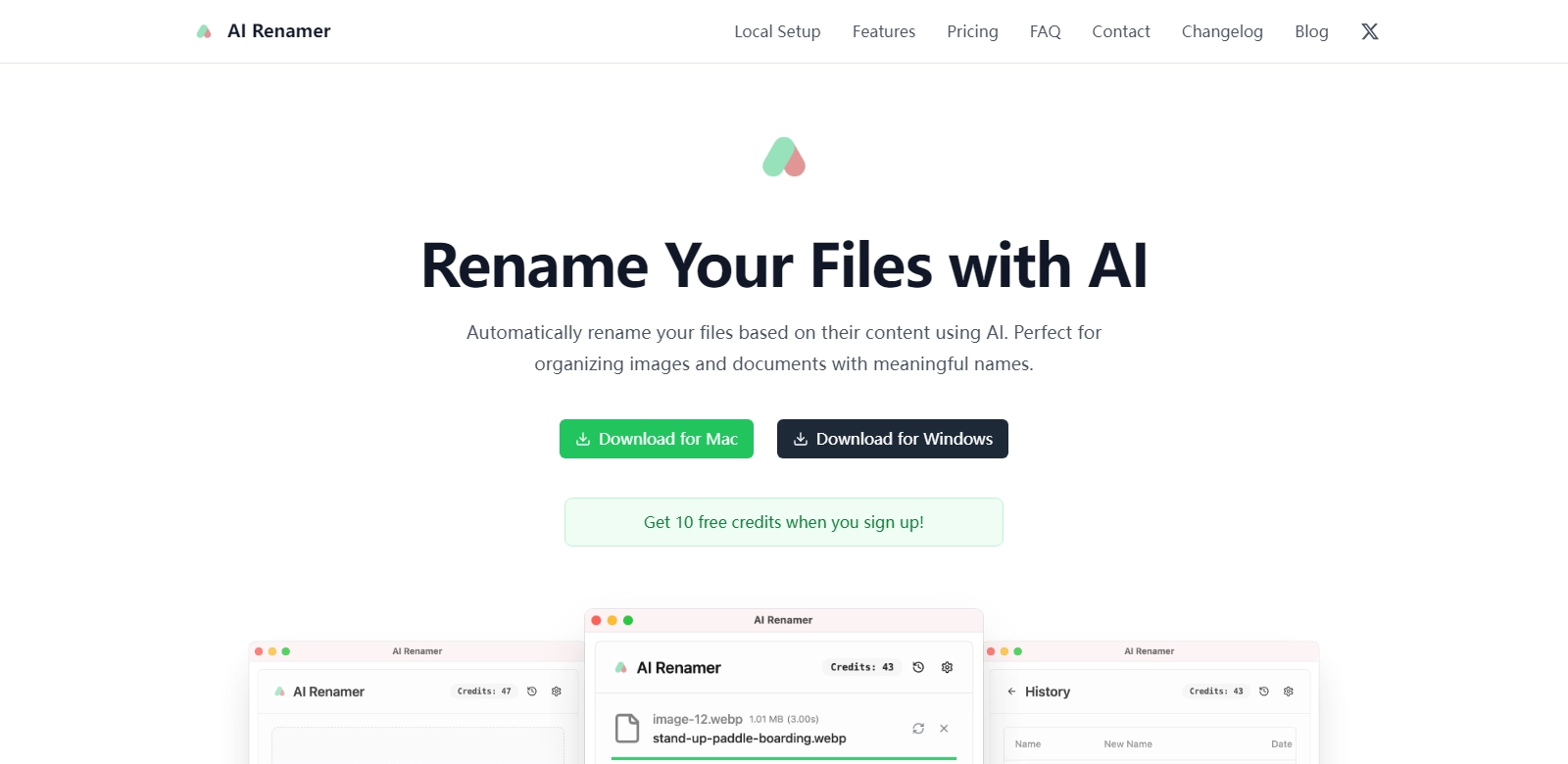
AI Renamer is a revolutionary tool that leverages artificial intelligence to streamline the process of file renaming. By analyzing the content of files—be it images, documents, or other types of digital data—AI Renamer assigns meaningful names automatically. This innovative approach not only saves time but also enhances organization, making it an indispensable tool for individuals and businesses alike. AI Renamer is designed for efficiency and reliability, transforming the mundane task of file management into a smart, automated process.
Customers of AI Renamer
AI Renamer caters to a diverse range of customers, from casual users needing to declutter their personal files to large corporations seeking efficient data management solutions. Each customer segment benefits uniquely from the advanced features of AI Renamer.
-
Freelancers and Creative Professionals: Freelancers, such as photographers and graphic designers, often deal with large collections of images or design files. For them, being able to automatically rename files based on their content means spending less time organizing and more time being creative. AI Renamer not only enhances their workflow but also ensures that projects are easily recognizable by name.
-
Small Business Owners: For small business owners managing invoices, contracts, and client documents, AI Renamer offers a seamless solution to keep files properly labeled and categorized. With AI's capability to sort and name files intelligently, business owners can find and share documents more swiftly, ultimately improving productivity.
-
Educational Institutions: Schools and universities can also find great utility in AI Renamer. Educators and administrators frequently handle numerous documents related to classes, projects, and student records. By utilizing AI Renamer, they can easily keep track of all files, ensuring that important information is always at their fingertips.
-
Corporate Teams: In a corporate environment, efficient file management is crucial. Teams often collaborate on projects that generate countless documents and presentations. AI Renamer helps maintain order within shared spaces by automatically renaming files based on content, reducing confusion and improving collaboration between team members.
-
IT Professionals: For IT specialists tasked with managing digital assets, the volume of files can be overwhelming. AI Renamer simplifies this process by automatically detecting and renaming files according to their content, allowing IT professionals to focus on more critical tasks rather than mundane organization.
Problems and Solutions by AI Renamer
AI Renamer addresses various pain points commonly experienced in file management. By leveraging its intelligent renaming capabilities, it presents effective solutions to these issues.
Problems AI Renamer Found
-
Inefficient File Organization: Many users struggle with chaotic file systems, leading to wasted time searching for specific documents. Files often end up with generic names, rendering them nearly impossible to locate without thorough searching.
-
Manual Renaming Overhead: Manually renaming files can be labor-intensive and prone to human error, especially when dealing with large numbers of files. This process detracts from valuable time that could be better spent on core tasks.
-
Loss of Context and Meaning: When files are poorly named, they fail to convey essential information about their content, making it difficult for users to gauge the relevance of a document without opening it.
Solution by AI Renamer
AI Renamer effectively addresses these issues by automating the renaming process using sophisticated algorithms. When users upload files, the software immediately analyzes the content for key descriptors and context, generating meaningful names based on this analysis. This not only enhances organizational efficiency but also aids users in quickly identifying and retrieving the necessary files.
Furthermore, AI Renamer supports bulk file renaming, allowing users to process multiple files simultaneously, freeing up valuable time. Its intuitive user interface ensures that even those with minimal technical expertise can utilize the tool with ease.
Use Case
Consider a photographer who has just returned from a shoot with hundreds of images. Instead of spending hours sorting through these files to name each one appropriately, they can simply upload them to AI Renamer. The software will analyze each image, identifying key elements, and suggest names based on content. This efficiency allows the photographer to move on to editing and delivery faster, ultimately enhancing their overall workflow.
Similarly, a small business might find itself inundated with invoices and contracts. By using AI Renamer, the business owner can automatically rename these documents, ensuring that each one includes the client's name and the date, enabling easy retrieval during tax season or client meetings.
Top Features of AI Renamer
AI Renamer boasts several top-tier features that enhance its functionality, making it a must-have tool for effective file management:
-
Content-Based Renaming: AI Renamer automatically generates names based on the file's content, maximizing relevance and organization.
-
Bulk Renaming Capability: Users can upload and rename multiple files at once, saving time and effort in the file management process.
-
User-Friendly Interface: The straightforward design of AI Renamer allows users of all skill levels to navigate the software with ease, making it accessible and convenient.
-
Integration Capabilities: AI Renamer seamlessly integrates with several cloud storage solutions, allowing users to easily manage files stored in various platforms.
-
Customizable Naming Conventions: Users can adjust naming conventions to align with their specific preferences, ensuring that file names meet unique organizational needs.
Frequently Asked Questions with AI Renamer
-
What types of files can AI Renamer process?
AI Renamer is designed to handle a variety of file types, including images, documents, videos, and more. This flexibility makes it suitable for different user needs, whether for personal use or business applications. -
Is my data secure when using AI Renamer?
Yes, AI Renamer prioritizes user security and data privacy. The software employs robust encryption protocols to ensure that all files processed remain confidential and secure. -
Can I customize how files are renamed?
Absolutely! AI Renamer allows users to tailor the naming conventions according to their preferences, ensuring complete control over how their files are organized. -
How does AI Renamer differ from traditional file management systems?
Traditional systems often rely on manual input for file naming, which can lead to inconsistencies and errors. In contrast, AI Renamer uses artificial intelligence to analyze file content, providing consistent and accurate naming autonomously. -
Is there a trial version available?
Yes, AI Renamer offers a trial version so potential users can experience the software's capabilities before committing to a subscription. This allows users to assess its effectiveness in their workflows.