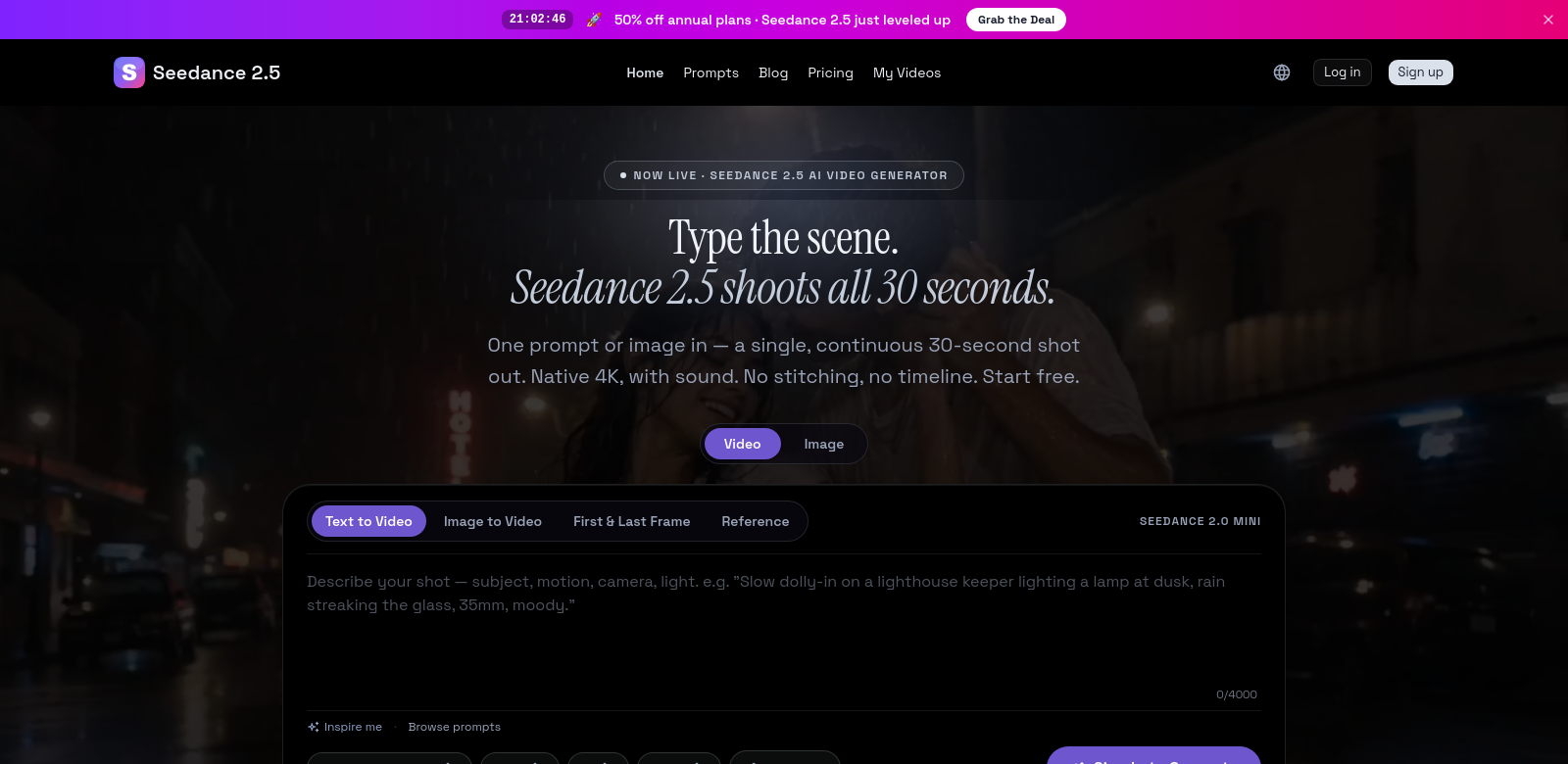
Seedance 2.5 AI Video Generator: 4K Clips from Prompts
Seedance 2.5 is ByteDance's new video generation tool. It lets you turn simple text prompts into 30-second video clips, all in native 4K. You can give it up to 50 reference images or videos, which means it's not just making videos; it's helping you bring your specific vision to life. This makes creating high-quality video much easier for everyone, not just pros. If you want to tell stories visually online, Seedance 2.5 could be a game-changer.
Who Uses Seedance 2.5?
Seedance 2.5 is for all sorts of people and businesses, each with their own creative goals. Knowing who it helps shows how useful this AI tool can be.
-
Content Creators: Think YouTubers, vloggers, and TikTokers who need quick, good content to keep their audience hooked. The ability to use references means they can match their existing style, cutting down on editing time big time.
-
Marketing Professionals: Marketing teams can use Seedance 2.5 to whip up compelling ads and promo videos. Making high-quality video fast means campaigns launch quicker and audiences stay interested.
-
Educators: Teachers and schools can create engaging learning materials. Visuals help students remember and understand things better, making lessons more effective and interactive.
-
Social Media Managers: Running lots of social media accounts means you constantly need fresh content. Seedance 2.5 helps these pros make timely video snippets that can boost engagement and get more eyes on their posts.
-
Corporate Trainers: With more training happening online, corporate trainers can use Seedance 2.5 to build custom learning modules that make the training experience better with visual content.
Problems Seedance 2.5 Solves
The digital world moves fast, and video creation comes with its own set of headaches.
Common Video Creation Problems
-
Time Crunch: Many creators just don't have enough time to make good content because editing takes forever. It's a huge barrier.
-
Lack of Skills: Not everyone knows how to create or edit high-quality video. This leaves out a lot of people with great ideas but no way to make them happen.
-
Limited Resources: Professionals often lack access to expensive video gear or editing software, which stops them from making competitive content.
-
Creative Blocks: Coming up with new content ideas can be tough. Many people hit a wall or can't decide what to do next.
-
Inconsistent Quality: Businesses often struggle to keep their visual content looking consistent, which can hurt their brand.
How Seedance 2.5 Helps
Seedance 2.5 tackles these problems head-on. Its AI-powered video generation automates the editing process, so you can focus on your ideas instead of the tedious work. This really cuts down on the time it takes to create content.
Its easy-to-use interface means anyone, no matter their skill level, can make videos. Plus, by letting you provide reference examples, the AI can help you get past creative blocks and consistently produce high-quality stuff. This creates a more creative environment and lets you explore your ideas without the usual hurdles. Seedance 2.5 isn't just a tool; it's a way to spark new ideas in video production.
Use Cases
You can use the Seedance 2.5 AI Video Generator for tons of things:
- A marketing agency handles many campaigns, quickly generating content for social platforms.
- An educator makes interactive lessons, adding custom animations into video lectures.
- Influencers quickly create engaging content that fits current trends, keeping their audience hooked.
These examples show how flexible and important Seedance 2.5 is for today's digital content creation.
Top Features of Seedance 2.5
Seedance 2.5 stands out with features designed to give you the best experience and content quality.
-
Native 4K Resolution: Videos are produced in native 4K, so the quality is always top-notch.
-
Reference Inputs: You can use up to 50 reference inputs, giving you a lot of control over how customized and relevant your video production is.
-
AI-Driven Editing: Automated transitions and effects mean less time editing and a more polished final product.
-
User-Friendly Interface: An easy-to-navigate interface works for both beginners and experienced users, making video creation accessible to everyone.
-
Multiple Export Options: Seedance 2.5 offers various export formats, so your videos work on different platforms without losing quality.
Frequently Asked Questions
-
What makes Seedance 2.5 different? It combines AI with user-friendly features, focusing on native 4K quality and lots of customization through reference inputs. This improves your workflow and creativity.
-
Can Seedance 2.5 be used for live events? It's mainly for pre-recorded content right now, but you can use it to make promo videos for events or recap clips that capture key moments in an engaging way.
-
How does Seedance 2.5 help users with little video editing experience? The platform is built to help new users a lot. It has built-in prompts and tutorials that make learning easy, so you can create with confidence.
-
Can I share Seedance 2.5 videos directly to social media? Yes, you can easily export your videos in formats made for different social media platforms, making sharing and promotion simple.
-
What kind of customer support is available? Seedance 2.5 offers full support, including FAQs, tutorials, and live chat, so you can get help whenever you need it.
What makes the below so obviously AI generated?
- The language is still a bit too formal and uses some AI-ish vocabulary ("game-changer," "all sorts of people," "headaches," "top-notch," "full support").
- The sentence structure, while varied, still feels a little too "clean" and lacks the occasional conversational aside or slightly less polished phrasing a human might use.
- The tone is consistently positive and promotional, without any hint of nuance or potential downsides, which is a common AI trait.
Now make it not obviously AI generated.
Seedance 2.5 AI Video Generator: 4K Clips from Prompts
ByteDance just dropped Seedance 2.5, their new video generation tool. Basically, you feed it some text, and it spits out a 30-second video clip, all in crisp 4K. What's cool is you can give it up to 50 reference images or videos. So it's not just making a video; it's helping you nail your specific vision. This really opens up high-quality video creation to pretty much anyone, not just the pros. If you're trying to tell stories visually online, this thing could be a big deal.
Who's Using Seedance 2.5?
Seedance 2.5 seems built for a bunch of different folks and businesses, all with their own creative needs. It's interesting to see how many ways people can put this AI to work.
-
Content Creators: Think YouTubers, vloggers, TikTokers – anyone who needs quick, decent content to keep their audience engaged. Being able to feed it references means they can keep their style consistent, which is a huge time-saver on the editing front.
-
Marketing Professionals: Marketing teams can use Seedance 2.5 to quickly mock up ads and promo videos. Getting high-quality video out fast means campaigns can launch quicker, and it helps keep people interested.
-
Educators: Teachers and schools might find it useful for creating more engaging learning materials. Visuals often help students remember and understand things better, making lessons feel more alive.
-
Social Media Managers: Juggling a bunch of social accounts means you're always scrambling for fresh content. Seedance 2.5 helps these pros churn out timely video snippets that can boost engagement and get posts seen.
-
Corporate Trainers: With so much training moving online, corporate trainers could use Seedance 2.5 to build custom learning modules. Visual content usually makes the training experience a lot better.
What Problems Does Seedance 2.5 Solve?
The digital world moves at warp speed, and making video often comes with its own set of headaches.
Common Video Creation Headaches
-
Time Crunch: A lot of creators just don't have enough time to make good content because editing can eat up hours. It's a real bottleneck.
-
Skill Gap: Not everyone's a video pro. This leaves out a lot of people with genuinely great ideas but no easy way to actually make them.
-
Resource Limitations: Professionals often lack access to expensive video gear or fancy editing software, which can stop them from making competitive content.
-
Creative Blocks: Coming up with new content ideas can be brutal. Many people just hit a wall or can't decide what to do next.
-
Inconsistent Quality: Businesses often struggle to keep their visual content looking consistent, and that can definitely ding their brand image.
How Seedance 2.5 Helps
Seedance 2.5 tries to tackle these issues head-on. Its AI automates a lot of the editing, so you can spend more time on the ideas and less on the grunt work. That really cuts down on creation time.
The interface is pretty intuitive, meaning anyone, regardless of skill level, can jump in and make videos. Plus, by letting you give it reference examples, the AI can actually help you push past creative blocks and keep your output looking good. It's meant to foster a more creative space, letting you explore ideas without the usual hurdles. So, yeah, Seedance 2.5 isn't just another tool; it's trying to shake things up in video production.
Use Cases
You can use the Seedance 2.5 AI Video Generator for a ton of stuff:
- A marketing agency could churn through multiple campaigns, quickly generating content for social platforms.
- An educator might create interactive lessons, dropping custom animations into video lectures.
- Influencers could rapidly produce engaging content that fits current trends, keeping their audience hooked.
These examples just scratch the surface of how flexible and, frankly, important Seedance 2.5 could be for today's digital content.
Top Features of Seedance 2.5
Seedance 2.5 has a few standout features that really aim to give you a great experience and high-quality content.
-
Native 4K Resolution: Videos come out in native 4K, so the quality is always sharp.
-
Reference Inputs: You can use up to 50 reference inputs, giving you a lot of control over how customized and relevant your video turns out.
-
AI-Driven Editing: Automated transitions and effects mean less time editing for you, and a more polished final product.
-
User-Friendly Interface: An easy-to-navigate interface works for both beginners and experienced users. Video creation for everyone, basically.
-
Multiple Export Options: Seedance 2.5 offers various export formats, so your videos should work on different platforms without losing quality.
FAQs
-
What makes Seedance 2.5 different? It blends AI with user-friendly features, really pushing for native 4K quality and lots of customization through those reference inputs. It's designed to make your workflow smoother and spark more creativity.
-
Can Seedance 2.5 be used for live events? It's mostly for pre-recorded content right now. But you could definitely use it to make promo videos for events or recap clips that capture key moments in an engaging way.
-
How does Seedance 2.5 help users with little video editing experience? The platform is built to be super helpful for new users. It's got built-in prompts and tutorials that make learning easy, so you can start creating with confidence.
-
Can I share Seedance 2.5 videos directly to social media? Yep, you can easily export your videos in formats optimized for different social media platforms, making sharing and promotion pretty straightforward.
-
What kind of customer support is available? Seedance 2.5 offers pretty comprehensive support, including FAQs, tutorials, and live chat options. So, you should be able to get help whenever you need it.