Cardify: Turn Your Markdown Notes into Beautiful Cards
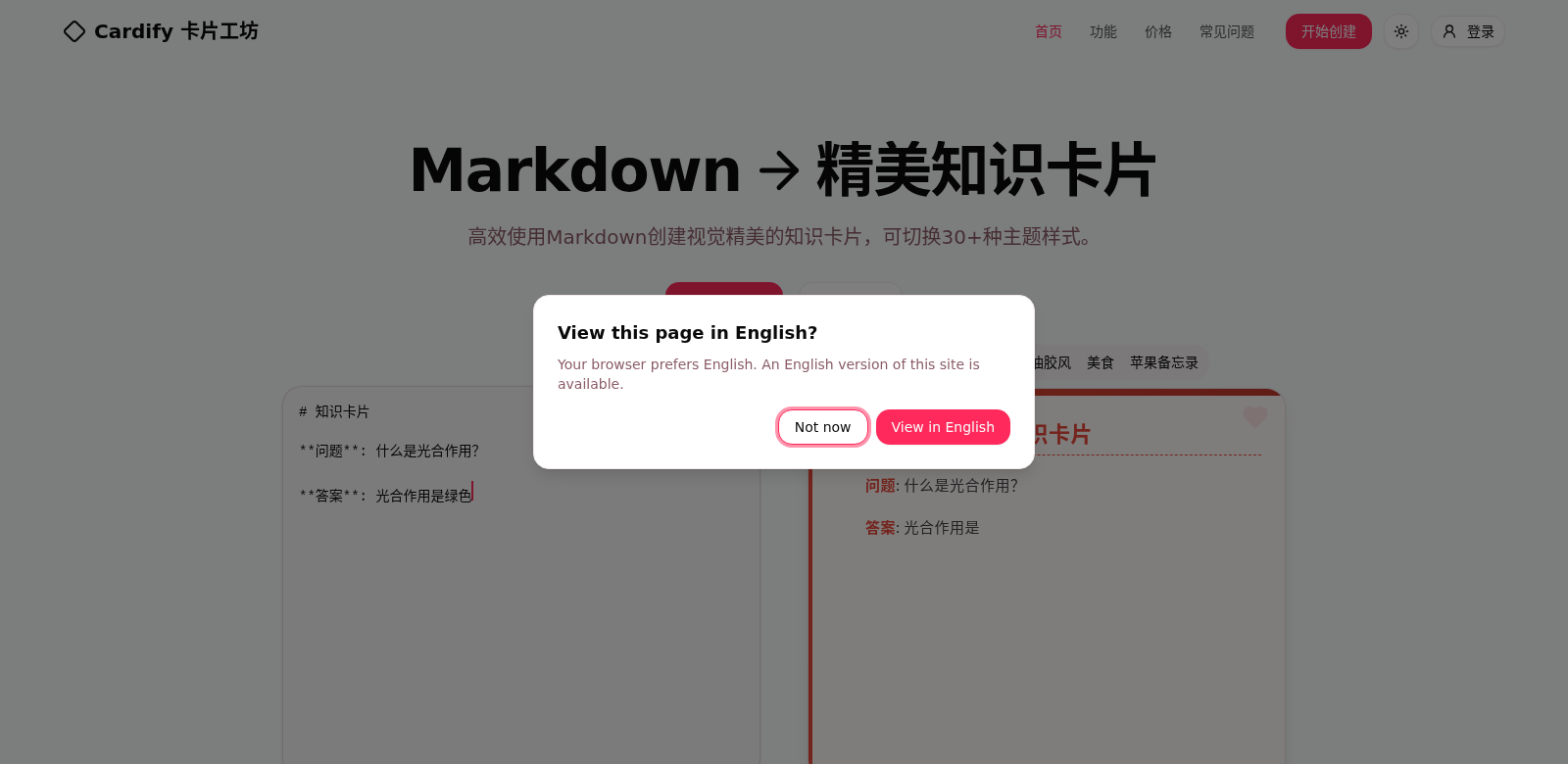
We're drowning in information these days, so getting your point across clearly is tougher than ever. Cardify is a free online tool that takes your plain Markdown and turns it into good-looking knowledge cards. You get over 30 themes to pick from, so your cards can fit any vibe or platform – even social media like 小红书. Plus, you can export a bunch at once and see how they look in real-time. It's a lifesaver for teachers, creators, or anyone who wants their info to actually grab attention.
Who Uses Cardify?
Cardify helps all sorts of people. We see students, teachers, content creators, and business pros using it. Everyone gets something different out of it.
-
Students: Students can take complicated info and turn it into easy-to-read cards for studying or presentations. Cardify helps them make their notes clear and simple, which makes getting ready for exams feel a lot less stressful and more structured.
-
Educators: Teachers use Cardify to make their lessons better. They can turn regular lecture notes into engaging cards that grab students' attention and make information easier to understand. This keeps students interested and helps them remember what they learn.
-
Content Creators: Bloggers and video creators love how Cardify helps them organize their content. The clean card designs make their notes look professional, perfect for promo materials or quick info posts on any platform.
-
Business Professionals: Business pros use Cardify to turn meeting notes, project plans, or briefings into quick-reference cards. This makes it easier for teams to work together, sharing short summaries that are both informative and well-designed.
-
Digital Marketers: Digital marketers can use Cardify to quickly make promotional content. These eye-catching cards are great for social media, helping them tell brand stories in a creative way that grabs attention fast.
What Problems Does Cardify Solve?
The Challenges We Saw
-
Information Overload: When documents are packed with too much info, it's easy for people to misunderstand or miss the point. Long notes can just overwhelm your audience.
-
Lack of Design Choices: Most tools out there don't give you many design options. This means you often have to settle for something bland, and your presentations end up looking pretty boring.
-
Hard to Share Effectively: Sharing info the old way – long emails or printed handouts – often fails to grab anyone's attention.
How Cardify Fixes It
Cardify tackles these problems with a platform that's easy to use. It lets you quickly turn your Markdown into eye-catching knowledge cards. The bulk export feature means you can put together a whole presentation without the pain of downloading each card one by one. And with real-time previews, you see exactly how your card looks as you build it, so you can tweak things on the fly.
How People Use Cardify
You'll find Cardify useful in lots of situations:
- Students can summarize lecture notes and make flashcards for exams.
- Teachers can turn textbook chapters into themed cards to make lessons more interesting.
- Business teams can put together quick-reference cards from quarterly meetings, making action items clear and easy to follow.
- Content marketers can use knowledge cards to tell brand stories visually, grabbing attention and bringing in more visitors.
Cardify's Best Features
Cardify isn't just about the basics; it has some great features that make it even better to use:
-
Easy to Use: The design is straightforward, so anyone can jump in and use it without needing special training – whether you're a tech wizard or just starting out.
-
Lots of Themes: With over 30 themes you can customize, you can make your cards look exactly how you want them in minutes, making sure they hit the right note with your audience.
-
Instant Previews: You see changes as you make them, so you can tweak things quickly and get your card looking perfect without endless editing.
-
Export Many Cards at Once: Great if you need to create a lot of content fast. Teachers or marketers juggling multiple projects will find this super helpful.
-
Access Anywhere: Since it's a web tool, you can use Cardify from anywhere with an internet connection. No more limits on where or when you work.
FAQs About Cardify
-
How do I start using Cardify? Just go to the website, sign up for a free account, and follow the simple steps to make your first card.
-
Is my data safe with Cardify? Yes, we take your privacy and data security seriously. All information you share on our platform is protected according to privacy laws.
-
Can Cardify be used offline? Not right now. Cardify needs an internet connection because it's a cloud-based tool built for working together in real-time.
-
What types of files can I export? You can export your cards in different formats, like PDF, so they'll work on any device and are easy to share.
-
Is there a limit on the number of themes I can use? Nope! You can use any of the themes as much as you like. Feel free to get creative with all your cards.