AI Comment Generator for LinkedIn
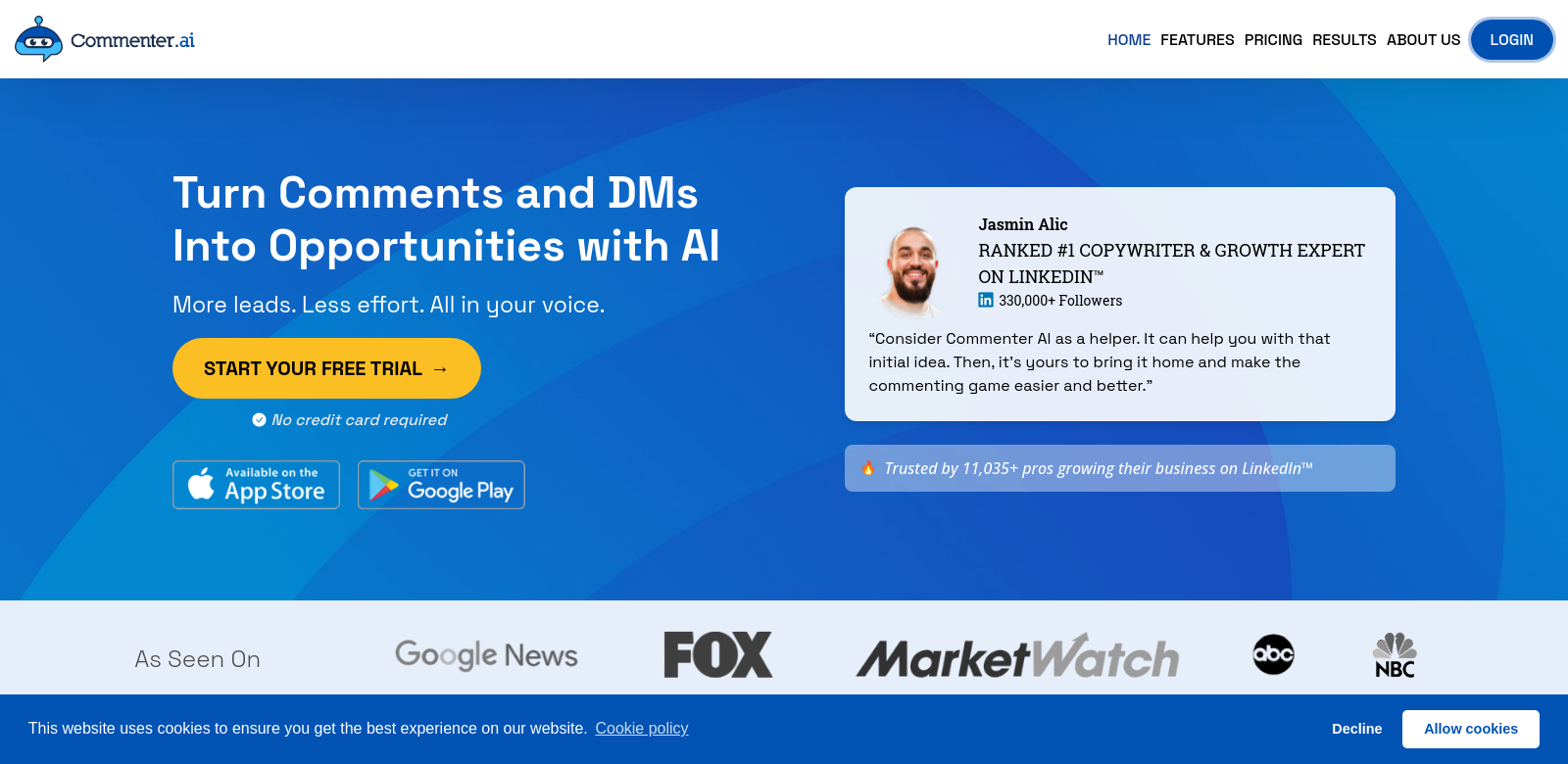
Commenter AI helps you engage with LinkedIn posts more easily. It creates personalized comments that sound just like you, taking the pain out of writing good replies. This is especially useful now, when connecting meaningfully with your network is so important. Commenter AI gives you 120 free comments to start, helping everyone from new users to long-time pros boost their LinkedIn presence with interactions that feel both quick and real. Check out Commenter AI and step up your commenting.
Who Uses Commenter AI?
Lots of different professionals use Commenter AI to get more out of LinkedIn. Here's a look at who they are:
-
Job Seekers: If you're looking for a new job, Commenter AI helps you connect with potential employers. You can leave thoughtful, relevant comments on posts in your target industry.
-
Freelancers: Freelancers can use Commenter AI to show their expertise in their field with engaging comments, which helps them land more clients.
-
HR Professionals: HR specialists can use this tool to comment on recruitment posts. This helps them highlight their company's culture and efficiently attract top talent.
-
Business Owners: Small business owners who want to build relationships with other businesses or potential customers can use Commenter AI to write comments that really connect with their audience.
-
Brand Advocates: If you're passionate about certain brands, you can use Commenter AI to share your appreciation and thoughts on their posts, helping to build loyalty and engagement.
The Problem Commenter AI Solves
It's tough to engage meaningfully on social media. Commenter AI pinpoints these common issues and offers solutions specifically for LinkedIn users.
What Commenter AI Noticed
-
Not Enough Time: Many professionals just don't have the time to write thoughtful replies to posts.
-
Struggling to Find the Right Words: It's hard to put your thoughts into words that are both engaging and relevant, which can hurt your social media presence.
-
Inconsistent Voice: Keeping your voice consistent across all your comments is tough, especially if you're active on many platforms.
How Commenter AI Helps
Commenter AI directly solves these problems. It has an automated comment generator that lets you draft great replies in seconds. It looks at the post you're replying to, then creates a comment that's not just relevant but also sounds like you. This means you can stay active and engaged on LinkedIn without wasting precious time.
Real-World Examples
Imagine you're job hunting. Commenter AI could be a huge help. A job seeker could use it to reply to a hiring manager's post with comments that really show off their skills. Or, HR pros could quickly jump into industry trend discussions, becoming recognized as experts. Freelancers can respond to opportunities faster, and business owners can write comments that help them network with tons of people.
What Commenter AI Can Do
Commenter AI has a bunch of features that make engaging on LinkedIn much easier:
-
Quick Comment Writing: You can write comments in seconds, cutting down the time you spend on social media.
-
Matches Your Voice: Every comment is made to sound like you, so it always feels authentic.
-
Understands the Post: The tool reads the original post to make sure its response is relevant.
-
Easy to Use: The platform is simple to navigate, so you can focus on your comments, not complicated settings.
-
120 Free Comments: New users get 120 free comments to try out the service.
Common Questions About Commenter AI
-
How does Commenter AI make sure comments sound like me? Commenter AI uses smart technology to look at your past comments. Then, it creates new ones that match your unique tone and writing style.
-
Can I change the comments Commenter AI creates? Yes, you can edit any comment before you post it, adding your own personal touches if you want.
-
Is Commenter AI for everyone? Yes! Whether you're a job seeker, freelancer, HR pro, or business owner, this tool is built to help you engage better on LinkedIn, no matter your role.
-
How do I start using Commenter AI? Just go to the Commenter AI website to sign up and start writing comments right away.
-
Does Commenter AI cost money after the free comments? After your 120 free comments, you can pick from different subscription plans to keep using the service.