
FLUX 3 AI Video Creator: Turn Text & Images into Video
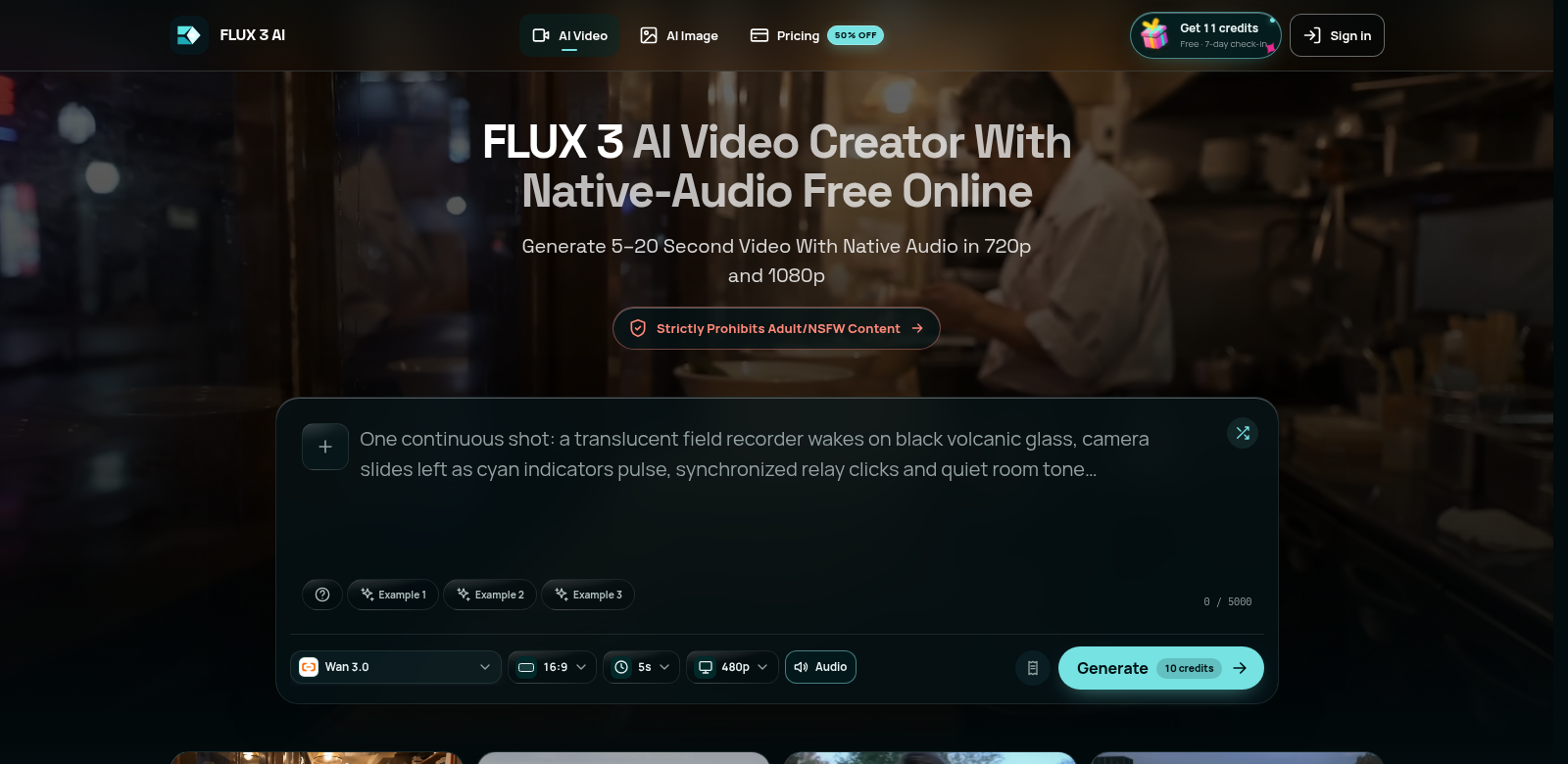
FLUX 3 is an online tool that lets you create videos from text prompts or images. You can pick resolutions like 720p or 1080p, and set video lengths from 5 to 20 seconds. You can also decide if you want to keep the original audio. It's a great fit for educators, marketers, and content creators who want to make engaging video presentations. Find out more at FLUX 3 website.
Who Uses FLUX 3?
Lots of people with different needs find FLUX 3 helpful. Here are some of them:
-
Educators: Teachers can use FLUX 3 to make learning materials. Turning text into videos can make lessons more interactive, helping students understand tough ideas.
-
Marketers: Marketers can use this tool to make promotional videos without needing to be expert editors. It helps them get campaigns out faster, making their work more efficient and reaching more people.
-
Social Media Managers: People on social media have short attention spans. Making quick videos from text or images helps social media managers grab attention and boost engagement.
-
Content Creators: Content creators who want to try new things can use FLUX 3 to turn blog posts into videos. This helps them reach new audiences on platforms like YouTube or Instagram.
-
Businesses: Businesses can add videos to training or internal messages. This keeps their teams informed and engaged.
Problems FLUX 3 Solves
FLUX 3 tackles a few problems people and businesses run into when trying to make videos fast and well.
Problems FLUX 3 Noticed
-
Time-Consuming Video Editing: Making videos the old way often takes a lot of time and money, which stops many people from doing it.
-
Technical Skills Required: Lots of people and small businesses don't have the tech skills to make good videos, so they can't use video to communicate.
-
High Costs of Video Production: Hiring professionals to make videos can be too expensive, meaning many people can't afford it.
How FLUX 3 Solves Them
FLUX 3 tackles these problems head-on. It's an easy-to-use online platform that makes video creation simple. You just put in text or images, and it quickly makes a video, no editing skills needed. You can choose the resolution and length, so your content fits your audience perfectly. Plus, there's a free version, so you can try it out for your marketing and creative projects without spending money.
How People Use It
FLUX 3 is useful in many ways. For example, a teacher could turn a lesson plan into a short animated video to help students understand it better. A marketer might quickly make a video ad to show off a new product launch. Or, a content creator could use FLUX 3 to pull highlights from a longer video and share them on social media to get more attention and sales.
FLUX 3's Best Features
FLUX 3 has some great features:
-
Text to Video Generation: You can make videos straight from text prompts, which makes creating content faster and easier.
-
Image Incorporation: Upload images to go with your videos, making your stories more visual.
-
Resolution Options: Pick between 720p and 1080p video output. This lets you choose the quality you need for professional-looking videos.
-
Flexible Duration Settings: You can set video lengths from 5 to 20 seconds, which is great for digital platforms where people have short attention spans.
-
Native Audio Options: You can choose to include or remove the original audio, letting you customize the tone and message for your audience.
Frequently Asked Questions About FLUX 3
-
How easy is it to create a video using FLUX 3? It's very easy. Just type in some text or upload an image, pick your resolution and length, then hit 'generate'. The simple interface means anyone can make a video, no tech skills needed.
-
Is there a limit on the number of videos I can create? FLUX 3 has different plans, including a free one where you can try it out without paying. You can make many videos, which is great for testing different messages or content styles.
-
What types of videos can I create with FLUX 3? You can make all sorts of videos, from ads to educational content. It's a flexible tool for many fields, like marketing, education, and social media.
-
Can I edit the videos once they are generated? Right now, FLUX 3 just creates videos from text and images. For more advanced changes, we suggest using other editing software to get the creative, polished results you want.
-
What are the main benefits of using FLUX 3 over traditional video creation methods? FLUX 3 lets you make videos faster, costs less, and is easy to use even if you don't have a lot of video production skills. It tackles many of the problems you'd find with older ways of making videos.