Mado - Take Control of Your Screen Time
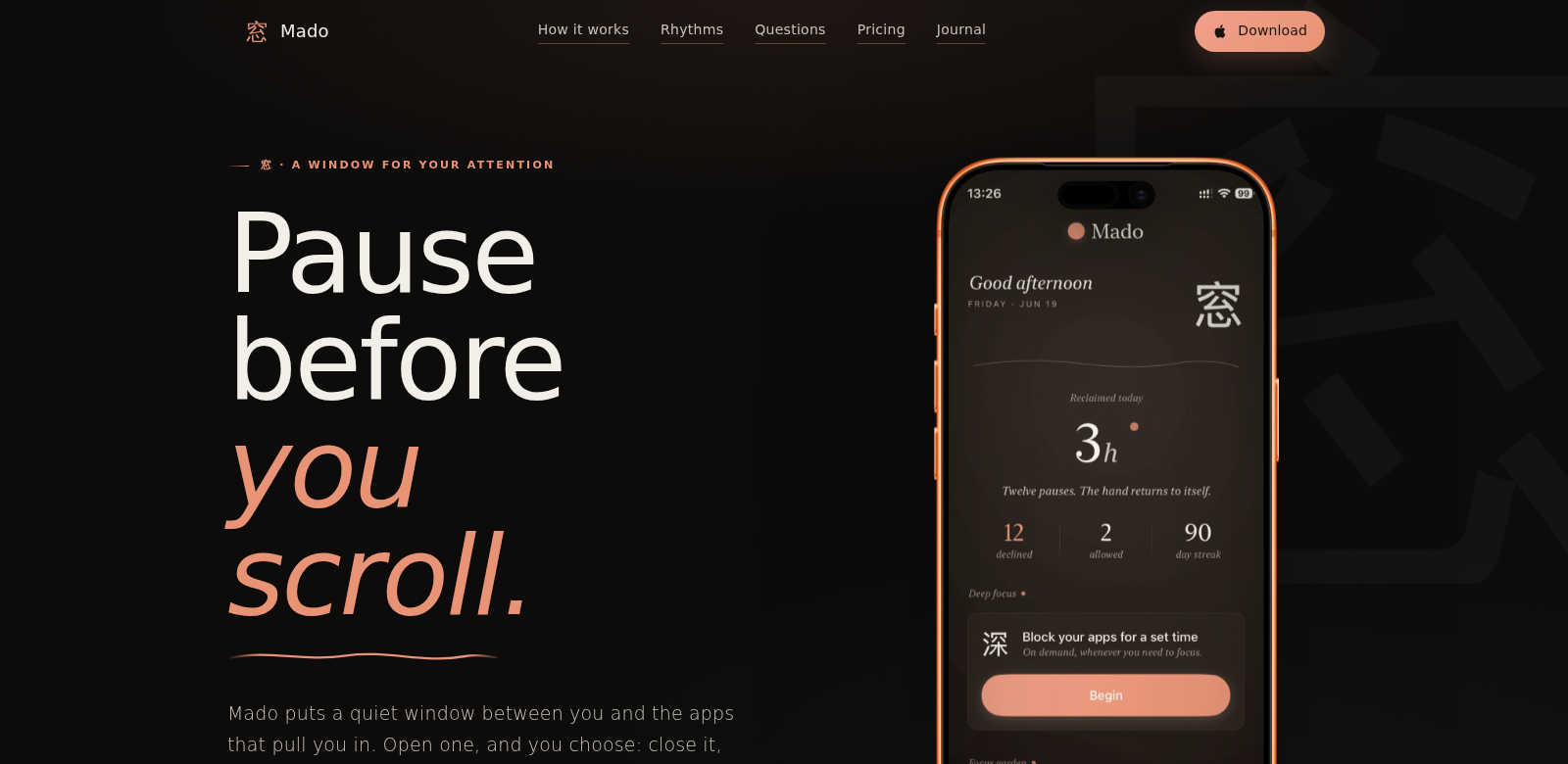
Screen time is a huge part of our lives now, impacting everything from how much we get done to how we feel. Mado, an iOS app, tackles that endless scroll, the "doomscrolling" we all fall into. It works by adding a little friction to those distracting apps, nudging you to pause and think about how you're actually spending your time. The payoff? People often get back 1-2 hours every day for things that actually matter. Mado helps you get a handle on your screen time, encouraging you to be more present with your tech.
Who Uses Mado?
Who uses Mado? We've found a few groups who really get a lot out of it:
-
Busy Professionals: You're juggling a ton, and those "breaks" often turn into endless social media scrolls. Mado helps you get your time back, so you can actually focus on work and make your downtime count.
-
Students: So many apps, so many distractions when you're trying to study. Mado gives you the tools to cut out those interruptions, leading to better study sessions and, hopefully, better grades.
-
Parents: You want to balance your screen time with family and personal life. Mado helps you build healthier habits with your devices, so you can spend more real, quality time with your kids and do things offline.
-
Mental Health Advocates: If you're prioritizing your mental well-being, Mado can be a real help in cutting down on the anxiety that comes with too much screen time. It helps you build better habits and understand how tech really makes you feel.
-
Tech-Savvy Individuals: You know your way around tech, but still find yourself struggling to manage your usage. Mado offers a smart way to approach digital wellness, helping you interact with your devices more thoughtfully every day.
The Problems Mado Solves
The Problems We Saw
-
Doomscrolling: That endless scroll through news and social media? It's not just a time-sink; it can spread bad info and really mess with your head. Mado helps you spot this habit and gives you ways to break it.
-
Distraction: Notifications, tempting apps... staying focused is tough. Mado has features that help you set boundaries and actually concentrate on what you're trying to do.
-
Time Mismanagement: It's hard to really know where your online time goes. Mado gives you analytics and insights to track your app usage, so you can make smarter choices about your day.
How Mado Helps
Mado has a bunch of solutions for doomscrolling, distraction, and just plain bad time management. To fight doomscrolling, it has features that remind you to take breaks and actually think about how long you've been in an app. For distractions, you can set limits on app usage, which helps you find a better balance between being online and living your life. Plus, Mado's analytics tools show you exactly how your screen time adds up, making it easier to plan and prioritize.
How You Can Use It
You can use Mado in all sorts of ways to boost your productivity and feel better. Say you're a busy professional: Mado can help you cut down on social media during breaks. It'll remind you to get back to work after a set time, so you stay focused and efficient. Or maybe you're a student cramming for exams; Mado can block those tempting entertainment apps, creating a study zone. Parents can even show their kids how they're using Mado, setting a great example for healthy screen habits and helping the whole family manage their time better.
Mado's Best Features
Mado has a lot of features, all designed to help you build healthier screen time habits.
-
App Usage Tracking: Get detailed reports on how you use your apps. This helps you spot patterns and figure out where you can improve.
-
Customizable Reminders: Set reminders for breaks or specific times to limit your usage. It helps you build a more intentional relationship with your devices.
-
Focus Mode: Need to get things done? This temporarily blocks distracting apps so you can really concentrate on important tasks.
-
Mindfulness Activities: Includes guided activities and tips to encourage mindful use and boost your mental well-being.
-
Personalized Goals: Set screen time goals that actually fit your life, making it easier to manage your usage in a way that works for you.
Frequently Asked Questions
-
How does Mado help reduce screen time? Mado's App Usage Tracking shows you exactly how you spend your time. By pointing out which apps are eating up your day, it helps you actively choose to cut back.
-
Is Mado suitable for children? Yes, it's a great tool for families. Parents can use its features to manage screen time and teach their kids healthy digital habits.
-
Can Mado integrate with other devices? Right now, Mado is just for iOS. But the developers are planning to add compatibility for other platforms in future updates, so you'll get a smooth experience everywhere.
-
What kind of support does Mado offer? Mado offers in-app support and resources to help you get the most out of the app.
-
Is Mado free to use? Yes, Mado has a free version. There are also optional premium features if you want even more control over your screen time.