
Minimax H3: Making AI Video Generation Easier
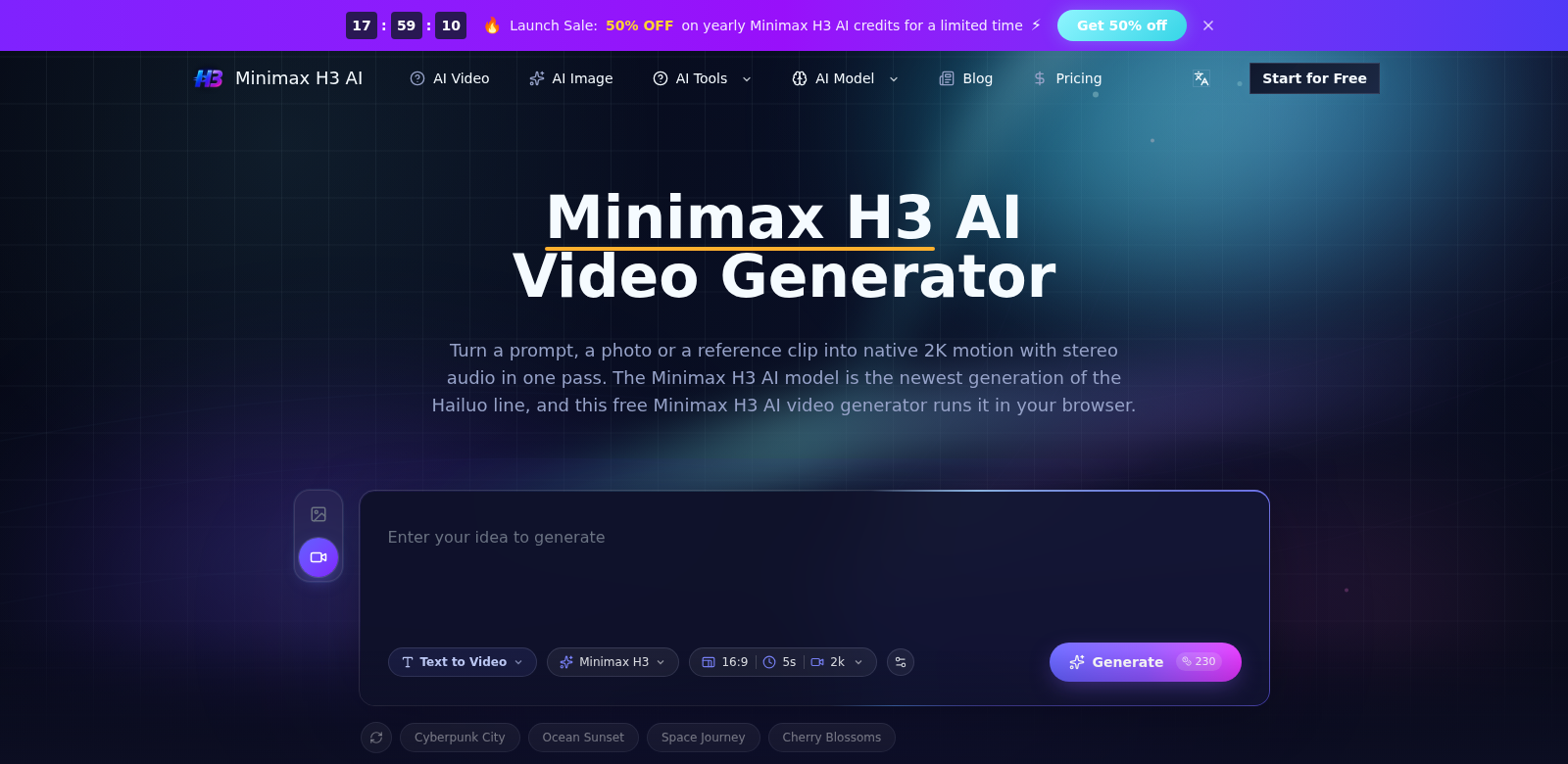
The Minimax H3 AI Video Generator lets you turn text or images into high-quality 2K video clips. It uses the advanced Hailuo model with open weights, which not only makes video creation simpler but also adds synchronized stereo audio. This tool works for all kinds of users, from hobbyists to professional filmmakers.
Who Uses Minimax H3?
Minimax H3 helps all sorts of people, fitting into many different situations:
-
Digital Marketers: Marketers need engaging videos to grab attention. Minimax H3 lets them quickly make professional-looking promos, speeding up campaigns and boosting sales.
-
Social Media Influencers: Influencers want videos that stand out. This AI generator makes it easy for them to add exciting visuals to their stories, getting more people hooked on Instagram and TikTok.
-
Educators and Trainers: Teachers can use Minimax H3 to make educational videos that break down tough ideas. Turning text into video helps different kinds of learners and makes information stick.
-
Small Business Owners: Small businesses can really gain from using this tech to make product demos and how-to guides. It's easy to create great videos, which can seriously help their marketing without costing a fortune.
-
Content Creators and Filmmakers: For pros, Minimax H3 is a handy tool. They can quickly turn scripts or visual ideas into video clips, letting them be creative without getting bogged down by technical stuff.
What Minimax H3 Fixes
Minimax H3 tackles common headaches people face when making videos and content today.
The Problems Minimax H3 Solves
-
Time-Consuming Video Editing: Old-school video editing takes forever. You often need several different software programs and a lot of technical know-how.
-
High Production Costs: Paying professional video editors or production teams can be way too expensive for individuals and small businesses.
-
Complexity of Video Creation: Lots of people don't have the technical skills to make videos from scratch, which stops them from using video marketing well.
-
Demand for Quick Turnaround: In today's fast digital world, everyone needs content now. This puts pressure on creators to churn out great videos fast.
-
Limited Technical Expertise: Video production tech can feel scary for many, meaning powerful tools often go unused.
How Minimax H3 Solves Them
Minimax H3 tackles these problems head-on with an easy-to-use interface that simplifies making videos. Just give it your text or images, and Minimax H3 automatically creates a video with synchronized audio. This cuts down on the time and money usually spent on video production, and it makes video editing far less complicated for everyone.
The generator can make videos in native 2K resolution, which is the quality people expect these days. This means creators can put out great content without needing advanced technical skills. It opens up video creation to everyone, helping businesses and individuals stay relevant and connect with their audience.
How People Use It
Minimax H3 is super flexible, showing up in all sorts of situations:
-
Marketing Campaigns: Companies use the generator to make catchy promos for YouTube, Facebook, Instagram, and more. Getting videos done fast helps them stay competitive.
-
Educational Tools: Teachers can create instructional videos that explain topics clearly, helping students understand and remember more.
-
Social Media Content: Creators can easily make striking videos for social media, using strong visuals to pull in more followers.
What Minimax H3 Can Do
Minimax H3 comes packed with features for all its users:
-
AI Video Generation: Minimax H3 uses smart AI to turn text and images into compelling video, without a hitch.
-
High-Resolution Output: Make videos in crisp native 2K quality. It just looks professional.
-
Synchronized Audio: The tool automatically adds stereo audio to match your visuals, making videos feel more alive.
-
Easy-to-Use Interface: Whether you're new to this or a pro, the simple drag-and-drop tool makes handling your media a breeze.
-
Fast Processing: Video generation is super quick, perfect when you need content fast.
FAQs About Minimax H3
-
How does Minimax H3 work? You give Minimax H3 text or images. The AI then takes those and automatically makes a video with synchronized audio. It makes video production much simpler.
-
What kinds of content can I make with Minimax H3? You can create all sorts of videos: promos, educational clips, social media snippets, and how-to guides. It's a versatile tool for many different needs.
-
Is there a limit to video length? Video length depends on what you put in. You can make short promos or longer instructional videos.
-
Do I need video editing experience to use Minimax H3? Nope. Minimax H3 is built for everyone, no matter their skill level. You don't need any past video editing experience to make great content easily.
-
Can I use the videos for commercial purposes? Yes, you can use videos made with Minimax H3 for commercial purposes. Feel free to use your content for any business need.