Transform Your Images into Art with Sketch To
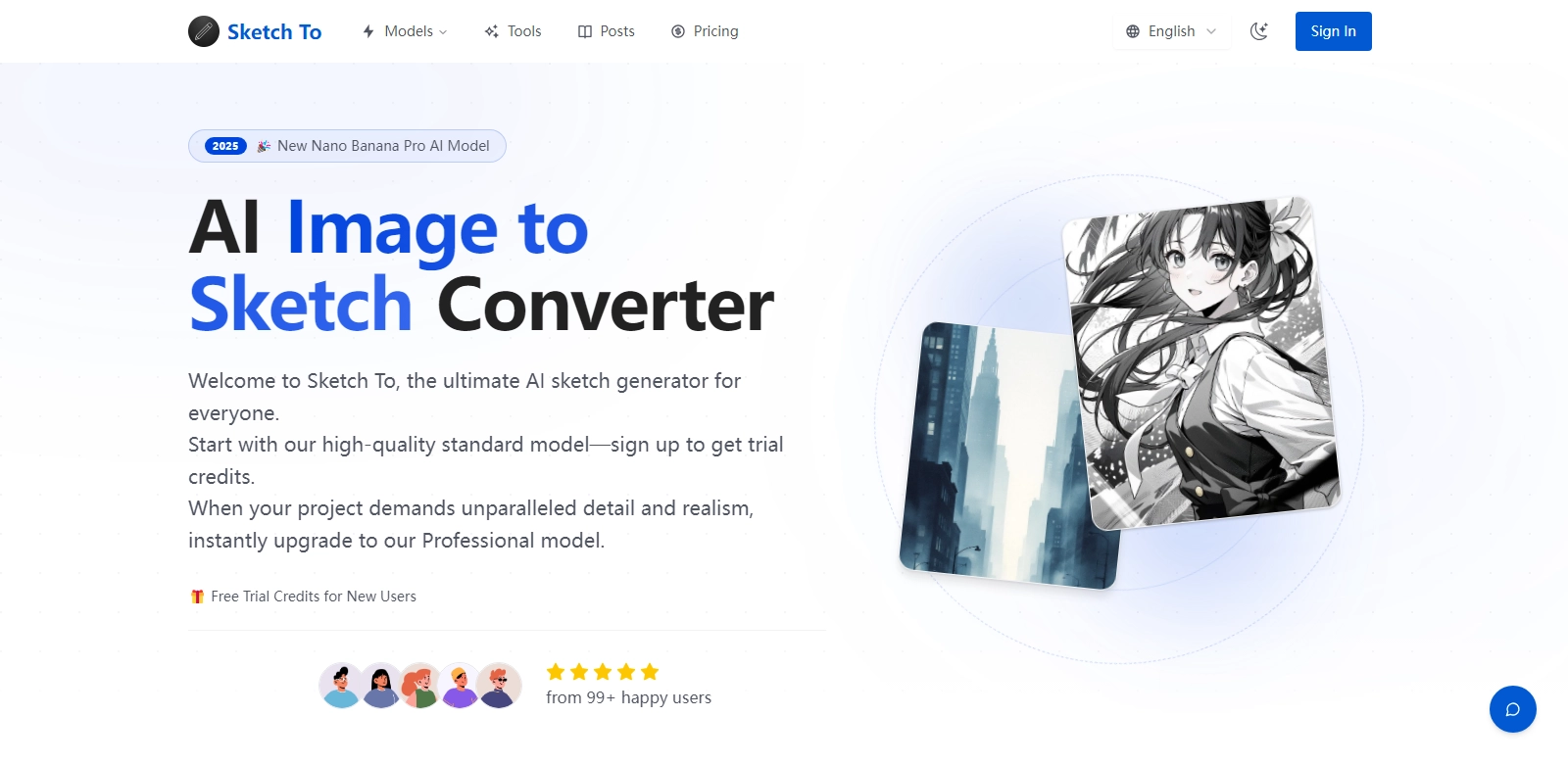
In today's digital landscape, visual content is paramount, making tools that can help in converting typical images into creative works invaluable. Sketch To offers a unique solution, allowing users to convert images into sketches with remarkable ease, relying on its advanced AI capabilities. This online tool simplifies the process, making it accessible for anyone looking to turn ordinary images into artistic representations. For those seeking professional quality, there's the option to upgrade to the Professional model that provides even more powerful features. Additionally, you can explore more about Sketch To at Sketch To.
Customers of Sketch To
Understanding the customer base is crucial for any tool, and Sketch To caters to a wide range of users, each finding value in its AI-driven solutions. Here’s a detailed breakdown of the varied customer personas that benefit from this converter:
-
Graphic Designers: Graphic designers often seek tools that can expedite their workflow. Sketch To provides instant conversions that can be incorporated into graphics projects, saving time while maintaining the creative touch. Designers utilize the sketches as concept art for further development, ensuring a smooth transition from image to artistic representation.
-
Photographers: Photographers use Sketch To to transform their photographic works into sketches for artistic prints or digital portfolios. By converting their images into artistic sketches, they can showcase a different interpretation of their work, demonstrating versatility and creativity in their portfolio.
-
Students and Educators: Educational institutions increasingly incorporate visual art into their curricula. Students can use Sketch To to create fun, artistic representations of their projects or assignments. Educators can utilize it as a tool in classrooms, teaching students about digital art and the fundamentals of sketching through a modern, tech-savvy method.
-
Hobbyists and Art Enthusiasts: Individuals who dabble in art for pleasure find Sketch To intriguing for experimenting with their images. This custodian of creativity offers hobbyists a pathway to explore their artistic side, enabling them to create unique sketches without requiring advanced drawing skills.
-
Social Media Influencers: In an era saturated with content, influencers are on the lookout for unique ways to enhance their posts. By transforming regular images into eye-catching sketches, influencers can captivate their audience and distinguish their content, making it more shareable and engaging.
Problems and Solution by Sketch To
In understanding the digital art landscape, Sketch To recognizes various problems artists often encounter:
Problems Sketch To Found
-
Time Consumption in Manual Sketching: For many artists and designers, converting images by hand can be a time-consuming endeavor. Sketch To alleviates this issue by providing instant conversions, allowing users to focus on creative pursuits instead of tedious manual tasks.
-
Tools Lack Accessibility: The digital art world is often blessed with numerous tools, yet many require intricate knowledge or extensive training. Sketch To demands no special skills, making art accessible for everyone.
-
Quality Variability: Many conversion tools produce inconsistent quality, leading to disenchantment among users. Sketch To uses sophisticated algorithms which aim for a standard high-quality output consistently.
-
Need for Versatile Formats: Creatives often require their sketches in different formats for various uses. Sketch To caters to this versatility, providing users with various download options directly after conversion.
-
Limited Customization Options: Numerous existing tools restrict users to predefined styles. Sketch To allows users to customize features, thus enabling personalized creativity beyond basic sketches.
Solution by Sketch To
Sketch To addresses concerns by leveraging technology that enhances user experience. Users can easily upload their images, and within moments, the AI-powered conversion transforms them into captivating sketches. The intelligent algorithms ensure high-quality outputs, while the platform’s user-friendly interface offers seamless navigation, whether one is an experienced designer or a casual art enthusiast.
Furthermore, Sketch To opens avenues for creativity by allowing users to modify attributes in their sketches, experimenting with various styles without the need for extensive artistic expertise. This blend of efficiency, accessibility, and customization sets Sketch To apart, making it a go-to tool for anyone interested in the art of sketching.
Use Case
The versatility of Sketch To allows for numerous practical applications:
- Design Mockups: Graphic designers can utilize the sketch conversions as splash pages and mockups to present concepts quickly and visually appealingly.
- Educational Projects: Students may convert research images into sketches for reports or presentations that stand out visually.
- Decorative Art: Photographers can create wall art by turning nature photographs into stunning sketches that resonate with artistic flair.
- Social Media Content: Influencers use sketch formats to breathe new life into their feeds, engaging their audience through unique visual storytelling.
- Market Research: Businesses can create sketched personas or concepts for presentations, improving how they visually represent market research outcomes.
Top Features of Sketch To
Sketch To is packed with evocative features tailored to enhance its functionality and user experience:
-
Instant Conversion: Users can transform images to sketches in mere seconds, making it an efficient tool.
-
High-Quality Outputs: The algorithm ensures that the sketches maintain high fidelity, bypassing the common pitfalls of image resolution loss.
-
User-Friendly Interface: The platform is designed to be intuitive, ensuring that even those without technical expertise can navigate and utilize its features effortlessly.
-
Customization Options: Users can adjust various parameters to alter their sketches, allowing for a high degree of personalization.
-
Multiple File Formats: Outputs are available in various formats, catering to different needs, whether for print or digital use.
Frequently Asked Questions with Sketch To
-
What types of images can I convert with Sketch To?
Sketch To supports a wide variety of image formats including JPG, PNG, and GIFs. Almost any visual content can be transformed, allowing it to cater to diverse needs and creative projects. -
Is there a limit on the number of images I can convert?
While Sketch To allows multiple uploads, the free version may have certain limitations. However, users can opt for the Professional model for unlimited conversions and enhanced features. -
How does AI improve the sketching process?
The AI algorithms analyze the uploaded images for essential features and details, thus recreating them artistically with high accuracy and artistic flair—combining tech and creativity seamlessly. -
Can I use the sketches commercially?
Generally, users are granted rights to utilize the converted sketches for both personal and commercial purposes, but it is essential to confirm specific terms during use to avoid any violations. -
What if I encounter issues while using the platform?
Sketch To offers robust customer support, where users can reach out for assistance or clarification regarding any challenges faced during their usage, ensuring an uninterrupted creative experience.