NexShot: Fast, Powerful Windows Screen Capture
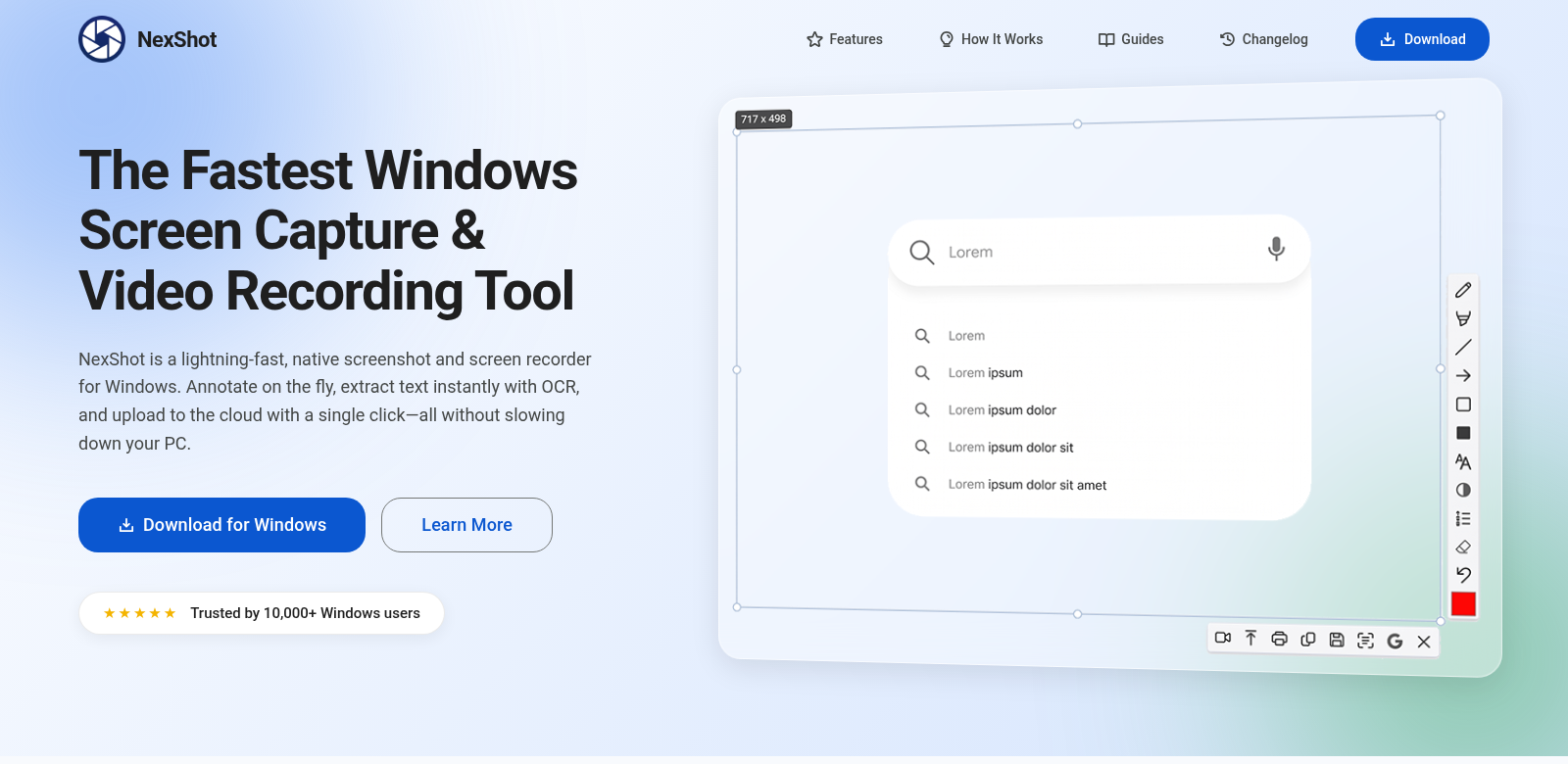
NexShot is a Windows screen capture and video recording tool built for professionals who need speed and efficiency. It lets you quickly grab high-quality images and videos, which makes it super useful if you're always working with screen content. Whether you're making tutorials, recording games, or just saving info from web pages, NexShot helps you get things done faster.
Who Uses NexShot?
NexShot isn't just for one type of person. It's really flexible and useful for all sorts of people. Here's who gets the most out of it:
-
Content Creators: If you make content, you live and breathe visuals. NexShot is perfect for that. It helps you quickly grab screen captures for tutorials, walkthroughs, or social media posts. Plus, since it records and edits video, you've got everything you need for your projects right there.
-
Educators and Trainers: Online learning is huge now, and educators find NexShot super helpful for making lessons. Teachers can record themselves demonstrating software or processes live, which makes classes way more interactive. Students can also rewatch these recordings to really get a grasp on things.
-
Business Professionals: In business, you need to communicate fast and clearly. NexShot lets professionals quickly capture and share important content during presentations or meetings, so everyone gets the vital info right away. It also helps you pull data from apps faster, which just makes you more productive.
-
Gamers: Gamers always want to share their best moments. NexShot makes it easy to record live gameplay with hardly any lag. That means you can effortlessly share your highlights across all your platforms. It's simple to use, which is why gamers really like it.
-
Software Developers: Developers can use NexShot to document their apps. It lets them quickly grab screen captures and video recordings, which helps a lot when creating support docs. This way, users can get familiar with the software, its features, and troubleshooting steps much faster.
Problems NexShot Solves
People often run into these issues when they need a screen capture or video recording tool. NexShot fixes them.
Problems People Face
-
Lack of Speed: A lot of screen capture tools are slow, which just wastes your time. You need something that works instantly, without those annoying delays.
-
Too Complicated: Many programs are just too hard to learn. New users get frustrated and give up, which defeats the whole point of having a "helpful" tool.
-
Missing Editing Tools: Basic screen capture tools often don't have good editing features. That means you have to jump to another app just to make simple changes, and that's a huge time-waster.
-
Windows Version Headaches: Some screen capture tools just don't play nice with different Windows versions. That's super frustrating if you're on an older or newer system.
NexShot's Solution
NexShot tackles these problems head-on. It's a fast, easy-to-use app that works across many Windows versions. The interface is so simple, new users can pick it up instantly – no steep learning curve here. Plus, NexShot has built-in editing tools. You can make quick changes right in the app, so you don't need extra software. This really speeds up your creative work. And because it's compatible with all sorts of Windows systems, everyone can use it without running into technical snags.
How People Use It
NexShot fits into all sorts of capture situations. For example, a teacher might use it to make a great tutorial showing how a software function works. She can quickly grab what she needs, then use the easy editing tools to add annotations to her intro. Or, a developer could record a debugging session, showing a unique feature to QA testers. This gives them a clear visual of the problem or solution.
NexShot's Best Features
NexShot is packed with features that make it easy to use and perform well. Here are some of the best:
-
Lightning-Fast Capture: You can quickly grab screenshots and videos with no lag at all. This means you won't miss crucial moments, and it's perfect if you need instant results.
-
Easy-to-Use Interface: The interface is so intuitive, anyone can navigate it, no matter their tech skill. You can just focus on your content instead of fighting with complicated menus.
-
Built-in Editing Tools: NexShot has strong editing features. You can annotate, crop, and change your captures smoothly, right in the app. No need for extra editing software.
-
Full HD Recording: It records in high-definition, so all your videos are sharp and clear. That's a must for professional presentations and sharing media.
-
Works on Any Windows: Got an old Windows version or the latest one? NexShot runs smoothly on all of them. It's a flexible choice for just about anyone.
Frequently Asked Questions
-
What Windows versions does NexShot work on? NexShot works with many Windows versions. You get all its features whether you're on Windows 7, 8, or 10, so lots of people can use it.
-
Can I edit my captures in NexShot? Yep! NexShot has built-in editing tools. You can annotate, crop, and tweak your captures right there. This speeds up your work and means you don't need other editing software.
-
Is NexShot good for gaming? Definitely! NexShot is made for gamers who want to record their gameplay without a fuss. With almost no lag and full HD recording, you can capture all your best moments smoothly.
-
How do I install NexShot? Installing NexShot is super easy. Just download the software from our official website and follow the simple steps. You'll be up and running in no time.
-
Is there customer support? Yes, we have solid customer support. If you have any technical questions or need help using NexShot, just reach out.
Want to know more about NexShot and what it can do? Visit NexShot to see how it makes screen capture fast and professional.