Online Notes: The Ultimate Tool for Efficient Note-Taking
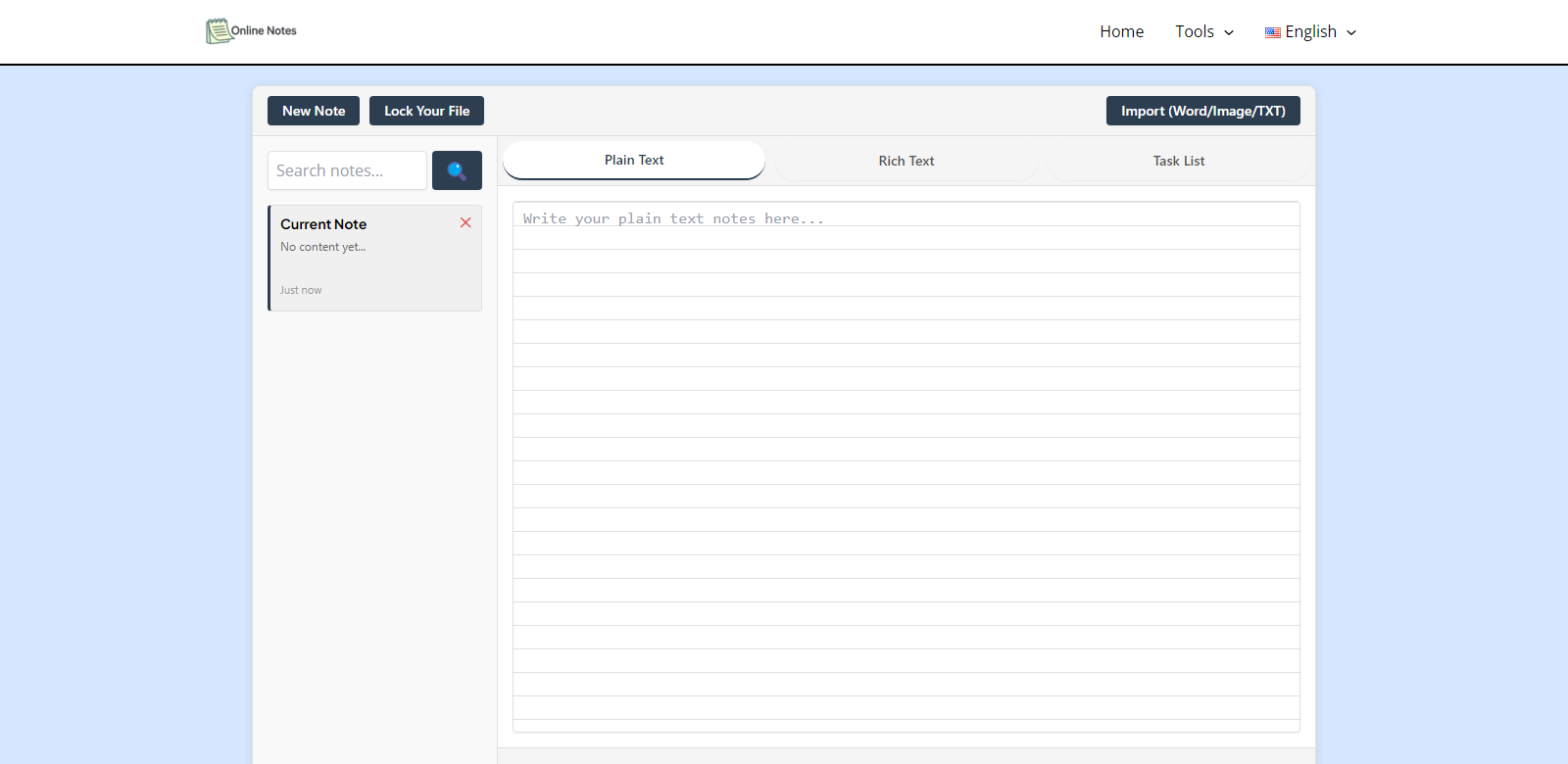
In today's fast-paced digital world, the ability to take notes quickly and efficiently is essential. Online Notes offers a seamless platform for users to write, edit, and manage their notes directly from their browser without the need for any sign-up. This tool is designed to cater to a wide range of users, from students to professionals, ensuring that everyone can benefit from its features.
Customers of Online Notes
Understanding the diverse customer base of Online Notes is crucial for appreciating its value. The platform serves various personas, each with unique needs and expectations. Here are some of the primary customer segments:
-
Students:
Students often require a reliable way to take notes during lectures, organize study materials, and collaborate with peers. Online Notes provides a straightforward interface that allows them to jot down ideas quickly, ensuring they don't miss any important information during class. The ability to access notes from any device means they can study on the go, making it an invaluable resource for academic success. -
Professionals:
In the corporate world, professionals need to capture meeting notes, brainstorm ideas, and manage project details efficiently. Online Notes caters to this need with its easy editing features and organizational capabilities. Professionals can keep their notes secure and share them with colleagues seamlessly, enhancing team collaboration and productivity. -
Freelancers:
Freelancers often juggle multiple projects and clients. Online Notes allows them to keep track of their tasks, ideas, and client notes in one place. The platform's simplicity helps freelancers focus on their work without getting bogged down by complicated software, allowing them to deliver high-quality results to their clients. -
Writers and Creatives:
For writers and creative individuals, inspiration can strike at any moment. Online Notes provides a quick and easy way to capture thoughts and ideas before they slip away. The ability to organize notes and drafts helps creatives streamline their writing process, making it easier to develop their projects. -
Researchers:
Researchers often gather vast amounts of information and insights. Online Notes allows them to compile their findings in an organized manner, making it easier to reference and analyze data. The platform's flexibility supports various research methodologies, ensuring that researchers can adapt their note-taking to their specific needs.
Problems and Solution by Online Notes
Online Notes addresses several common problems faced by users in their note-taking endeavors.
Problems Online Notes Found
-
Disorganization:
Many users struggle with keeping their notes organized, leading to frustration and wasted time when searching for information. This disorganization can hinder productivity and make it challenging to recall important details. -
Accessibility Issues:
With the increasing need for remote work and study, users often find themselves needing access to their notes from various devices. Traditional note-taking methods, such as paper notebooks, do not offer this flexibility. -
Collaboration Challenges:
In team settings, sharing notes and collaborating on projects can be cumbersome. Users often resort to emailing documents back and forth, which can lead to version control issues and miscommunication. -
Lack of Security:
Storing notes on unsecured platforms can pose a risk to sensitive information. Users require a secure environment to manage their notes without the fear of data breaches. -
Complexity of Existing Tools:
Many note-taking applications are overly complicated, requiring users to spend valuable time learning how to navigate the software instead of focusing on their work.
Solution by Online Notes
Online Notes effectively resolves these issues with its user-friendly design and robust features. The platform allows users to create, edit, and organize notes effortlessly, ensuring that information is always at their fingertips. With no need for sign-up, users can start taking notes immediately, eliminating barriers to entry.
The accessibility of Online Notes means users can access their notes from any device with an internet connection, providing the flexibility necessary for modern work and study environments. Furthermore, the platform supports collaboration by allowing users to share their notes with others, enhancing teamwork and communication.
Security is a top priority for Online Notes, ensuring that user data is protected from unauthorized access. This commitment to security allows users to store sensitive information without worry.
Finally, the simplicity of Online Notes stands out in a market filled with complex tools. Users can focus on what matters mostâtheir ideasâwithout getting lost in a sea of features.
Use Case
The use cases for Online Notes are extensive. Students can use the platform to take lecture notes, while professionals can document meeting minutes and project details. Freelancers might utilize it for client notes and task management, whereas writers can capture their creative ideas and outlines. Researchers can compile their findings and organize their work efficiently. Each user can tailor their experience to fit their specific needs, making Online Notes a versatile tool for anyone needing to capture and manage information.
Top Features of Online Notes
Online Notes is packed with features designed to enhance the user experience:
-
Instant Access:
Users can start taking notes immediately without any sign-up process, saving valuable time. -
Cross-Device Compatibility:
Access notes from any device, ensuring that users can work from anywhere. -
Simple Interface:
A clean, intuitive design allows users to focus on their content without distractions. -
Secure Storage:
User data is protected with robust security measures, ensuring privacy and peace of mind. -
Collaboration Tools:
Easily share notes with others, facilitating teamwork and project management.
Frequently Asked Questions with Online Notes
-
How do I access my notes on different devices?
Online Notes is designed to be accessible from any device with an internet connection. Simply log in to your account, and all your notes will be available for you to view and edit. -
Is my data safe with Online Notes?
Yes, Online Notes prioritizes user security. All data is stored securely, and measures are in place to protect against unauthorized access, ensuring your notes remain private. -
Can I collaborate with others using Online Notes?
Absolutely! Online Notes allows you to share your notes easily with others, making it a great tool for collaboration on projects and group work. -
What if I forget to save my notes?
Online Notes automatically saves your work as you type, so you never have to worry about losing your notes. -
Is there a mobile app for Online Notes?
Currently, Online Notes is optimized for use in web browsers. However, its responsive design ensures that it works well on mobile devices, allowing you to take notes on the go.