
Transform Google Sheets with advanced API solutions
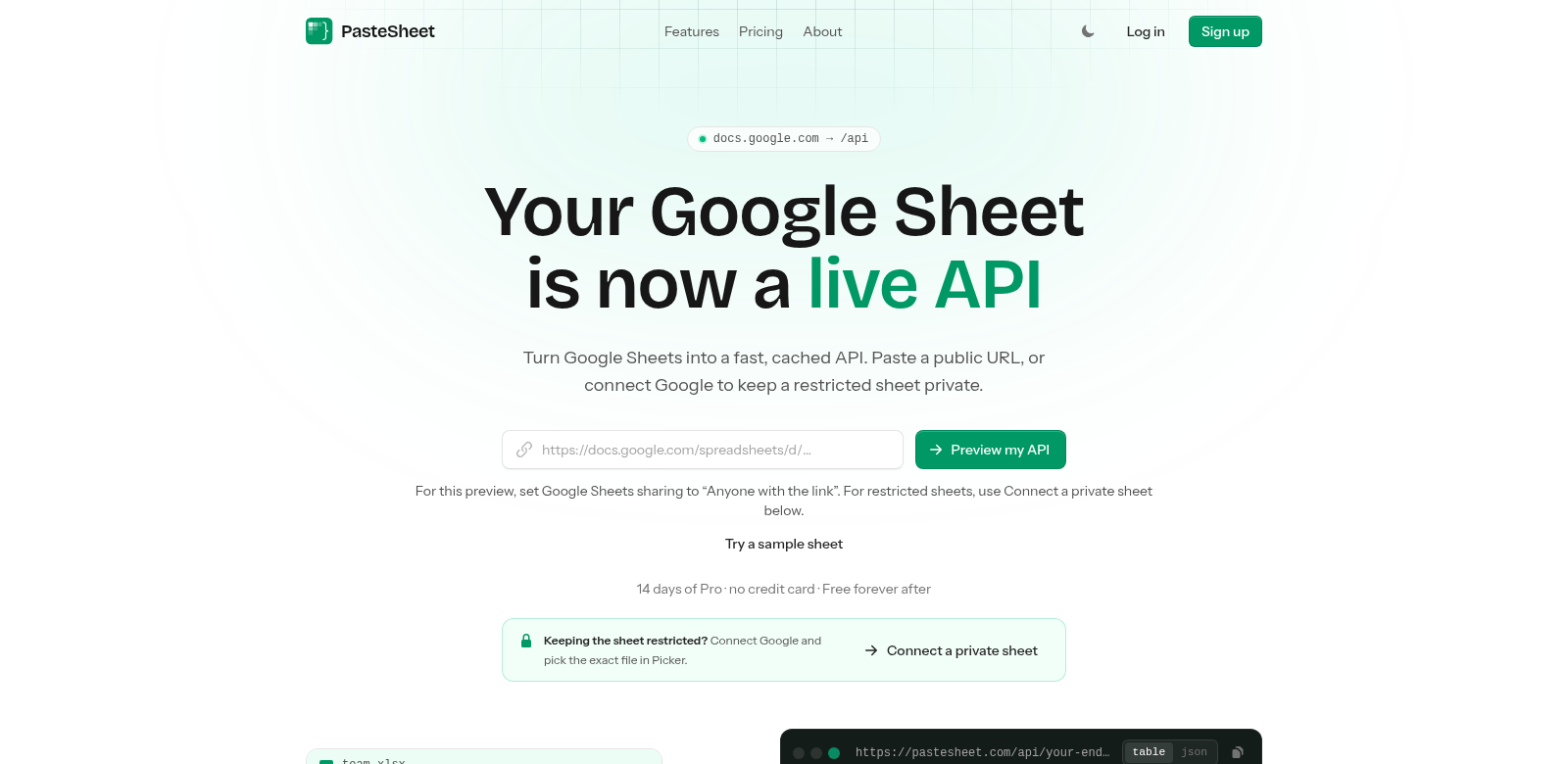
PasteSheet's Google Sheets API gives developers a fresh way to use spreadsheets dynamically in their apps and AI agents. It turns Google Sheets into a fast, cached REST API, letting programmers build apps that tap into real-time spreadsheet data without a ton of code. If you're looking to integrate data into your software, this API's powerful features are a huge help.
Customers of PasteSheet
To really get what PasteSheet offers, it helps to know who uses it. Here are some of the main groups who get a lot out of the Google Sheets API:
-
Developers: Software engineers who want to pull live data into their apps. They love how easily it connects to Google Sheets, making data-driven apps simple to build.
-
Small Business Owners: Entrepreneurs and small business owners who run things with spreadsheets can automate a lot using the API. Instead of manual data entry, they can set up automated solutions, saving time and cutting down on mistakes.
-
Data Analysts: Analysts who need real-time data for their work will find this API super handy. Turning spreadsheets into a direct data source means faster insights and reports.
-
Educators: Teachers and schools can use the API to manage attendance or grades on the fly. It makes them more efficient and lightens the load of dealing with tons of documents.
-
Researchers: Academics and researchers can use the API to collect and analyze data from various sources. It makes data collection simpler, so they can spend more time on analysis and less on managing data.
Problems and solution by PasteSheet
As businesses grow, they often hit snags with data management and integration. The Google Sheets API aims to fix a few key problems:
Problems PasteSheet found
-
Clunky Data Management: A lot of people struggle with manually typing data into apps, which wastes time and leads to errors.
-
Doesn't Play Nice with Other Systems: Existing tools often don't integrate well with spreadsheets, making workflows a real headache.
-
No Real-Time Data: Old ways of getting data can slow down decisions, which is super frustrating when things move fast.
-
Hard to Get Data Out: Not every app makes it easy to access Google Sheets, which really limits what you can do.
-
Complicated Setup: Some data integration tools need a huge setup, which turns off small businesses or anyone who isn't super technical.
Solution by PasteSheet
The PasteSheet Google Sheets API offers solid solutions to these problems. It lets developers turn spreadsheets into a fast, cached REST API, so users get real-time data and can make quicker decisions. You can use a public URL for easy access, and secure Google connections mean you can restrict sheet access when you need to. This is especially good for small businesses that need a simple setup without a lot of prior development know-how.
For developers who want to integrate spreadsheet data without a ton of coding, this solution flattens the learning curve. They can focus on what the app does instead of how it works. So, it helps businesses transform their Google Sheets into powerful data management and operational tools.
Use case
Here are a few examples of how different groups can use PasteSheet's Google Sheets API:
-
Automate Business Reports: A small business can link its sales data in Google Sheets to generate reports automatically, skipping the tedious manual work.
-
Integrate User Feedback: A school could streamline feedback collection by using the API to pull student evaluations into its systems, making report generation better.
-
Dynamic Inventory Management: E-commerce businesses can use the API to connect stock data from Google Sheets directly to their inventory systems. This means real-time updates and better sales forecasts.
-
Collaborative Research Projects: Researchers can use the API to pull data from different sheets into one central database for analysis, making it easy for various teams to work together.
-
Real-Time Dashboard Integration: Companies can connect marketing metrics from Google Sheets to a dashboard, getting instant updates and insights into how campaigns are doing.
Top features of PasteSheet
The Google Sheets API comes packed with features, all designed to make data integration smooth and easy:
-
Blazing Fast API Access: This API is quick. Developers can grab data from sheets in milliseconds, which really speeds up app performance.
-
Data Authentication: Security is key. The API offers secure connection options to keep your data safe and private.
-
Smart Caching: Thanks to its advanced caching, users can get frequently-requested data super fast and handle heavy loads without a sweat.
-
Flexible Output Formats: The API lets you customize output formats, making it easy to integrate with all sorts of apps across different industries.
-
Clear Documentation: We've got comprehensive guides and docs to help developers get solutions up and running fast.
Frequently asked questions with PasteSheet
-
How does the Google Sheets API make data management easier? It lets you automate data processing by turning Google Sheets into a RESTful API. No more manual entries, just better accuracy and efficiency.
-
Can I access restricted sheets securely? Yep. The API offers secure access options using Google's authentication, so connecting to restricted data is straightforward.
-
Is there a data retrieval limit? Google Sheets has its usual usage limits, but our API is built to be super efficient. It caches commonly accessed data to keep delays to a minimum.
-
What programming languages work with the API? It's designed to play nicely with lots of languages, including JavaScript, Python, and PHP. Integration is a breeze.
-
How do I connect to the API? Connecting requires an initial setup, but it's all well-documented. You can get started fast, even if you're not a tech wizard.