
Interactive Stacking Plans: Making Real Estate Management Easier
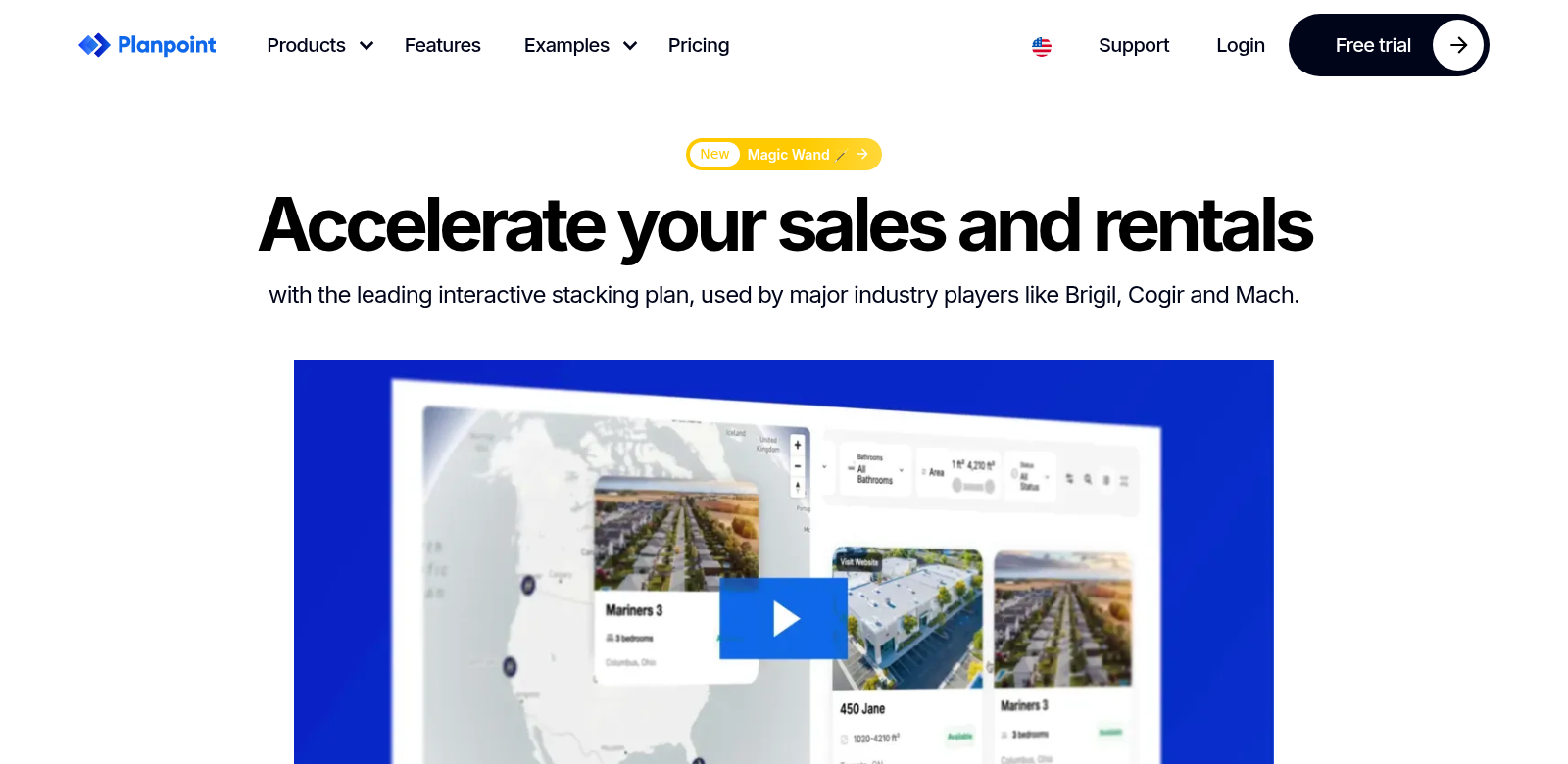
Real estate is a tough business. To really get ahead, you need smart ways to plan and manage properties. That's where Planpoint comes in. It's interactive floor plan software that helps you handle properties smoothly. You can share plans and inventory, track what's available, and keep prices updated—all without a headache. Planpoint stands out by letting you upload images, offer 360° tours, and customize finishes, making the whole experience better for everyone.
Who Uses Planpoint?
Planpoint helps all sorts of people in real estate. We know different roles have different needs, so we built it to serve everyone. Here are some of our main users:
-
Real Estate Developers: Developers use Planpoint's interactive tools to show off new projects more effectively. They can easily match their inventory with what the market wants.
-
Property Managers: Property managers rely on Planpoint to talk to tenants better. Clear visuals of properties mean managing leases and availabilities is much simpler.
-
Real Estate Agents: Agents use the software to make properties look their best. Better visuals and interactive presentations help them bring in more clients.
-
Architects and Designers: Design professionals can create detailed space layouts with Planpoint. This makes it easier to work with clients and other stakeholders during the planning stages.
-
Investors: Investors appreciate how the software gives them a clear picture of many properties at once. This helps them make smarter decisions based on visuals and data.
Real Estate Headaches, Planpoint Solutions
The real estate world has plenty of challenges that can slow things down and frustrate customers. Planpoint tackles these head-on.
Problems Planpoint Solves
-
Bad Communication: Old ways of managing properties often lead to confusion about what's available or specific details, which frustrates everyone involved.
-
Messy Inventory Management: Keeping track of properties and their prices can get overwhelming, especially if you have a lot of them.
-
Lack of Interactive Tools: Many existing tools just aren't engaging enough for potential clients, meaning missed opportunities.
-
Hard to Visualize: Clients often struggle to picture designs and layouts from just blueprints and photos, which can lead to indecision.
-
Outdated Information: In a fast-moving market, you need real-time info. Old systems cause delays in making decisions.
How Planpoint Helps
Planpoint offers solid answers to these problems, with features designed specifically for property management pain points. Our interactive stacking plans let users easily visualize properties, making the experience much more engaging. You can upload the latest images and offer 360° virtual tours, giving potential buyers a true sense of what it's like to live or work in a space.
The dashboard is easy to use, simplifying inventory management. You can update availabilities and pricing on the fly. Plus, with customizable finishes and feature selections, clients can pick options that truly fit what buyers want. Ultimately, Planpoint helps clear up communication by providing clear, visually appealing property representations that get people engaged and help them decide faster.
How Planpoint Gets Used
Planpoint's interactive stacking plans have many uses. For instance, a big real estate development company might use the platform to manage its entire portfolio of properties under construction. They can use the visual data to update investors and other stakeholders.
Similarly, property managers can show existing listings to clients using interactive floor plans. Renters can then pick their perfect space—complete with their chosen finishes and layouts—all within one easy-to-use interface.
Key Features of Planpoint
Planpoint comes with several features that make it appealing to different users:
-
Interactive Floor Planning: Users can create and change floor plans live, offering a visual and interactive way to manage properties.
-
Real-Time Inventory Management: This feature lets businesses track property availabilities and pricing dynamically, streamlining the management process.
-
Customizable Finishes: Clients can tailor properties to specific looks, making buyers happier and more engaged.
-
Integrated 360° Tours: Potential clients can explore properties virtually, an immersive experience that helps them make decisions.
-
Seamless Communication Tools: The platform improves communication among everyone involved, cutting down on misunderstandings and making discussions more productive.
Common Questions About Planpoint
-
What is Planpoint? Planpoint is interactive floor plan software built for real estate management. It helps users share plans, manage inventory, and visualize properties better.
-
How does Planpoint improve property management? With its interactive features, Planpoint makes visualization easier, simplifies communication, and streamlines inventory management, leading to better property oversight.
-
Can I customize my floor plans within Planpoint? Yes, you can customize finishes and layouts, making it a great tool for showing properties to potential clients.
-
Is Planpoint suitable for large real estate firms? Absolutely. Planpoint works for both small and large real estate firms, offering flexibility and scalability.
-
How do I get started with Planpoint? Just visit the Planpoint website and sign up for a demo to see how it works.