PNGCS Studio: Comprehensive Online PNG Tools
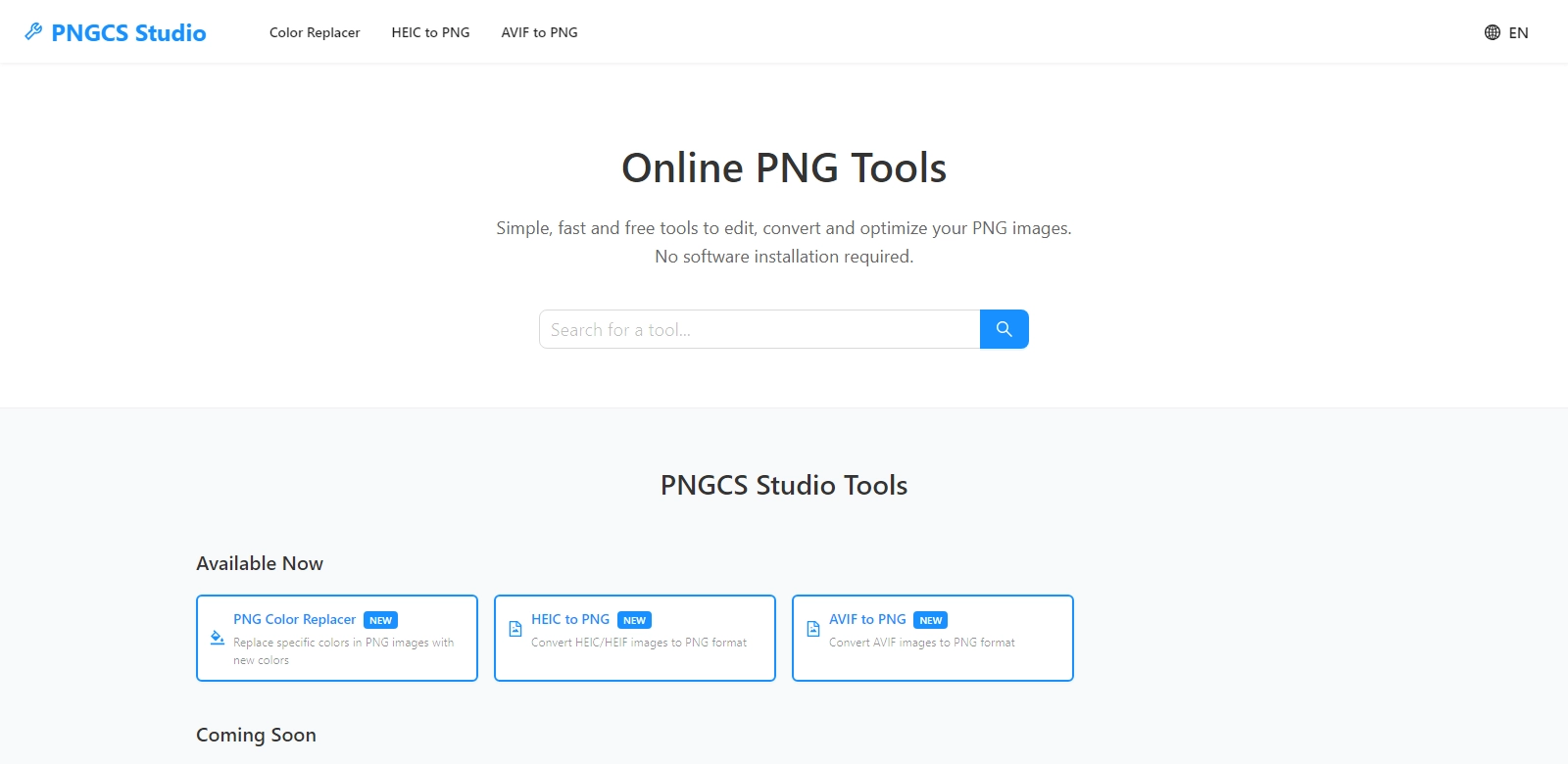
PNGCS Studio stands as a pivotal platform for those seeking a user-friendly and effective suite of tools designed specifically for PNG image management. Whether you are a graphic designer, photographer, or a casual user, PNGCS offers a variety of online tools including compression, resizing, cropping, converting, and optimizing PNG images—all without the need for software installation. With its intuitive interface and robust functionalities, PNGCS not only simplifies image handling but enhances the entire user experience.
Customers of PNGCS Studio
Understanding the various customer personas that benefit from PNGCS Studio is crucial to recognizing its widespread utility. Here, we analyze different customer types who can effectively leverage PNGCS’s features:
-
Graphic Designers: Graphic designers often require high-quality images in various formats. PNGCS Studio addresses this need by providing tools to optimize file sizes without compromising image quality. This means designers can deliver high-resolution graphics that are lightweight and fast-loading, which is essential for web projects.
-
Photographers: Photographers frequently find themselves needing to share large volumes of images online. The compression tools available in PNGCS allow them to reduce file sizes rapidly without losing critical details, thus making their portfolios easier to navigate and share.
-
Web Developers: For web developers, page load speed is paramount. PNGCS Studio furnishes a solution by providing optimized PNG image formats that contribute to faster website performance. This ultimately enhances user experience and positively impacts SEO rankings.
-
Social Media Managers: Social media managers benefit from PNGCS's functionalities, especially when it comes to preparing images for various platforms. The resizing tools enable them to adapt images quickly to fit specific platform requirements, ensuring that the visual content remains engaging and professionally presented.
-
Students and Educators: Students and educators often create materials that require high-quality visual aids. Using PNGCS, they can easily convert and optimize images for presentations, e-learning modules, and educational resources, making their projects stand out.
Problems and Solutions by PNGCS Studio
In the era of digital media, the management of images presents several challenges which PNGCS Studio adeptly addresses.
Problems PNGCS Found
-
File Size Management: Large image files can lead to slower websites and difficult sharing processes. Many users struggle with managing file sizes effectively, often resulting in reduced image quality when they do try to compress files.
-
Quality Loss During Conversion: Users frequently report issues with significant quality loss when converting PNG files to other formats. This can hinder their projects significantly, especially when high quality is a necessity.
-
Time-Consuming Processes: The process of preparing images for online use can often be tedious and time-consuming, requiring multiple software solutions for different tasks.
-
Compatibility Issues: Users often face compatibility issues when trying to share or upload images across different platforms or formats, leading to frustration and inefficiency.
-
Lack of User-Friendly Interfaces: Many existing image management tools suffer from complex interfaces that create a steep learning curve for new users.
Solutions by PNGCS Studio
PNGCS Studio effectively resolves these challenges by offering a consolidated suite of tools that are both effective and accessible. The approach to solving these issues includes providing state-of-the-art compression algorithms that ensure minimal quality loss while reducing file sizes significantly. The user interface is designed to be intuitive, allowing users of all skill levels to navigate the platform with ease. PNGCS Studio supports various formats, enabling seamless uploads and conversions without compatibility worries. Users can handle their image management tasks swiftly, thus optimizing their time and productivity.
Use Case
Multiple real-world scenarios illustrate the effectiveness of PNGCS Studio:
- A graphic designer utilizes PNGCS to compress an extensive image gallery for their portfolio website, enhancing load time without sacrificing image quality.
- A photographer leverages the resizing tool to prepare images for different social media platforms, ensuring optimal presentation and engagement with followers.
- A web developer incorporates PNGCS to optimize images for a new client website to improve performance, leading to better user experience and higher SEO ranking.
- A student converts a series of educational diagrams into PNG format using PNGCS to create a visually appealing report that meets academic standards.
- A social media manager efficiently resizes images for an upcoming campaign using PNGCS’s bulk processing features, saving significant time before critical deadlines.
Top Features of PNGCS Studio
PNGCS Studio boasts a variety of features that cater to diverse image management needs:
- Compression Tools: Allow users to significantly reduce image file sizes while maintaining quality, ensuring faster website loading times.
- Resizing Functionality: Enable users to easily adjust image dimensions to fit specific platform requirements, enhancing versatility in image presentation.
- Conversion Capabilities: Seamlessly convert images between PNG and other formats without quality loss, addressing common user frustrations.
- User-Friendly Interface: Designed with accessibility in mind, the platform is easy to navigate for users of all skill levels.
- No Software Installation Required: Operate entirely online, eliminating the need for software downloads or installations, and making it readily accessible from any device with internet connectivity.
Frequently Asked Questions with PNGCS Studio
-
What formats does PNGCS support for image conversions?
PNGCS Studio allows users to convert images predominantly between PNG and formats like JPEG, BMP, and GIF, catering to a wide array of user needs across different media platforms. The detailed conversion tools ensure minimal loss of quality, aiding users in their diverse projects. -
How does PNGCS optimize image file sizes?
The platform employs advanced compression algorithms that effectively reduce file sizes while preserving visual fidelity. This makes it advantageous for users who prioritize both quality and performance in their images. -
Can I use PNGCS on mobile devices?
Yes, PNGCS Studio is accessible from any device with an internet connection, including mobile devices. This flexibility allows users to manage their images on the go, catering to those with busy lifestyles. -
Is there a limit to how many images I can process at one time?
PNGCS Studio allows for batch processing of images, significantly streamlining the user experience. However, it is advisable to check their current guidelines to ensure optimal use of the service without running into limitations. -
Are there any costs associated with using PNGCS tools?
PNGCS Studio operates under a freemium model, offering numerous essential features for free while providing premium options for advanced users who may require additional functionalities and robust usage.