RemoveMate Online: Easy Background Removal
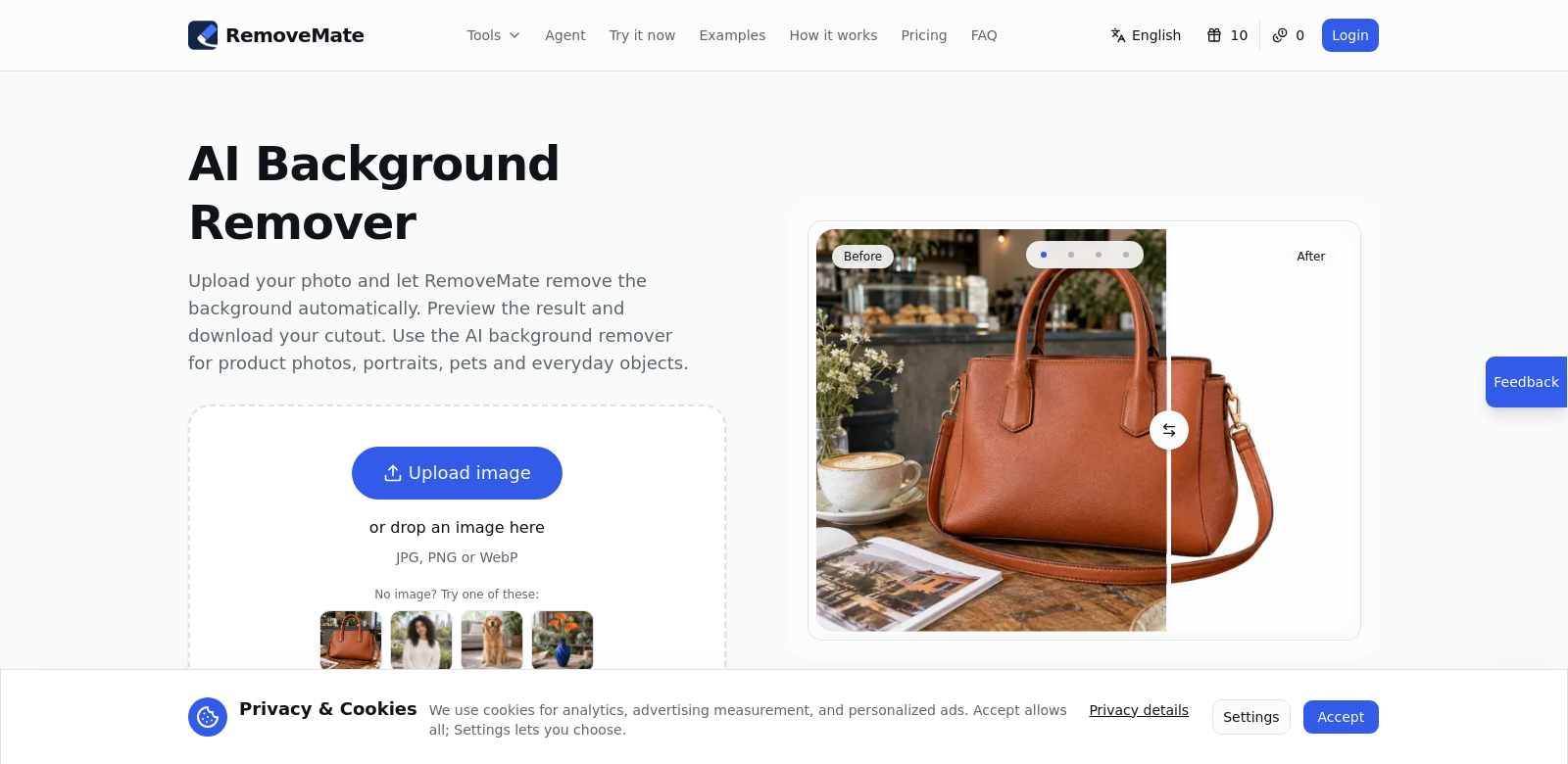
RemoveMate is an online tool that makes stripping backgrounds from images simple. Whether you're a pro photographer, an e-commerce seller, or just someone who wants better personal photos, RemoveMate offers a straightforward way to do it without needing special skills or software downloads. You just upload your image, check the cutout, and download the finished product. It's a pretty slick solution for background removal. You can find out more at RemoveMate.
Who Uses RemoveMate?
RemoveMate's wide range of users shows just how flexible and useful it is across different fields. Here are some of the people who get the most out of it:
-
Photographers: Pros often need to remove backgrounds for their portfolios and client work. RemoveMate saves them a ton of time and helps them make their images look great without losing quality. Being able to quickly ditch a background means they can spend more time on their art and less on tedious editing.
-
E-commerce Sellers: Online shops need product images that grab attention. RemoveMate helps them create clean, appealing photos that highlight just the item, making it look much better. This can really help boost sales by making products appear more professional.
-
Marketers and Advertisers: Marketing pros constantly need custom graphics for their campaigns. RemoveMate lets them put together promotional materials with high-quality images by getting rid of distracting backgrounds, so their message really pops.
-
Social Media Influencers: If you're on social media and want to step up your profile, RemoveMate is a great tool for personal branding. It helps you create stylish visuals for your posts, making your content more engaging and shareable.
-
Designers: Graphic designers and content creators are always tweaking images. RemoveMate speeds up their workflow, letting them easily drop images into projects without unwanted backgrounds messing up the look.
The Problems RemoveMate Solves
In today's digital world, everyone needs clean, professional-looking images. RemoveMate tackles common image editing headaches by giving you an easy-to-use platform that simplifies background removal.
The Headaches RemoveMate Found
-
Editing Takes Forever: Traditional background removal often demands serious editing skills and software know-how, which makes it a huge, time-consuming pain for most people.
-
Spotty Quality: Many free or cheap tools churn out bad results, leading to inconsistent image quality that can really hurt a brand's image.
-
Hard to Access: Not everyone has access to expensive professional editing software, which limits their ability to edit images well.
-
No Help When You Need It: Free tools usually don't offer support or tutorials, leaving users to figure things out on their own.
How RemoveMate Fixes It
RemoveMate offers a simple, efficient, and user-friendly experience. You upload an image, click a few times, and boom—the background's gone, and you can download a high-quality final product. The interface is so easy to use that anyone can get fantastic results, no matter their skill level.
Using smart technology, RemoveMate can tell the difference between what's in the foreground and what's in the background. This means you get a clean, professional output every time. This tech drastically cuts down editing time and makes your images look better, making it an incredibly useful tool for both individuals and businesses.
Real-World Uses
RemoveMate isn't just another tool; it's a game-changer for situations where image presentation is crucial. For example:
- An e-commerce business uses RemoveMate to make all its product images look consistent across its website, which improves the shopping experience and helps sell more.
- A photographer quickly removes busy backgrounds from portrait shots to give clients perfect images.
- A social media influencer uses the tool to create eye-catching visuals for posts, leading to more engagement from followers.
Top Features of RemoveMate
RemoveMate packs several features that make using it a breeze and background removal simple:
-
Easy-to-Use Interface: The tool is designed to be intuitive, so even beginners can navigate it and get the results they want with minimal fuss.
-
High-Quality Output: RemoveMate makes sure your images keep their quality after background removal, giving you a professional finish.
-
Fast Processing: It works quickly, letting you get your images back in seconds and boosting your productivity.
-
Secure Uploads: Your privacy matters. All uploaded images are handled with strict confidentiality.
-
Versatile: Whether you're using it for personal projects, marketing, or professional work, RemoveMate handles all sorts of image editing needs across many different fields.
Frequently Asked Questions About RemoveMate
-
Is RemoveMate free to use? RemoveMate has a free option for light use, but also offers paid plans if you need more advanced features or higher resolutions.
-
How does background removal work? You upload your images, and the AI figures out what's the subject and what's the background, then separates them cleanly.
-
Can I see my image before downloading? Yes, RemoveMate lets you preview your image so you can make any tweaks before you download the final version.
-
What file types does RemoveMate support? The platform supports many different image formats, so it should work for most of your needs, no matter the file type.
-
Is my data safe with RemoveMate? RemoveMate has security measures in place to keep your user data private and secure, giving you peace of mind.