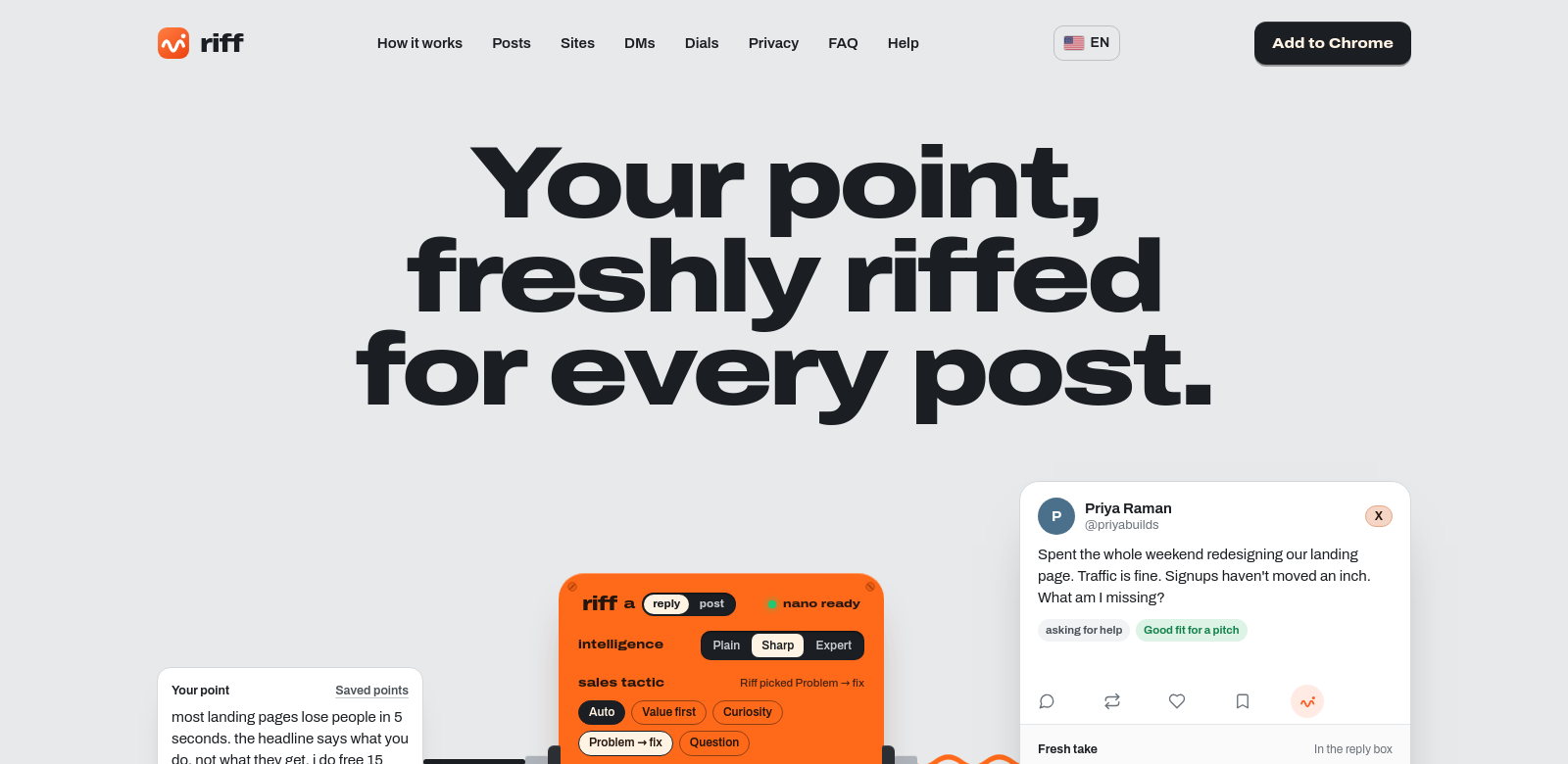
Riff: The Chrome Extension for Better Social Media
Riff is a Chrome extension that makes social media easier. It works on platforms like X, LinkedIn, Facebook, and Instagram. Using Gemini Nano, Riff takes your thoughts and turns them into unique replies and posts, helping your content get noticed. It's great for answering DMs, writing new posts, or even crafting first messages. The best part? It all happens right on your computer, so you don't need any clunky automation tools publishing for you. Want to see more? Check out this link.
Who Uses Riff?
Lots of different people, actually. Knowing who finds it useful helps you see what it can really do.
-
Social Media Managers: These pros juggle tons of accounts and need to create content that really connects with different groups. Riff helps them whip up replies and posts fast, saving them time and making their content more engaging across the board.
-
Small Business Owners: Running a small business means you're often stretched thin. It's tough to keep up a strong online presence with limited staff or budget. Riff lets owners handle their social media interactions better, so they can focus on their main business without dropping the ball on customer engagement.
-
Marketers and Content Creators: These folks constantly need new, engaging content. Riff helps them come up with fresh responses that hit home with their audience, which in turn boosts their content strategy and keeps people coming back.
-
Freelancers and Consultants: Riff helps freelancers and consultants keep client communications smooth. They can answer questions quickly and keep their professional relationships strong, no matter the platform.
-
General Users: Even if you're just a regular social media user, Riff can make your online chats better. It creates replies that sound just like you, without you having to spend a ton of time on them.
Social Media Headaches and How Riff Helps
Social media communication has its headaches, and Riff tackles a few big ones. It gives users the tools they need to actually connect with people.
Problems Riff Tackles
-
Time Crunch: Lots of people just don't have the time to really engage on social media because of other commitments.
-
Mental Drain: Trying to come up with unique replies while handling several conversations at once can be exhausting and kill your creativity.
-
Mixed Messages: It's easy for your online voice to get inconsistent, which can confuse your followers.
-
Burnout: The constant pressure to be creative can lead to burnout for social media managers and regular users alike, often leaving accounts dormant.
-
Creative Block: Always needing to generate fresh, engaging content is tough. It often leads to bland posts that nobody cares about.
How Riff Helps
Riff takes your ideas and, using smart algorithms, automatically turns them into custom social media replies. Since it runs right in your Chrome browser, it fits into your workflow without needing any extra apps. This makes it easy to reply to messages quickly, and you won't lose your personal touch. Riff creates new content that matches the conversation but still sounds original, which really helps when your brain feels fried from trying to be creative. Plus, by making replies easier to generate, Riff helps fight burnout. You can stay engaged without the constant pressure of coming up with new things to say.
How People Use Riff
You can use Riff in a bunch of everyday situations. Social media managers, for example, can lean on it when they're swamped with multiple accounts. Small businesses can use it to chat with potential clients while keeping their main operations running smoothly. Marketers might use Riff to craft personalized messages for customer outreach, especially during sales or campaigns. And for freelancers juggling clients across different platforms, Riff makes keeping up professional communications a breeze.
Riff's Best Features
Riff comes with some really useful features that make using it a better experience:
-
Smart Reply Generation: Riff automatically creates replies that fit the conversation, based on what you tell it. This saves you time without sacrificing quality.
-
Easy-to-Use Interface: The interface is straightforward, so anyone can navigate it. It's especially handy for busy professionals juggling multiple accounts.
-
Works Everywhere: Since it's a Chrome extension, Riff works smoothly across all sorts of social media platforms. This means you can reach more people without extra hassle.
-
Personalized Messages: Riff tailors responses to sound like you, keeping your communication and brand consistent.
-
Always Improving: Riff gets regular updates and new features. This means the tool keeps up with social media's ever-changing landscape and what users need.
Frequently Asked Questions About Riff
-
How does Riff make sure my replies sound like me? Riff looks at your past conversations. Then, its smart algorithms create responses that match your usual tone and style, so your messages always sound consistent and authentic.
-
Can I use Riff on more than one social media account? Absolutely. Riff is built to work easily across different platforms, making it a flexible tool for handling several accounts at once.
-
Is my information safe when I use Riff? Yes. Riff takes user security seriously and follows strict data protection rules to keep your information private and secure.
-
Can I customize Riff for my specific industry? Riff gives you general responses, but it's flexible enough that you can tweak its settings for your industry's specific needs, making your engagement more relevant.
-
Does Riff replace people in social media management? Not at all. Riff is meant to work with you, not instead of you. It helps you be more efficient without losing the personal touch that's so important in social interactions.