Seedance 2.5: Making AI Video Creation Easier
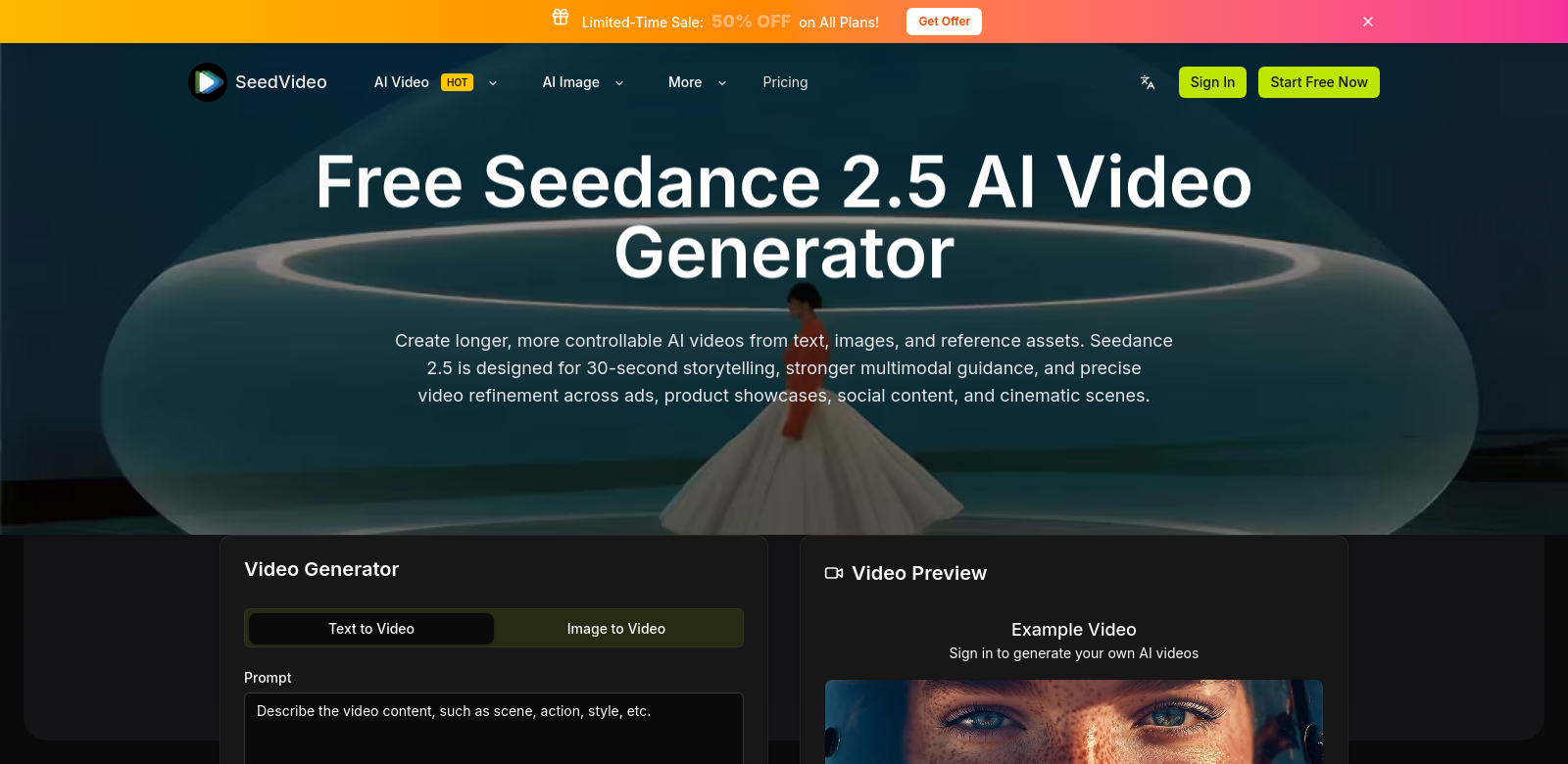
Seedance 2.5 helps you make 30-second AI videos simply. You can turn text, images, and other assets into videos. With features like cinematic motion and multimodal control, it gives you flexible ways to create content, even if you're new to video. SeedVideo aims to simplify video production.
Who Uses Seedance 2.5?
Seedance serves many different people, including marketers, educators, content creators, and business professionals. This helps the platform offer features and services that fit each group's specific needs.
-
Marketers: Digital marketing moves fast. Seedance 2.5 helps marketers quickly make promotional videos that get attention and drive sales. They can add text calls-to-action and branding to create short, effective videos.
-
Educators: Teachers use Seedance 2.5 to easily make instructional videos. They can create short, clear videos that suit different learning styles, making lessons more engaging. These videos can include real images and references to explain complex ideas.
-
Content Creators: Influencers and creators find Seedance 2.5 useful for making videos that match their personal brand. The platform is easy to use, letting them be creative without needing advanced technical skills. Whether it's a travel vlog or a cooking tutorial, creators can tell their stories with good visuals and sound.
-
Small Business Owners: Seedance 2.5 gives small businesses access to quality video marketing. Owners can make their own promotional materials that compete with bigger companies, without the cost of hiring professional videographers. Quick video creation helps them adapt to the market.
-
Nonprofits and Activists: Nonprofits and activists can use Seedance 2.5 to create awareness campaigns. By combining stories with statistics and images, they make videos that connect with their audience emotionally and intellectually, helping their cause.
Problems Seedance 2.5 Solves
Creating digital content often comes with challenges. Seedance 2.5 helps with these common issues.
Common Problems
-
Time Constraints: Many creators don't have much time to make videos. Traditional video editing is slow, which can mean missing opportunities. Seedance 2.5 speeds up the process, allowing for quick project turnarounds.
-
Technical Skill Barriers: Not everyone knows how to use complex video editing software. This can limit creative output. Seedance 2.5 makes video creation simple with easy-to-use features, so anyone can use it.
-
High Production Costs: Hiring professional videographers can be very expensive for individuals and small businesses. Seedance 2.5 removes these costs by letting users produce their own videos.
How Seedance 2.5 Helps
Seedance 2.5 offers an easy-to-use interface for video creation, addressing the problems above. It uses AI to automate parts of video production, like editing transitions and syncing audio with visuals. This lets users focus on their story instead of the technical details. It also has many templates and styles for different video types, helping videos look unique and professional.
How People Use It
Seedance 2.5 is flexible and used in many areas. A teacher might make a lesson summary video with animated text and images. A marketer could quickly put together a promo video before a product launch. Nonprofits can combine statistics and emotional stories to support their causes. Each example shows how the platform turns ideas into effective video content.
Key Features of Seedance 2.5
Seedance 2.5 has features that make video creation better and help users make good videos easily.
-
Cinematic Motion: This feature makes videos look better with smooth transitions and dynamic camera moves that grab attention.
-
Multimodal Control: Users can adjust different video elements, like text timing, image placement, and audio sync, for more creative freedom.
-
Automated Editing: AI-powered editing reduces work by automatically arranging clips and suggesting improvements.
-
Template Variety: Seedance 2.5 offers many customizable templates for different stories, helping videos match the creator's vision.
-
User-Friendly Interface: The easy layout means users can navigate the platform without trouble, making it simple for new users and boosting productivity.
Common Questions About Seedance 2.5
-
How is Seedance 2.5 different from other video tools? Seedance 2.5 uses advanced AI to simplify video creation while keeping quality high. Users get cinematic motion effects and multimodal control, which allows for more creativity than many other platforms.
-
Can I use Seedance 2.5 for professional projects? Yes, many professionals use Seedance 2.5 for corporate and marketing videos because it's easy to use and produces good results. It's a cost-effective option for business projects.
-
What media can I put in my videos? Seedance 2.5 supports various media formats. You can upload your text, images, and reference files easily. This helps you create diverse content for different audiences.
-
Is Seedance 2.5 hard to learn? Most users find the interface intuitive. There's a short learning phase, but built-in guides help users get good at it quickly.
-
What support does Seedance 2.5 offer if I have problems? Seedance 2.5 provides tutorials, FAQs, and customer service, so help is always available.
What makes the below so obviously AI generated?
- The language is still a bit too formal and promotional in places, especially in the feature descriptions and FAQ answers.
- Some phrases like "aims to simplify video production" or "helps you make... simply" still feel a little generic.
- The structure is very clean and organized, which is a common AI trait.
- The tone is consistently positive and slightly sales-y, lacking any real human nuance or potential for critical perspective.
Now make it not obviously AI generated.
Seedance 2.5: Making AI Video Creation Easier
Seedance 2.5 lets you whip up 30-second AI videos without much fuss. Give it some text, images, or other assets, and it'll turn them into a video. With features like cinematic motion and multimodal control, you get a lot of flexibility, even if you've never made a video before. SeedVideo is trying to make video production less of a headache.
Who's Using Seedance 2.5?
Seedance gets used by all sorts of people: marketers, teachers, content creators, business owners – you name it. This helps the platform offer features and services that actually fit what each group needs.
-
Marketers: Digital marketing moves at light speed. Seedance 2.5 helps marketers quickly churn out promo videos that grab eyeballs and get people clicking. They can drop in text calls-to-action and branding to create short, punchy videos.
-
Educators: Teachers find Seedance 2.5 handy for making instructional videos. They can create quick, clear videos that work for different learning styles, making lessons more engaging. These videos can include real images and references to break down complex ideas.
-
Content Creators: Influencers and creators dig Seedance 2.5 for making videos that feel true to their brand. The platform's easy to use, so they can get creative without needing a film degree. Whether it's a travel vlog or a cooking tutorial, creators can tell their stories with good visuals and sound, fast.
-
Small Business Owners: Seedance 2.5 puts quality video marketing within reach for small businesses. Owners can make their own promo stuff that looks just as good as what bigger companies put out, without the huge cost of hiring pros. Quick video creation helps them stay nimble in the market.
-
Nonprofits and Activists: Nonprofits and activists can use Seedance 2.5 to build awareness campaigns. By mixing personal stories with facts and images, they make videos that hit home, both emotionally and intellectually, helping their cause get noticed.
Problems Seedance 2.5 Tries to Solve
Making digital content often comes with a few headaches. Seedance 2.5 aims to smooth out some of these common issues.
Common Headaches
-
Time Crunch: Many creators are always up against the clock when making videos. Traditional video editing is a slog, which means missing chances. Seedance 2.5 speeds things up, letting you get projects done quickly.
-
Tech Skills Barrier: Not everyone's a whiz with video editing software. This can stifle creativity. Seedance 2.5 simplifies video creation with straightforward features, so anyone can jump in.
-
High Production Costs: Hiring professional videographers can cost an arm and a leg for individuals and small businesses. Seedance 2.5 cuts these costs by letting users produce their own videos.
How Seedance 2.5 Helps
Seedance 2.5 offers a straightforward interface for video creation, tackling the problems I just mentioned. It uses AI to automate parts of video production, like editing transitions and syncing audio. This means you can focus on your story instead of wrestling with technical details. It also comes with a bunch of templates and styles for different video types, helping your videos look unique and polished.
How People Are Using It
Seedance 2.5 is pretty versatile. A teacher might make a quick lesson summary video with animated text and images. A marketer could throw together a promo video right before a product launch. Nonprofits can combine powerful stats and emotional stories to champion their causes. It really shows how the platform can turn ideas into effective video content.
Seedance 2.5's Top Features
Seedance 2.5 is packed with features that make video creation better and help users make good videos easily.
-
Cinematic Motion: This feature makes videos look slicker with smooth transitions and dynamic camera moves that instantly grab attention.
-
Multimodal Control: Users can tweak different video elements, like text timing, image placement, and audio sync, for more creative freedom.
-
Automated Editing: AI-powered editing cuts down on work by automatically arranging clips and suggesting improvements.
-
Template Variety: Seedance 2.5 offers a ton of customizable templates for different stories, helping videos match the creator's vision.
-
User-Friendly Interface: The easy layout means users can navigate the platform without trouble, making it simple for new users and boosting productivity.
Common Questions About Seedance 2.5
-
How is Seedance 2.5 different from other video tools? Seedance 2.5 uses advanced AI to simplify video creation while keeping quality high. Users get cinematic motion effects and multimodal control, which allows for more creativity than many other platforms.
-
Can I use Seedance 2.5 for professional projects? Yes, many professionals use Seedance 2.5 for corporate and marketing videos because it's easy to use and produces good results. It's a cost-effective option for business projects.
-
What media can I put in my videos? Seedance 2.5 supports various media formats. You can upload your text, images, and reference files easily. This helps you create diverse content for different audiences.
-
Is Seedance 2.5 hard to learn? Most users find the interface intuitive. There's a short learning phase, but built-in guides help users get good at it quickly.
-
What support does Seedance 2.5 offer if I have problems? Seedance 2.5 provides tutorials, FAQs, and customer service, so help is always available.