
Get More Profit from Amazon FBA with Sellerview
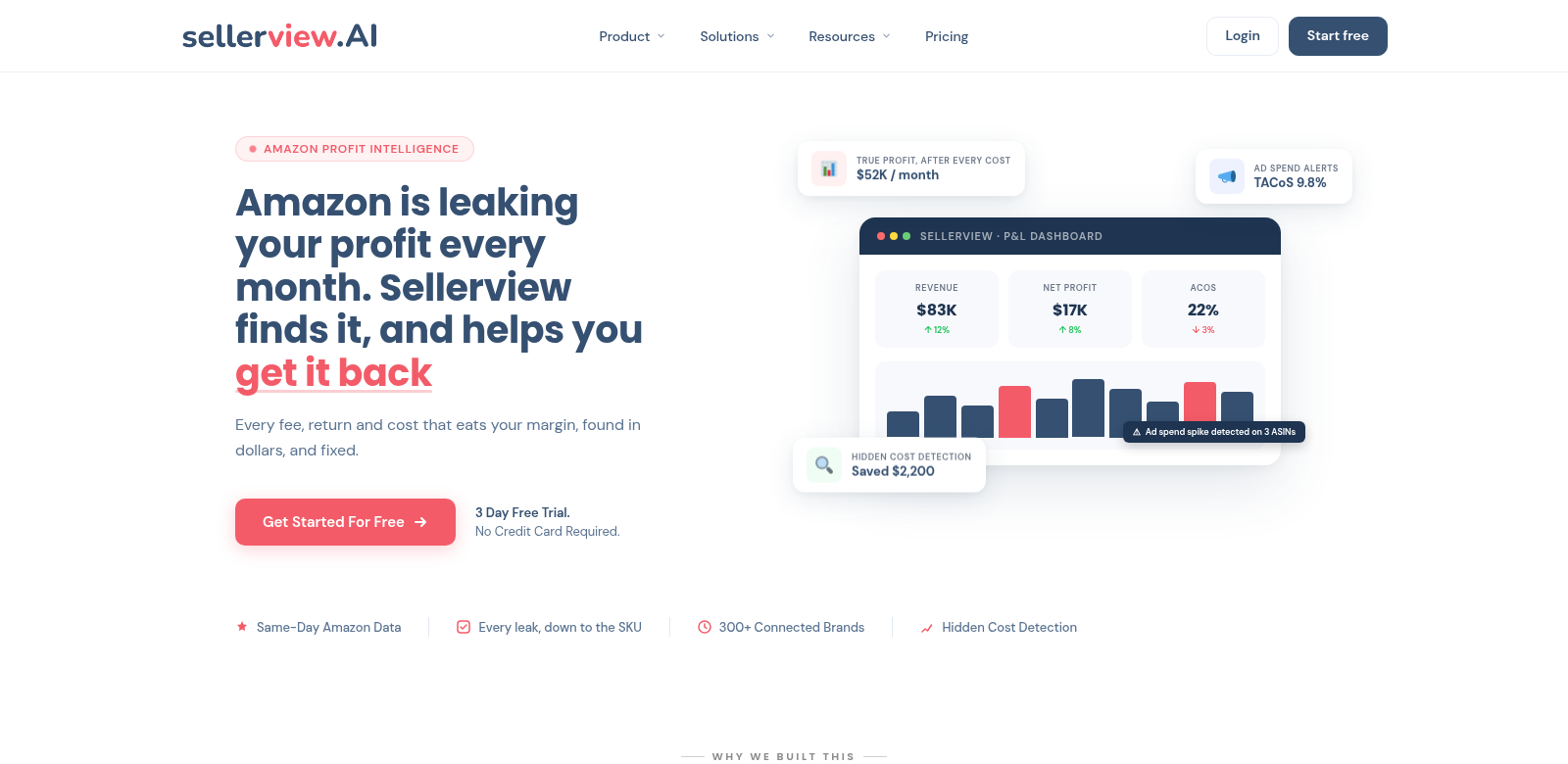
Amazon FBA is tough. Knowing your profits isn't just nice, it's essential. Sellerview's Profit Tracker & SKU-Level P&L Software helps sellers really see their money, not just sales numbers. Over 300 brands use Sellerview to track net profits, fees, and ad spend in real-time. This means they can make smarter choices.
Who Uses Sellerview
Sellerview works for all sorts of Amazon FBA sellers, each with their own goals. Here are a few examples of who uses Sellerview and how it helps them:
-
Small Business Owners: Small business owners often juggle a lot. Sellerview lets them easily track profits, so they know exactly how their business is doing without getting lost in spreadsheets.
-
Large Scale Amazon Sellers: Big Amazon sellers need exact details on how profitable each product is. Sellerview gives them the data to fine-tune their product lineup and see which items really make money.
-
Marketing Managers: Marketing pros handle Amazon ads and need live data to make calls. Sellerview tracks ad performance right alongside profits, helping them get the most out of their marketing budget.
-
E-commerce Consultants: Consultants who help brands on Amazon love Sellerview. They can dig through tons of data across many accounts and give specific advice that actually boosts profits.
-
Investors in E-commerce: Investors looking for good returns from Amazon businesses need solid financial tracking. Sellerview shows them how efficient operations are and how profitable things really are, which is key for making smart investment choices.
Problems Sellerview Solves
Many Amazon FBA sellers struggle to track their profits accurately. Sellerview's features solve these problems head-on.
Problems Sellers Face
-
Complicated Profit Calculations: Sellers often find it hard to figure out their real profit because of hidden costs like fees and ad spend. This can make their overall performance look better (or worse) than it actually is.
-
No Real-Time Data: Without real-time tracking, sellers can miss chances to change their strategy when it matters most.
-
No Insight into Product Performance: It's tough to know which products (SKUs) are doing great and which are flopping. This means sellers miss key info for managing their inventory.
-
Hidden Fees: FBA fees can pop up unexpectedly and eat into profits, leaving sellers with nasty financial surprises at the end of the month.
-
Inefficient Manual Tracking: Spreadsheets and manual tracking take forever and are full of mistakes. That's time sellers could be using to actually grow their business.
How Sellerview Helps
Sellerview solves these problems with smart software that makes profit tracking easy and gives you deep insights. Because it tracks everything in real-time, sellers never have to guess their profits. They get instant, up-to-date info to make quick business decisions.
Plus, its SKU-level insights show sellers exactly how each product contributes to their total profit. This helps them manage inventory better and make smart strategic changes. Sellers can easily identify which products yield high returns and which ones need reevaluation or marketing boosts.
On top of that, Sellerview makes FBA fees totally transparent by breaking down every expense. This means sellers can budget properly. Automated tracking cuts out manual work, fixes potential errors, and saves sellers precious time they can use to focus on growing their business.
How It Works
Imagine a seller launching a new product on Amazon. By using Sellerview, they can track the item's profitability right from the start. The tool lets them see ad spend next to sales data, helping them tweak their marketing strategy and understand how their new product is really doing.
Or, if a popular product's profits are dropping, a seller can use Sellerview to pinpoint exactly which costs went up. Then they can make smart decisions to cut waste or change their pricing.
Top Features of Sellerview
Sellerview has a bunch of features designed to help you manage your profits better:
-
Real-Time Profit Tracking: See your net profits as they happen, with instant data updates.
-
SKU-Level Analysis: Get a detailed look at how each product (SKU) is performing and how profitable it is.
-
Fee Transparency Reports: Get full breakdowns of all FBA fees so you can manage your budget better.
-
Ad Spend Tracking: See your ad spend ROI right next to sales figures, so you can make smart ad adjustments.
-
Automated Data Input: Cut down on manual work and human error with automated tracking.
Questions About Sellerview
-
How is Sellerview different from other profit tracking tools? Sellerview is an all-in-one tool. It brings together real-time profit tracking and deep SKU-level analytics. This gives sellers a complete picture of their profitability, unlike many other tools that just show general sales data.
-
Can Sellerview help me understand my ad performance? Yes, it tracks ad spend right next to sales results. This helps users tweak their ad strategies based on real data, giving them better control over their marketing budgets.
-
Is it good for big businesses? Yes! Sellerview scales for everyone, from small businesses to big companies. Its features help no matter your size or sales volume.
-
What kind of support does Sellerview offer? Users get full support, including tutorials, FAQs, and personal help. This ensures they can get the most out of the software.
-
How do I start using Sellerview? Just sign up on their official website. Start managing your profits better today. For more info, visit Sellerview.