Sidebridge: Make Your macOS Terminal Work for You
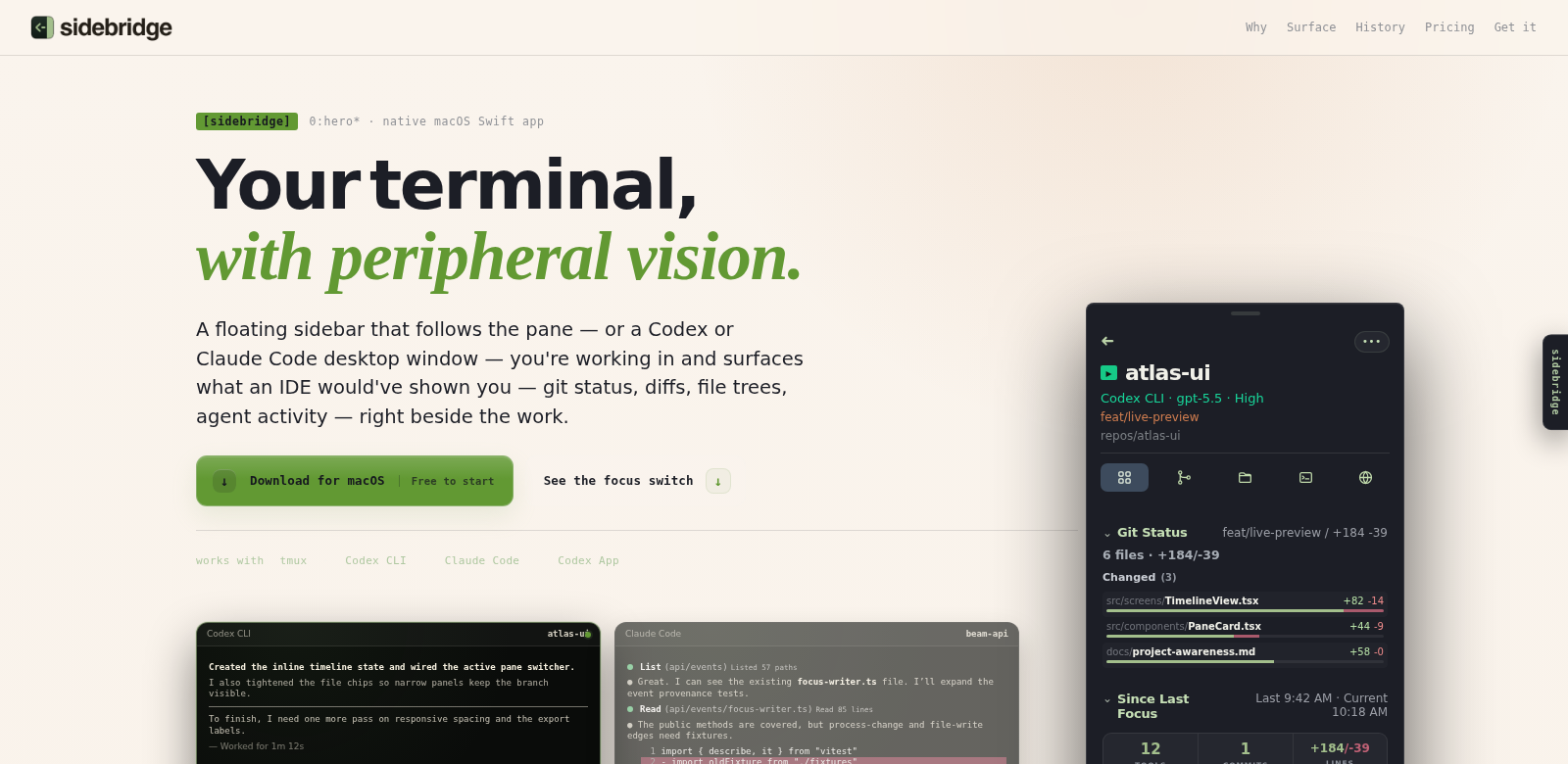
Sidebridge is a native macOS app that makes your development life easier by adding a customizable sidebar to your tmux, Codex, Claude Code, and other terminal workflows. It keeps important stuff like git status, file structure, agent activity, and project history right there, so you can stay focused and productive. Terminal environments can be a lot, even for pros. Sidebridge organizes your development bits and pieces, making the terminal much more user-friendly. Want to see more? Check out Sidebridge for all its features.
Who Uses Sidebridge?
Who uses Sidebridge? All sorts of people, really. We designed it with a few key roles in mind:
-
Software Developers: Developers are always juggling a ton of tasks. Sidebridge helps them keep their projects organized and fits right into their workflow. With all the important info visible, they can code faster, make fewer mistakes, and get more done.
-
Data Scientists: Data scientists need solid tools to handle datasets and analysis code. Sidebridge shows project history and agent activity, making it easy to jump back into old tasks. This is super helpful for the iterative nature of machine learning and data analysis.
-
DevOps Engineers: DevOps engineers live in the terminal, sitting right between development and operations. Sidebridge gives them quick access to critical info like server status and log files, so they can spot and fix problems fast.
-
Technical Support Teams: Support teams often have to jump between systems to help customers. Sidebridge helps them out by showing relevant files, logs, and agent activities all at once, which means they can answer questions and solve problems way faster.
-
Educators and Students in Software Development: For students learning to code or use the terminal, Sidebridge's visual organization is a huge plus. They can see what their commands do right away, which really helps them learn.
Problems Sidebridge Solves
Coding and software management move fast, and users hit a lot of snags. Sidebridge tackles some common ones.
Problems We Noticed
-
Information Overload: Terminals can throw a ton of data at developers, making it hard to keep things organized.
-
Distractions from Context Switching: Jumping between apps all the time kills productivity. Users get overwhelmed and lose their train of thought.
-
Lost Project History: Command line environments are pretty transient, so developers often lose track of past work. This makes it tough to review or go back to earlier stages.
Sidebridge's Solution
Sidebridge solves these problems with a structured, interactive sidebar. You can keep all your project files, logs, and activities right where you need them, staying focused on the task at hand. The sidebar is totally customizable, so you can set up your workspace exactly how you like it. Plus, Sidebridge makes sure critical stuff like git status and project timelines are always visible, which really cuts down on the mental effort of juggling multiple things.
Use Cases
Picture a software development team tackling a complex project. With multiple developers and maybe a few releases already out, keeping everyone coordinated is key. Sidebridge lets each team member customize their view, showing active branches, pending commits, and recent changes without having to type a single command. This easy access makes teamwork smoother and cuts down on troubleshooting time big time.
Or, think about a Data Scientist wrestling with huge datasets. Managing all those scripts and processing logs can be a pain. Sidebridge lets them keep analysis scripts, past results, and real-time outcomes visible, leading to quicker, more accurate analyses.
Sidebridge's Best Features
Here are some of Sidebridge's best features:
-
Customizable Sidebar: You can totally customize the sidebar's layout and content. Put the most important info right where you want it, making your terminal fit your unique workflow perfectly.
-
Real-time Project Monitoring: Get real-time updates on git status and agent activities. Teams can stay on schedule and easily track milestones.
-
Integrated Project History: Sidebridge makes it simple to jump back to previous project states. Developers can debug or restore old settings without breaking a sweat.
-
Multi-Application Support: The sidebar works smoothly with tmux, Codex, and Claude Code. Use your favorite tools without losing any functionality.
-
User-Friendly Interface: We designed Sidebridge to be super easy to use. Even if you're new to terminal management, you'll be productive from day one.
Sidebridge: Your Questions Answered
-
What systems does Sidebridge support? Sidebridge is built for macOS. It's a stable, efficient platform that works great with all sorts of development environments, so you don't have to worry about system conflicts.
-
Is Sidebridge suitable for beginners? Absolutely! Its user-friendly design and organized layout make it easy for new users to get around. But don't worry, it's got plenty of robust features for experienced developers too.
-
Can I customize the sidebar in Sidebridge? You bet! Sidebridge lets you tweak the sidebar's layout. Pick what info is most important for your workflow and keep your workspace super efficient.
-
How does Sidebridge enhance team collaboration? Sidebridge keeps everyone's project states visible and up-to-date. This means teams can work together smoothly, cutting down on miscommunication and making project management a breeze.
-
Is there any support available for Sidebridge users? Yep, we offer full support for all Sidebridge users. Got a question or a technical snag? We'll get it sorted fast so you can stay focused on your projects.