
PostgreSQL GUI for Mac: Database Management Made Easy
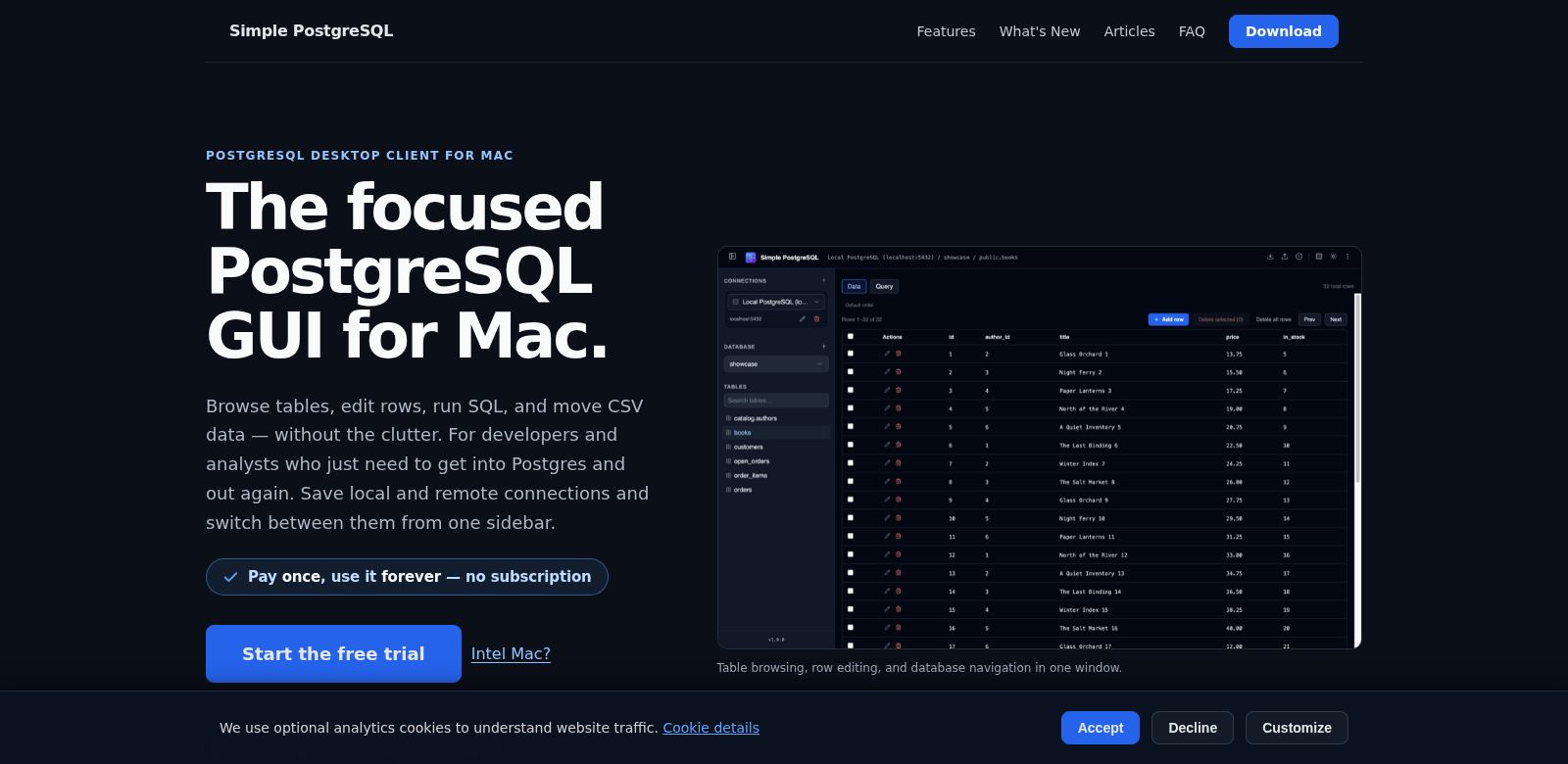
Working with databases means you need a good, intuitive graphical interface (GUI) to get things done smoothly. The PostgreSQL GUI for Mac gives you a focused desktop client that lets you connect directly to your PostgreSQL databases. With it, you can do all the important stuff: browse tables, edit rows, run SQL queries, and import or export data using CSV files. All this makes your workflow faster and boosts your productivity. Want to know more? Check out the Simple PostgreSQL website.
Who Uses Simple PostgreSQL?
Looking at the different people who use the PostgreSQL GUI for Mac really shows us why it's so useful and who it helps.
-
Database Administrators: DBAs need tools that make complex database tasks easier. The PostgreSQL GUI for Mac lets them easily manage huge datasets, ensuring quick task execution and smooth project management.
-
Software Developers: Developers who work with PostgreSQL databases benefit from an interface that simplifies data manipulation. This tool helps them prototype and test quickly by letting them visualize database structures and query data without wrestling with the command line.
-
Data Analysts: Data analysts need access to datasets for reporting and analysis. Using the PostgreSQL GUI, they can quickly access, edit, and visualize data, so they can get insights and make decisions faster.
-
Academic Researchers: Researchers often handle massive amounts of data for their studies. This PostgreSQL client helps them manage and retrieve data for their research, without getting bogged down in technical details.
-
Small Business Owners: Small business owners can use this GUI to easily handle customer and transaction data. It's a user-friendly way to manage their database, even if they're not tech experts.
Problems Simple PostgreSQL Solves
Every database has its headaches. Simple PostgreSQL was built to fix some common ones its users face.
Problems We Noticed
-
Complex Database Management: Navigating complex database structures can be a pain for many users, often wasting time when managing data.
-
Time-Consuming Data Operations: Traditional command-line tools demand a lot of knowledge and can be slow, especially for users who don't know SQL well.
-
Limited Visualization Options: Users often can't really see their data clearly with traditional tools, which can lead to getting the datasets wrong.
-
Clunky Data Import/Export: Managing data imports and exports can be cumbersome and error-prone, particularly when using tools that just aren't easy.
Simple PostgreSQL's Solution
The PostgreSQL GUI for Mac tackles these problems directly. It's an easy-to-use interface that makes database management less intimidating. We packed it with features to make your life easier. For instance, its intuitive design, paired with powerful tools, makes browsing, editing, and querying databases smooth. You can see data tables clearly, which helps you quickly grasp how everything connects.
This GUI also lets you work with your data visually, so you don't always need to write complex SQL queries. You can interact directly with your databases, cutting down on the mistakes that often happen with old-school methods.
And importing or exporting data? That's a breeze with CSV file support. No more struggling to move your data around.
Real-World Uses
Here's how people actually use the PostgreSQL GUI for Mac in practical situations. For example, a software development team might use it to build a prototype application. They can quickly set up and manage the database backend, getting live updates on their data. Data analysts use it to understand user behavior patterns. They can pull out and visualize information fast, making sure their analysis is spot-on and delivered on time. Academic researchers also rely on the client to store and retrieve huge datasets for their work, helping them push their research further and find important results.
Top Features of Simple PostgreSQL
Beyond just making database management easier, this GUI also has some great features that really improve how you work.
-
User-Friendly Interface. It's got a clean, intuitive layout. Anyone, no matter their skill level, can get around easily, making database management less intimidating.
-
Real-Time Query Execution. Run SQL queries and see the results instantly. This really speeds up how you interact with your data.
-
Enhanced Security Measures. We built the PostgreSQL GUI with strong security features to keep your data safe from unauthorized access.
-
Comprehensive Data Visualization Tools. It comes with built-in visualization tools, so you can easily spot trends and patterns in your datasets.
-
Simplified Data Export/Import. You can import and export CSV files smoothly, giving you more flexibility and control over your data.
Frequently Asked Questions with Simple PostgreSQL
-
What's the biggest advantage of using PostgreSQL GUI for Mac? It makes complex database tasks simple. You can get things done without needing deep SQL knowledge, which means anyone can use it and be more productive.
-
Can someone without a tech background use this tool? Absolutely. The interface is built for everyone, so even non-technical users can easily manage databases.
-
Does it support connecting to multiple databases? Yes, the PostgreSQL GUI for Mac lets you connect to and work across many different databases without a hitch.
-
What kind of database tasks can I do with this? You can browse tables, edit rows, run SQL queries, and easily import or export CSV files. It covers all the essentials.
-
Is the PostgreSQL GUI for Mac secure? Yes, the app has strong security measures to protect your data and keep it private.