Wisegrid: Smart Spreadsheets for Teams
Wisegrid is a new kind of spreadsheet app that helps teams get more done. It combines the spreadsheet features you already know with powerful automation. This means your team can focus on analyzing data, not wrestling with reports. At just $19 per editor per month, with free access for viewers, it's a solid choice for any organization looking to work smarter together.
Who Uses Wisegrid?
Wisegrid helps all sorts of professionals and industries. It's built to fit different needs, but here are some common users:
-
Data Analysts:
Analysts use Wisegrid to quickly work with data and automate reports. With automatic rollups and dashboards, they can focus on finding insights instead of spending hours on manual tasks. -
Project Managers:
Project managers use Wisegrid for real-time updates. Its easy interface helps them manage many projects at once and make quick, informed decisions. -
Finance Teams:
Finance teams rely on Wisegrid for budget tracking and financial reporting. It simplifies complex financial models, making updates fast and collaboration easy within the department. -
Marketing Professionals:
Marketing teams track campaign performance with Wisegrid. The dashboards help them ensure their strategies are based on data and hit business goals. -
Human Resources:
HR teams use Wisegrid for employee data and recruitment tracking. The simple editing experience makes it easy for HR to keep detailed databases.
What Problems Does Wisegrid Solve?
Managing spreadsheets and reports can be a real pain for organizations. Wisegrid tackles these common headaches head-on.
The Problems We Saw
-
Time-Consuming Reporting:
Building reports by hand eats up hours, killing productivity. -
Collaboration Challenges:
When everyone edits the same spreadsheet, version control becomes a nightmare, leading to mistakes. -
Fragmented Data:
Data spread across different tools makes it hard to get a clear picture of what's important.
How Wisegrid Helps
Wisegrid changes how teams use spreadsheets by automating a lot of the boring data work. With real-time collaboration and built-in reporting, it cuts down on the usual spreadsheet headaches.
Its automation drastically cuts down the time spent building rollups and dashboards. So, people can spend more time understanding the data and making smart decisions, instead of fighting with manual updates. Wisegrid's easy-to-use interface means even non-techy folks can get around it without a problem.
A Real-World Example
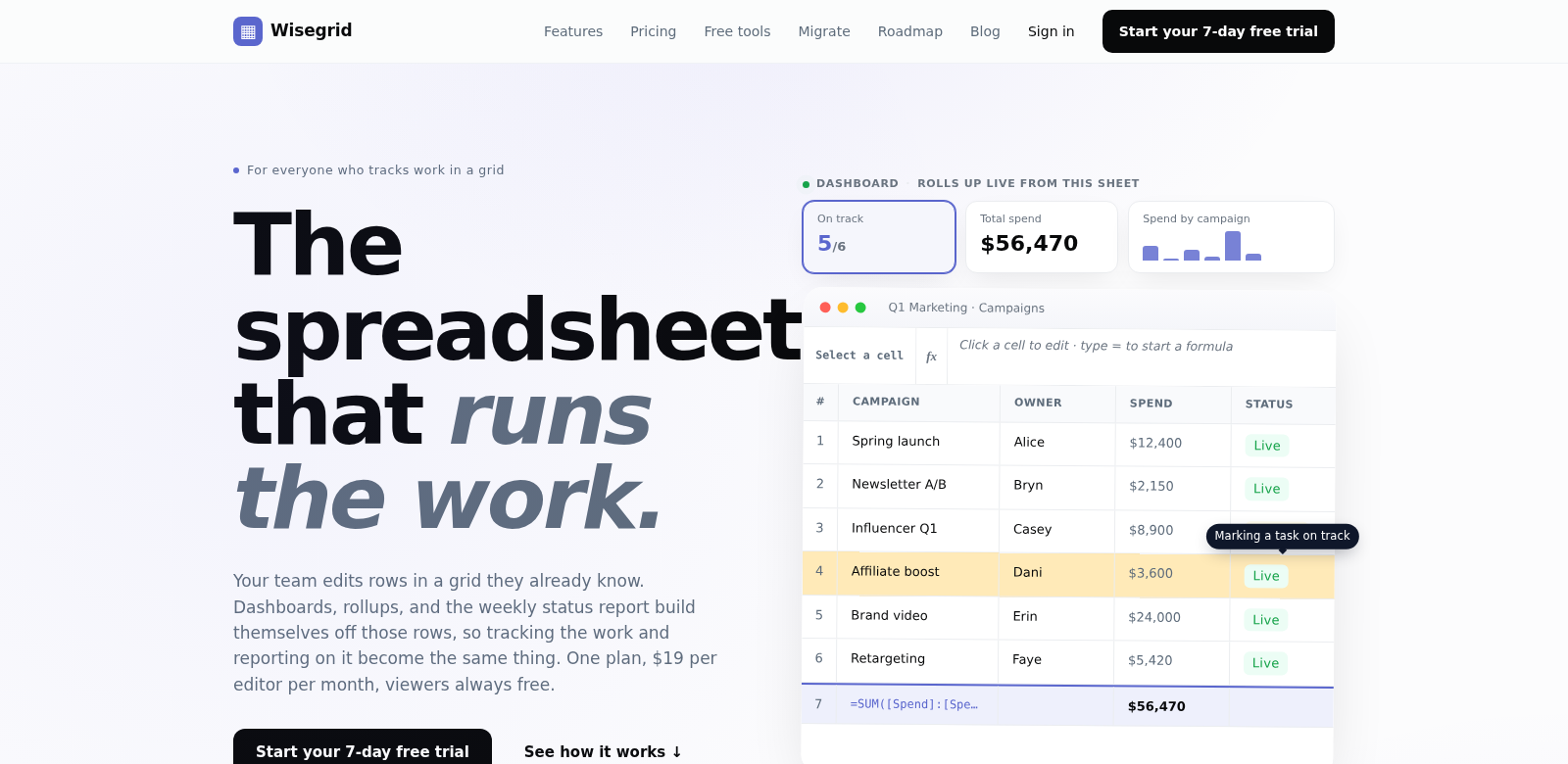
Imagine a marketing team tracking campaigns. With Wisegrid, everyone puts their data right into one spreadsheet. When data updates, the dashboards instantly show how each campaign is doing. This smooth process lets the team quickly change strategies based on live feedback, without needing tons of manual reports.
Key Features
Wisegrid has a ton of features to help you work better and together.
-
Real-Time Collaboration:
Many people can edit and view reports at the same time, cutting down on mistakes and helping teams work better together. -
Automated Rollups:
It automatically pulls data into summary reports, so teams can analyze instead of just compiling. -
Custom Dashboards:
You can build custom dashboards that show key numbers at a glance, giving you fast insights into performance. -
Intuitive Interface:
The familiar grid layout means users pick it up fast, no long training needed. -
Cost-Effective Pricing:
At $19 per editor per month and free for viewers, Wisegrid is easy on the budget.
Common Questions About Wisegrid
-
How does Wisegrid handle data security?
Wisegrid takes data security seriously. We encrypt data and use access controls to keep sensitive info safe. -
Can Wisegrid integrate with other tools?
Yes, Wisegrid connects with many apps teams already use. This makes moving data between platforms smooth, so your workflow isn't broken and your data stays accurate. -
Is there a trial version available?
Wisegrid offers a trial so you can try out its features before you buy. It helps organizations see if it's the right fit. -
What kind of customer support is provided?
Wisegrid offers full customer support. You can find tutorials, FAQs, and get direct help for any questions. -
Can Wisegrid be used on mobile devices?
Yes, you can use Wisegrid on mobile devices. This means you can view and edit spreadsheets on the go, which is great for anyone who needs their data outside the office.
If you're looking to upgrade how your team uses spreadsheets, Wisegrid is a top choice for boosting productivity and teamwork.