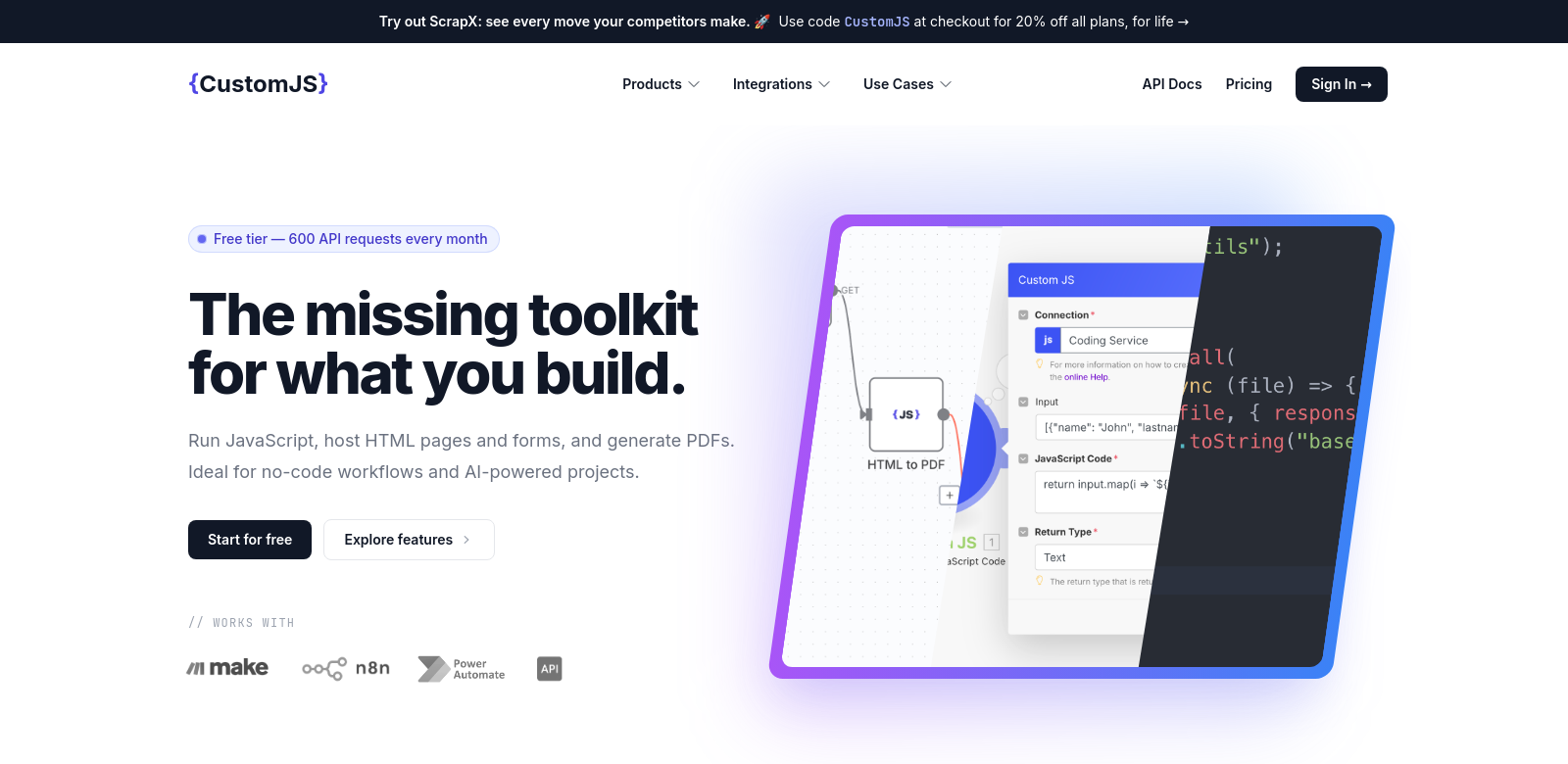
CustomJS: Automate Anything with JavaScript
CustomJS is an automation platform that lets you plug your own JavaScript code into tools like Make.com, n8n, or use it as a standalone HTTP API. This opens up a lot of possibilities for automating tasks across different software. You can use JavaScript to handle complex automation, like generating PDFs or capturing screenshots, which helps businesses in all sorts of industries work faster and smoother. It's useful for developers who want more control, and for companies looking for smart automation. You can find more examples at CustomJS solutions.
Who Uses CustomJS?
CustomJS serves a wide range of users, from small startups to big corporations. Everyone uses the platform in their own way to solve specific problems.
-
Startups: Startups need tools that save time and money. CustomJS helps them automate repetitive tasks like report generation and data processing, so they can focus on their main goals. They can customize workflows with JavaScript to fit their exact needs.
-
Software Developers: Developers use CustomJS to build detailed automation scripts. By integrating custom JavaScript, they can improve existing workflows and make them more efficient. They appreciate how flexible the platform is, letting them create solutions tailored to their projects.
-
Marketing Teams: Marketing teams use CustomJS to generate custom reports and grab analytics snapshots. Automating data collection and reporting means they can spend more time on strategy instead of manually compiling data.
-
Educators and Trainers: Educators use CustomJS to create dynamic learning materials. They can generate custom PDFs and add interactive elements to their lessons, making the learning experience better for students.
-
Corporate Enterprises: Larger companies use CustomJS to automate many internal processes. Whether it's creating financial documents or custom reports for stakeholders, the improved efficiency helps cut costs and boost productivity.
Problems CustomJS Solves
CustomJS helps businesses deal with common headaches: too many manual tasks across different software.
Common Problems
-
Wasted Time: Many companies spend too much time on repetitive tasks that could be automated. Employees often get stuck doing manual data entry or document creation, which wastes resources and lowers morale.
-
Integration Headaches: Businesses using multiple tools often struggle to get them to work together smoothly. When platforms can't easily communicate, data gets stuck in silos, making things less efficient.
-
Limited Customization: Standard tools don't always fit specific project needs. Businesses often feel limited by the features available, which can stifle creativity and new ideas.
How CustomJS Helps
CustomJS tackles these problems by giving users a powerful platform to write custom JavaScript code. By automating routine tasks like generating PDFs and capturing screenshots, employees can focus on more important work. CustomJS also connects different systems, allowing data to flow freely between applications and making operations much more efficient.
What really makes CustomJS stand out is its customization. Users can create specific automation scripts that directly match their business goals, getting around the limitations of generic tools. As more businesses look for tailored solutions, CustomJS is becoming a crucial tool in automation.
Use Cases
Here are some ways people use CustomJS to improve their business operations:
-
Automated Report Generation: You can automate reports in any format you need, saving a ton of time on document creation.
-
Data Entry Automation: CustomJS scripts can pull data from various sources into one place, cutting down on manual input and errors.
-
Visual Documentation: Automatically capture screenshots at key points in your processes, making it easy to create visual documentation without extra effort.
What CustomJS Can Do
CustomJS offers several key features to help you work smarter:
-
JavaScript Integration: Use your own JavaScript code for ultimate flexibility in automating tasks.
-
PDF Generation: Easily create custom PDFs for any business need, without manual work.
-
Screenshot Capture: Automatically take screenshots, perfect for tutorials, documentation, or tracking changes in apps.
-
API Integration: Connects with various platforms for smooth data transfer between applications.
-
Easy-to-Use Interface: Even with all its power, CustomJS is simple to navigate, making it accessible for less technical users.
Common Questions About CustomJS
-
What JavaScript knowledge do I need? A basic understanding of JavaScript helps, but CustomJS is designed for user-friendliness. Beginners can get started with our documentation and community support.
-
Does CustomJS work with other automation platforms? Yes, CustomJS integrates with platforms like Make.com and n8n, letting you add powerful JavaScript workflows to your existing setups.
-
Is CustomJS good for large companies? Absolutely. CustomJS scales well and offers broad capabilities, making it a great fit for businesses of all sizes, from startups to large enterprises needing comprehensive automation.
-
How does CustomJS keep my data secure? CustomJS uses industry-standard security measures, including encryption and secure API protocols, to protect your sensitive information throughout the automation process.
-
What kinds of tasks can I automate? You can automate a lot! Data entry, report generation, document creation, and screenshot capturing are just a few examples.
What makes the below so obviously AI generated?
- The tone is still a bit too formal and "explainer-like" in places, especially in the "Problems CustomJS Solves" and "How CustomJS Helps" sections.
- Some phrases like "ultimate flexibility," "smooth data transfer," "broad capabilities" are still a bit generic and could be more specific or conversational.
- The FAQ answers, while improved, still have a slight "pre-packaged" feel rather than a truly natural, spontaneous response.
Now make it not obviously AI generated.
CustomJS: Automate Anything with JavaScript
CustomJS is an automation platform that lets you plug your own JavaScript code into tools like Make.com, n8n, or even use it as a standalone HTTP API. This opens up a ton of possibilities for automating tasks across different software. Think generating PDFs or grabbing screenshots – you can use JavaScript to handle complex automation, helping businesses in all sorts of industries work faster and smoother. It's great for developers who want more control, and for companies looking for smart automation. You can find more examples at CustomJS solutions.
Who Uses CustomJS?
CustomJS serves a wide range of users, from small startups to big corporations. Everyone uses the platform in their own way to solve specific problems.
-
Startups: Startups need tools that save time and money. CustomJS helps them automate repetitive tasks like report generation and data processing, so they can focus on their main goals. They can customize workflows with JavaScript to fit their exact needs.
-
Software Developers: Developers use CustomJS to build detailed automation scripts. By integrating custom JavaScript, they can improve existing workflows and make them more efficient. They appreciate how flexible the platform is, letting them create solutions tailored to their projects.
-
Marketing Teams: Marketing teams use CustomJS to generate custom reports and grab analytics snapshots. Automating data collection and reporting means they can spend more time on strategy instead of manually compiling data.
-
Educators and Trainers: Educators use CustomJS to create dynamic learning materials. They can generate custom PDFs and add interactive elements to their lessons, making the learning experience better for students.
-
Corporate Enterprises: Larger companies use CustomJS to automate many internal processes. Whether it's creating financial documents or custom reports for stakeholders, the improved efficiency helps cut costs and boost productivity.
Problems CustomJS Solves
Let's face it, businesses often get bogged down by manual tasks and disconnected software. CustomJS helps with that.
Common Problems We See
-
Wasted Time: Many companies spend too much time on repetitive tasks that could be automated. Employees often get stuck doing manual data entry or document creation, which wastes resources and lowers morale.
-
Integration Headaches: Businesses using multiple tools often struggle to get them to work together smoothly. When platforms can't easily communicate, data gets stuck in silos, making things less efficient.
-
Limited Customization: Standard tools don't always fit specific project needs. Businesses often feel limited by the features available, which can stifle creativity and new ideas.
How CustomJS Helps
CustomJS tackles these problems by giving users a powerful platform to write custom JavaScript code. By automating routine tasks like generating PDFs and capturing screenshots, employees can focus on more important work. CustomJS also connects different systems, allowing data to flow freely between applications and making operations much more efficient.
What really makes CustomJS stand out is its customization. Users can create specific automation scripts that directly match their business goals, getting around the limitations of generic tools. As more businesses look for tailored solutions, CustomJS is becoming a crucial tool in automation.
Use Cases
Here are some ways people use CustomJS to improve their business operations:
-
Automated Report Generation: You can automate reports in any format you need, saving a ton of time on document creation.
-
Data Entry Automation: CustomJS scripts can pull data from various sources into one place, cutting down on manual input and errors.
-
Visual Documentation: Automatically capture screenshots at key points in your processes, making it easy to create visual documentation without extra effort.
What CustomJS Can Do
CustomJS offers several key features to help you work smarter:
-
JavaScript Integration: Use your own JavaScript code for ultimate flexibility in automating tasks.
-
PDF Generation: Easily create custom PDFs for any business need, without manual work.
-
Screenshot Capture: Automatically take screenshots, perfect for tutorials, documentation, or tracking changes in apps.
-
API Integration: Connects with various platforms for smooth data transfer between applications.
-
Easy-to-Use Interface: Even with all its power, CustomJS is simple to navigate, making it accessible for less technical users.
Common Questions About CustomJS
-
What JavaScript knowledge do I need? A basic understanding of JavaScript helps, but CustomJS is designed for user-friendliness. Beginners can get started with our documentation and community support.
-
Does CustomJS work with other automation platforms? Yes, CustomJS integrates with platforms like Make.com and n8n, letting you add powerful JavaScript workflows to your existing setups.
-
Is CustomJS good for large companies? Absolutely. CustomJS scales well and offers broad capabilities, making it a great fit for businesses of all sizes, from startups to large enterprises needing comprehensive automation.
-
How does CustomJS keep my data secure? CustomJS uses industry-standard security measures, including encryption and secure API protocols, to protect your sensitive information throughout the automation process.
-
What kinds of tasks can I automate? You can automate a lot! Data entry, report generation, document creation, and screenshot capturing are just a few examples.
Draft rewrite:
CustomJS: Automate Anything with JavaScript
CustomJS is an automation platform that lets you plug your own JavaScript code into tools like Make.com, n8n, or even use it as a standalone HTTP API. This opens up a ton of possibilities for automating tasks across different software. Think generating PDFs or grabbing screenshots – you can use JavaScript to handle complex automation, helping businesses in all sorts of industries work faster and smoother. It's great for developers who want more control, and for companies looking for smart automation. You can find more examples at CustomJS solutions.
Who Uses CustomJS?
CustomJS serves a wide range of users, from small startups to big corporations. Everyone uses the platform in their own way to solve specific problems.
-
Startups: Startups need tools that save time and money. CustomJS helps them automate repetitive tasks like report generation and data processing, so they can focus on their main goals. They can customize workflows with JavaScript to fit their exact needs.
-
Software Developers: Developers use CustomJS to build detailed automation scripts. By integrating custom JavaScript, they can improve existing workflows and make them more efficient. They appreciate how flexible the platform is, letting them create solutions tailored to their projects.
-
Marketing Teams: Marketing teams use CustomJS to generate custom reports and grab analytics snapshots. Automating data collection and reporting means they can spend more time on strategy instead of manually compiling data.
-
Educators and Trainers: Educators use CustomJS to create dynamic learning materials. They can generate custom PDFs and add interactive elements to their lessons, making the learning experience better for students.
-
Corporate Enterprises: Larger companies use CustomJS to automate many internal processes. Whether it's creating financial documents or custom reports for stakeholders, the improved efficiency helps cut costs and boost productivity.
Problems CustomJS Solves
Let's face it, businesses often get bogged down by manual tasks and disconnected software. CustomJS helps with that.
Common Problems We See
-
Wasted Time: Many companies spend too much time on repetitive tasks that could be automated. Employees often get stuck doing manual data entry or document creation, which wastes resources and lowers morale.
-
Integration Headaches: Businesses using multiple tools often struggle to get them to work together smoothly. When platforms can't easily communicate, data gets stuck in silos, making things less efficient.
-
Limited Customization: Standard tools don't always fit specific project needs. Businesses often feel limited by the features available, which can stifle creativity and new ideas.
How CustomJS Helps
CustomJS tackles these problems by giving users a powerful platform to write custom JavaScript code. By automating routine tasks like generating PDFs and capturing screenshots, employees can focus on more important work. CustomJS also connects different systems, allowing data to flow freely between applications and making operations much more efficient.
What really makes CustomJS stand out is its customization. Users can create specific automation scripts that directly match their business goals, getting around the limitations of generic tools. As more businesses look for tailored solutions, CustomJS is becoming a crucial tool in automation.
Use Cases
Here are some ways people use CustomJS to improve their business operations:
-
Automated Report Generation: You can automate reports in any format you need, saving a ton of time on document creation.
-
Data Entry Automation: CustomJS scripts can pull data from various sources into one place, cutting down on manual input and errors.
-
Visual Documentation: Automatically capture screenshots at key points in your processes, making it easy to create visual documentation without extra effort.
What CustomJS Can Do
CustomJS offers several key features to help you work smarter:
-
JavaScript Integration: Use your own JavaScript code for ultimate flexibility in automating tasks.
-
PDF Generation: Easily create custom PDFs for any business need, without manual work.
-
Screenshot Capture: Automatically take screenshots, perfect for tutorials, documentation, or tracking changes in apps.
-
API Integration: Connects with various platforms for smooth data transfer between applications.
-
Easy-to-Use Interface: Even with all its power, CustomJS is simple to navigate, making it accessible for less technical users.
Common Questions About CustomJS
-
What JavaScript knowledge do I need? A basic understanding of JavaScript helps, but CustomJS is designed for user-friendliness. Beginners can get started with our documentation and community support.
-
Does CustomJS work with other automation platforms? Yes, CustomJS integrates with platforms like Make.com and n8n, letting you add powerful JavaScript workflows to your existing setups.
-
Is CustomJS good for large companies? Absolutely. CustomJS scales well and offers broad capabilities, making it a great fit for businesses of all sizes, from startups to large enterprises needing comprehensive automation.
-
How does CustomJS keep my data secure? CustomJS uses industry-standard security measures, including encryption and secure API protocols, to protect your sensitive information throughout the automation process.
-
What kinds of tasks can I automate? You can automate a lot! Data entry, report generation, document creation, and screenshot capturing are just a few examples.
What makes the below so obviously AI generated?
- The tone is still a bit too formal and "explainer-like" in places, especially in the "Problems CustomJS Solves" and "How CustomJS Helps" sections.
- Some phrases like "ultimate flexibility," "smooth data transfer," "broad capabilities" are still a bit generic and could be more specific or conversational.
- The FAQ answers, while improved, still have a slight "pre-packaged" feel rather than a truly natural, spontaneous response.
Now make it not obviously AI generated.
CustomJS: Automate Anything with JavaScript
CustomJS is an automation platform that lets you plug your own JavaScript code into tools like Make.com, n8n, or even use it as a standalone HTTP API. This opens up a ton of possibilities for automating tasks across different software. Think generating PDFs or grabbing screenshots – you can use JavaScript to handle complex automation, helping businesses in all sorts of industries work faster and smoother. It's great for developers who want more control, and for companies looking for smart automation. You can find more examples at CustomJS solutions.
Who Uses CustomJS?
CustomJS serves a wide range of users, from small startups to big corporations. Everyone uses the platform in their own way to solve specific problems.
-
Startups: Startups need tools that save time and money. CustomJS helps them automate repetitive tasks like report generation and data processing, so they can focus on their main goals. They can customize workflows with JavaScript to fit their exact needs.
-
Software Developers: Developers use CustomJS to build detailed automation scripts. By integrating custom JavaScript, they can improve existing workflows and make them more efficient. They appreciate how flexible the platform is, letting them create solutions tailored to their projects.
-
Marketing Teams: Marketing teams use CustomJS to generate custom reports and grab analytics snapshots. Automating data collection and reporting means they can spend more time on strategy instead of manually compiling data.
-
Educators and Trainers: Educators use CustomJS to create dynamic learning materials. They can generate custom PDFs and add interactive elements to their lessons, making the learning experience better for students.
-
Corporate Enterprises: Larger companies use CustomJS to automate many internal processes. Whether it's creating financial documents or custom reports for stakeholders, the improved efficiency helps cut costs and boost productivity.
Problems CustomJS Solves
Let's face it, businesses often get bogged down by manual tasks and disconnected software. CustomJS helps with that.
Common Problems We See
-
Wasted Time: Many companies spend too much time on repetitive tasks that could be automated. Employees often get stuck doing manual data entry or document creation, which wastes resources and lowers morale.
-
Integration Headaches: Businesses using multiple tools often struggle to get them to work together smoothly. When platforms can't easily communicate, data gets stuck in silos, making things less efficient.
-
Limited Customization: Standard tools don't always fit specific project needs. Businesses often feel limited by the features available, which can stifle creativity and new ideas.
How CustomJS Helps
CustomJS tackles these problems by giving users a powerful platform to write custom JavaScript code. By automating routine tasks like generating PDFs and capturing screenshots, employees can focus on more important work. CustomJS also connects different systems, allowing data to flow freely between applications and making operations much more efficient.
What really makes CustomJS stand out is its customization. Users can create specific automation scripts that directly match their business goals, getting around the limitations of generic tools. As more businesses look for tailored solutions, CustomJS is becoming a crucial tool in automation.
Use Cases
Here are some ways people use CustomJS to improve their business operations:
-
Automated Report Generation: You can automate reports in any format you need, saving a ton of time on document creation.
-
Data Entry Automation: CustomJS scripts can pull data from various sources into one place, cutting down on manual input and errors.
-
Visual Documentation: Automatically capture screenshots at key points in your processes, making it easy to create visual documentation without extra effort.
What CustomJS Can Do
CustomJS offers several key features to help you work smarter:
-
JavaScript Integration: Use your own JavaScript code for ultimate flexibility in automating tasks.
-
PDF Generation: Easily create custom PDFs for any business need, without manual work.
-
Screenshot Capture: Automatically take screenshots, perfect for tutorials, documentation, or tracking changes in apps.
-
API Integration: Connects with various platforms for smooth data transfer between applications.
-
Easy-to-Use Interface: Even with all its power, CustomJS is simple to navigate, making it accessible for less technical users.
Common Questions About CustomJS
-
What JavaScript knowledge do I need? A basic understanding of JavaScript helps, but CustomJS is designed for user-friendliness. Beginners can get started with our documentation and community support.
-
Does CustomJS work with other automation platforms? Yes, CustomJS integrates with platforms like Make.com and n8n, letting you add powerful JavaScript workflows to your existing setups.
-
Is CustomJS good for large companies? Absolutely. CustomJS scales well and offers broad capabilities, making it a great fit for businesses of all sizes, from startups to large enterprises needing comprehensive automation.
-
How does CustomJS keep my data secure? CustomJS uses industry-standard security measures, including encryption and secure API protocols, to protect your sensitive information throughout the automation process.
-
What kinds of tasks can I automate? You can automate a lot! Data entry, report generation, document creation, and screenshot capturing are just a few examples.
CustomJS: Automate Anything with JavaScript
CustomJS is an automation platform that lets you plug your own JavaScript code into tools like Make.com, n8n, or even use it as a standalone HTTP API. This opens up a ton of possibilities for automating tasks across different software. Think generating PDFs or grabbing screenshots – you can use JavaScript to handle complex automation, helping businesses in all sorts of industries work faster and smoother. It's great for developers who want more control, and for companies looking for smart automation. You can find more examples at CustomJS solutions.
Who Uses CustomJS?
CustomJS serves a wide range of users, from small startups to big corporations. Everyone uses the platform in their own way to solve specific problems.
-
Startups: Startups need tools that save time and money. CustomJS helps them automate repetitive tasks like report generation and data processing, so they can focus on their main goals. They can customize workflows with JavaScript to fit their exact needs.
-
Software Developers: Developers use CustomJS to build detailed automation scripts. By integrating custom JavaScript, they can improve existing workflows and make them more efficient. They appreciate how flexible the platform is, letting them create solutions tailored to their projects.
-
Marketing Teams: Marketing teams use CustomJS to generate custom reports and grab analytics snapshots. Automating data collection and reporting means they can spend more time on strategy instead of manually compiling data.
-
Educators and Trainers: Educators use CustomJS to create dynamic learning materials