Flick: The Email App That Lets You Swipe to Decide
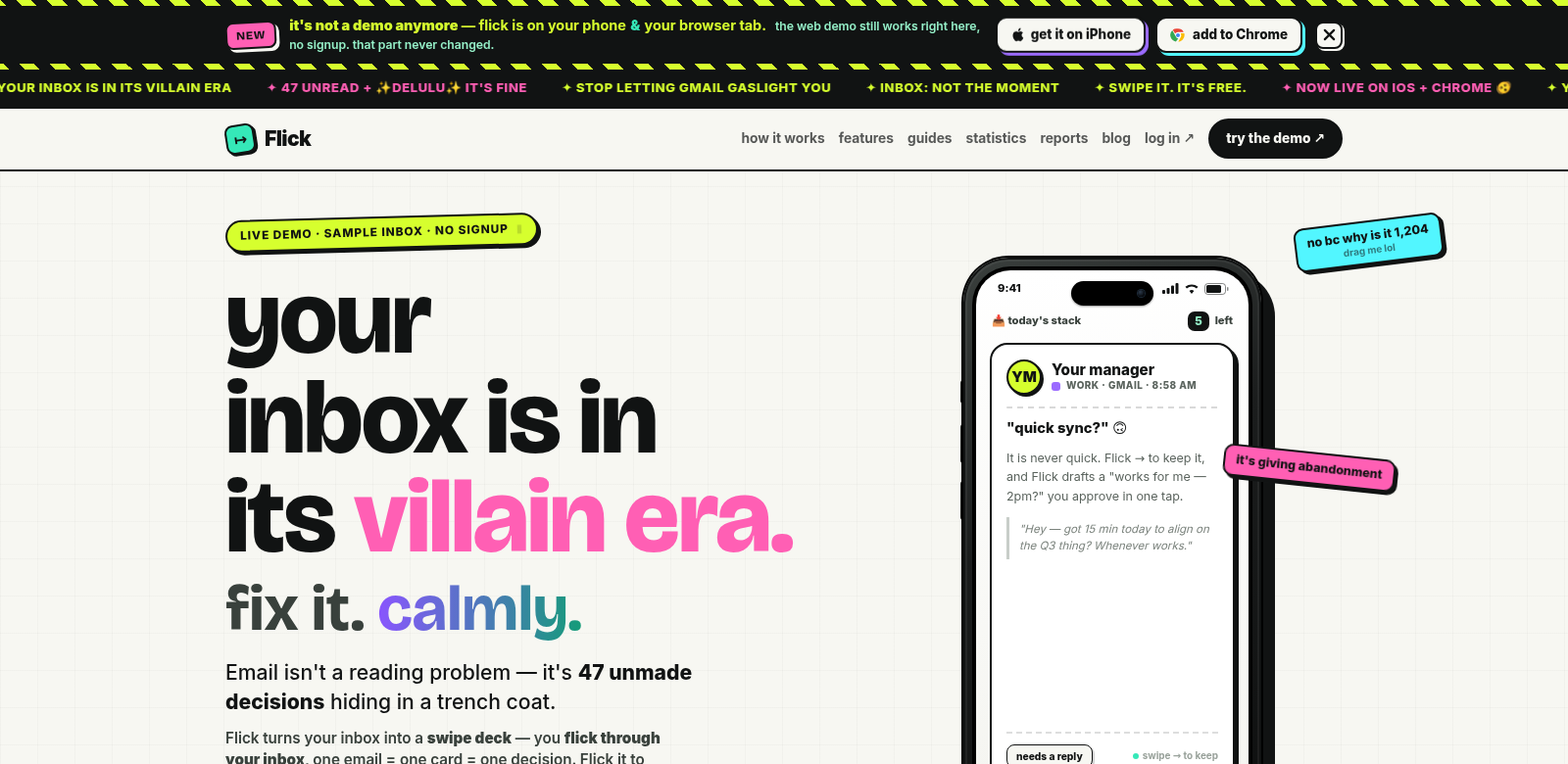
Email management is a mess, but Flick cuts through it. Instead of drowning in long messages, Flick turns each email into a card. You swipe left or right to make a quick decision. This feels right for how we communicate today. Think about it: sometimes 47 unmade decisions just sit there in our inboxes. Flick helps you knock these out one by one, which is a surprisingly effective way to get things done.
Who Uses Flick?
Flick isn't just for one type of person. It works for anyone who feels buried by email, from busy professionals to students juggling a million things. Here's a look at who gets the most out of it:
-
Busy Professionals. If your schedule is packed and your inbox is overflowing, Flick helps you make quick decisions. You can swipe through emails and prioritize tasks fast, without getting stuck.
-
College Students. Students get tons of emails from professors, classmates, and clubs. Flick's unique approach helps them pull out the important stuff from all the noise, so they can actually manage their studies and commitments.
-
Freelancers. Freelancers live and die by client communication. Flick lets them handle inquiries and project emails efficiently, making sure nothing gets missed.
-
Sales Teams. In sales, speed matters. Flick helps sales pros quickly sort client messages, which means faster decisions and better deals.
-
Small Business Owners. Running a small business means wearing many hats. Flick simplifies email, freeing you up to focus on actually running your operations.
What Flick Fixes
Let's be honest: email can feel like a burden in our fast-paced world. Flick tackles some of the biggest headaches users face:
The Problems
-
Inbox Overload. It's easy to get lost in a mountain of unread emails, which leads to frustration and missed chances.
-
Decision Burnout. Making decisions all day is exhausting. It makes it tough to focus on what really matters.
-
Bad Prioritization. Most email apps don't help you prioritize well, so important messages often get buried.
How Flick Helps
Flick gives you a fresh take on email with a simple interface. It turns emails into cards, so you can easily swipe to sort them as important or not. This "game-like" feel cuts down on decision burnout and actually makes managing your inbox kind of fun. Plus, the app is so easy to use, you can quickly prioritize emails without reading every single one, letting you focus on what's truly urgent.
Real-World Examples
Flick shines in a few key situations. Imagine a busy professional, just before a meeting, quickly swiping through emails. They can decide what to do or how to respond without getting sidetracked. Or picture a student cramming for finals, using Flick to zero in on important messages from professors about exams. Flick's swipe-to-decide approach lets you tackle your inbox on your own terms, boosting your productivity all day long.
What Flick Does Best
Flick offers more than just swiping. It's packed with features to make email management actually work for you:
-
Swipe to Decide. Quickly sort your emails with a left or right swipe. It's fast and efficient.
-
Try Before You Buy. You can test out a sample inbox without signing up. See what Flick is like before you commit.
-
Smart Organization. Swipe emails into different folders. This keeps important messages easy to find.
-
Simple Design. The app is easy to use, making email feel less stressful and helping you build better habits.
-
Decision Insights. See your decision patterns over time. This helps you understand your habits and fine-tune how you manage email.
Quick Answers About Flick
-
How does Flick make email better? Flick turns your emails into cards, making decisions quick and even a little fun. Its swipe feature and organization tools make managing your inbox simple.
-
Does Flick work with all my email accounts? Yes, Flick works with many different email services, so most people should be able to use it.
-
Can I use Flick for both work and personal emails? Absolutely! Flick handles both types smoothly, helping you keep everything organized.
-
What if I have a ton of unread emails? Flick's system lets you quickly sort through both new and old unread emails. That way, you can focus on what's truly important.
-
Is Flick free? The swipe feature is free. You can try the app with a live demo before you decide to use it full-time.