Ultimate Text to PDF Converter - Fast & Free
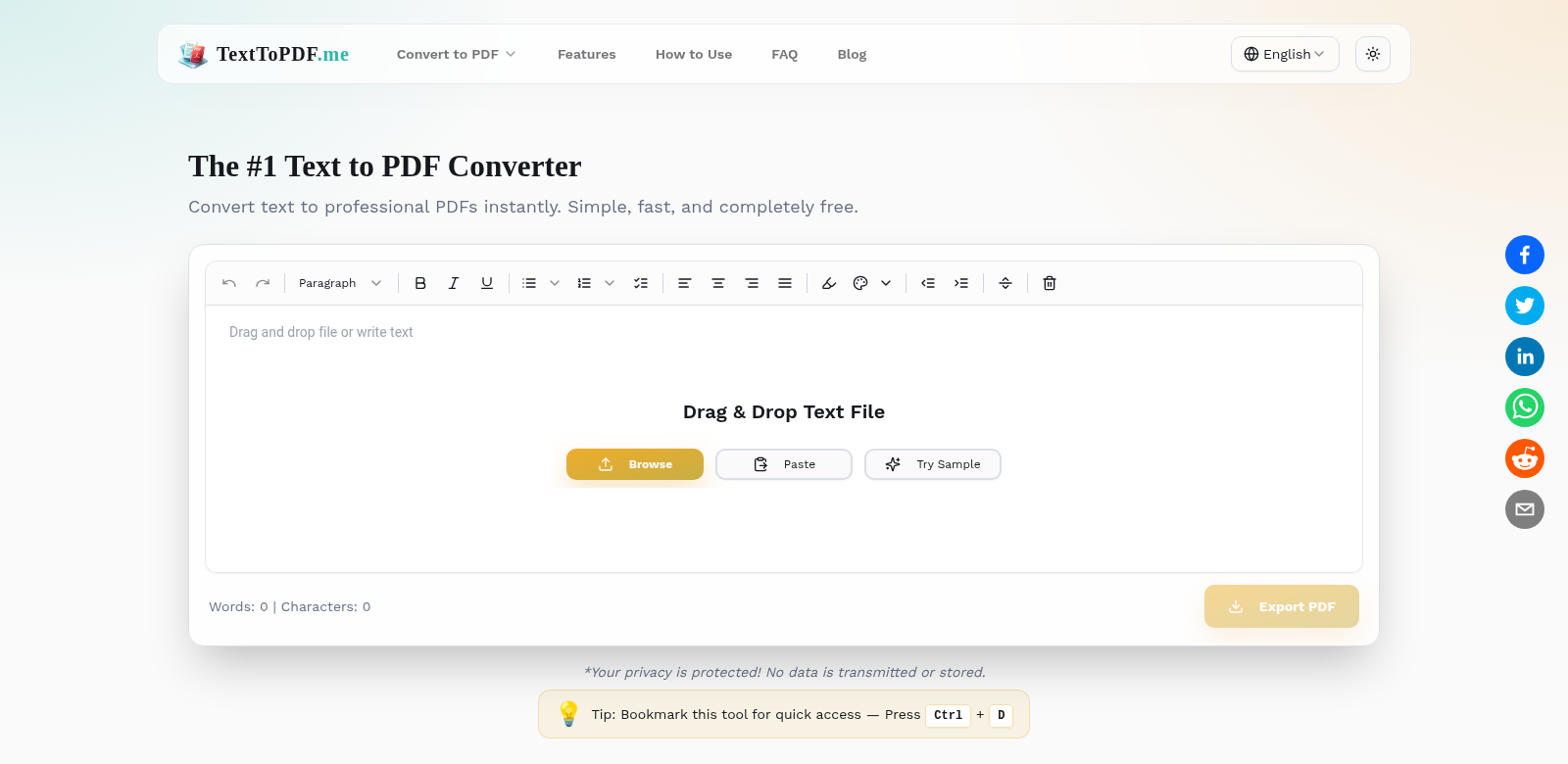
Look, we all need to convert documents sometimes. For work, for school, for just about anything. The Ultimate Text to PDF Converter is my go-to for turning text files into clean, professional PDFs without a fuss. Best part? It's totally free, and you don't even need to sign up. It's fast, easy to use, and makes your documents look good. Seriously, it just works, keeping your text exactly as you intended.
Who Uses the Ultimate Text to PDF Converter?
This tool helps all sorts of people. Here's a quick look at who finds it most useful:
-
Students: Need to turn essays, research papers, or project notes into PDFs for class? This lets you submit polished work without spending a dime.
-
Freelancers: When you're sending proposals, contracts, or invoices, you want them to look sharp. This converter helps you create professional, well-structured PDFs, making client communication smoother.
-
Small Business Owners: Whether it's newsletters or reports, you often need to share documents in PDF format. This tool quickly transforms your text, helping you communicate clearly with customers and partners.
-
Writers and Authors: Turn your manuscripts or drafts into PDFs for better formatting and easy sharing. You can focus on your writing, not wrestling with formatting.
-
Educators: Convert lesson plans, handouts, or other teaching materials into PDFs. It makes sharing easier, and students can open them without any format headaches.
Problems We Solve with the Ultimate Text to PDF Converter
We built this tool because we saw a lot of common frustrations with document conversion.
The Headaches We Noticed
-
Access Issues: It's a pain when text looks different on every device. What looks good on your computer might be a mess on someone else's phone.
-
Expensive Tools: Why should quality conversion cost a fortune? Many "pro" tools come with hefty price tags, putting them out of reach for most.
-
Wasted Time: Nobody wants to spend ages learning complex software or waiting for slow conversions. That's just lost time.
-
Confusing Interfaces: Too many tools are designed to confuse, not help. They're clunky and hard to figure out.
-
Formatting Nightmares: You convert a document, and suddenly all your careful formatting is gone. It's frustrating when tools can't keep things consistent.
How the Ultimate Text to PDF Converter Fixes It
We tackle these problems head-on with a simple, intuitive platform. First off, we make sure your converted documents keep their original formatting. That means your PDFs will look right on any device, no surprises.
Then there's the price: it's free. You get professional-grade conversion without any financial stress. Our user-friendly interface means even if you've never done this before, you'll convert documents easily. No wasted time, no frustration.
And it's fast. Seriously fast. Documents process in seconds. In today's busy world, every minute counts, and we get that. You can get your conversions done and get back to what you were doing, knowing your documents are handled.
Real-World Uses
The Ultimate Text to PDF Converter is super flexible. Here are just a few ways people use it:
- Student Project Submissions: Students can pull together notes and presentations, turning them into PDFs for quick assignment submission.
- Freelance Proposals: Freelancers can take their text proposals, turn them into polished PDFs, and send them to clients, boosting their chances of landing work.
- Business Reports: Small business owners can create and share annual reports with partners, knowing the formatting will hold up.
- Publishing Manuscripts: Authors can turn manuscripts into PDFs for publishers, making sure they look good.
- Educational Materials: Educators can make and share lesson plans or handouts, even in multiple languages, without losing anything.
Top Features of the Ultimate Text to PDF Converter
This tool is packed with features designed to make your life easier:
-
Instant Conversion: No waiting. Convert text to PDF in seconds. Done.
-
Completely Free: It's free. Seriously. For everyone, students to pros.
-
User-Friendly Interface: Simple to use. We guide you through it, no fuss.
-
Maintains Original Formatting: Keeps your formatting. Fonts, layouts – everything stays put in the PDF.
-
No Sign-Up Required: No sign-up. Just go, convert, and download.
Common Questions About the Ultimate Text to PDF Converter
-
How does the conversion work? It's super simple: upload your text document, click the convert button, and your PDF is ready to download in seconds. Anyone can do it.
-
Is my data safe when using this tool? Yes, absolutely. We handle all user data with care. We don't store any documents after conversion, so your data stays private and secure.
-
Can I convert large text documents? Yep. The Ultimate Text to PDF Converter handles big text documents just fine, with no slowdowns or performance issues. Perfect for those substantial files.
-
Are there any hidden fees? Nope, none at all. It's 100% free to use. Convert as many documents as you need without paying a cent.
-
What support is available if I run into issues? We have a comprehensive help section and FAQs on the site. If you still need help, you can always contact our support team.