Zealos: Your Unified Inbox, Calendar, and Task Manager
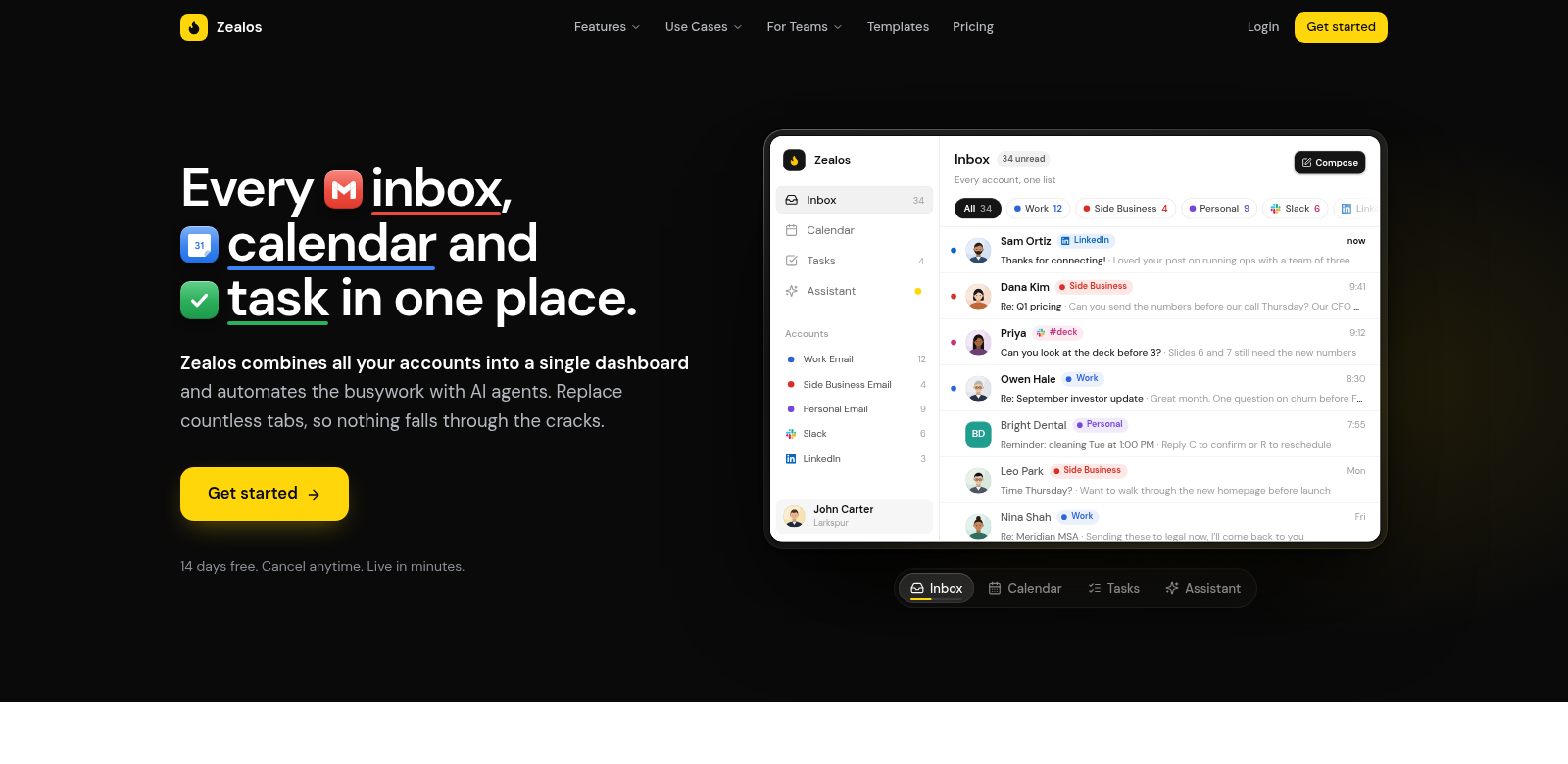
Zealos brings together all your communications and tasks from different platforms. Imagine managing every Gmail account, calendar event, Slack message, and LinkedIn connection from one single spot. If you're a busy professional, Zealos helps you get more done and makes handling all your different work streams feel smoother. You can try out everything it does with a 14-day free trial before you decide to buy. Find out more at Zealos.
Who Uses Zealos?
Who uses Zealos? It's for a lot of different people, all looking to get more done and communicate better. Here are five types of people who love it:
-
Small Business Owners: Small business owners often juggle everything from marketing to customer service. Zealos makes their work easier by giving them one place to manage emails, schedules, and tasks. This means they can focus on growing their business, not just managing it.
-
Remote Teams: As more and more teams work remotely, they need good communication tools. Zealos helps them work together better. Team members can stay connected through Slack and LinkedIn messages, all while managing tasks from a single inbox.
-
Freelancers: Freelancers need to manage their time well to handle many clients and projects. Zealos lets them sync calendars and to-do lists, so they never miss a deadline.
-
Corporate Professionals: Corporate professionals deal with tons of communication. Zealos helps them handle it all in an organized way. By bringing emails from all their accounts into one place, they can prioritize messages and get tasks done.
-
Marketers: Marketers really benefit from Zealos. They're always jumping between platforms to run campaigns and talk to their teams. This tool makes their work smoother, so they can focus on what really matters: marketing strategy.
The Problem Zealos Solves
With so many communication channels out there, it's hard to stay efficient and organized. That's why we built Zealos.
What's Wrong Today?
-
Information Overload: You're drowning in messages, emails, and tasks scattered across a dozen apps. This kills your productivity and makes you miss deadlines.
-
Constant Context Switching: Jumping between apps to manage everything breaks your focus and workflow. It's tough to stay on task.
-
Task Management Chaos: Tasks are all over the place, making it impossible to prioritize or finish things on time. Hello, stress and missed deadlines.
How Zealos Fixes It
Zealos is a smart, easy-to-use platform that pulls all your communication into one unified inbox. Here's how Zealos makes your work smoother:
-
Centralized Communication: The unified inbox lets you see all messages from different accounts in one place, saving you a ton of time you'd normally spend jumping between apps.
-
Calendar Integration: Manage your schedule easily with integrated calendars that sync across all your accounts. You'll never miss a meeting or deadline again.
-
Task Organization: Zealos has a to-do list feature that works with your email and messages. This helps you prioritize and manage tasks in an organized way.
Real-World Examples
Want to see Zealos in action? Here are a few real-world examples:
-
A small business owner uses Zealos to handle client emails and schedule appointments right from the integrated calendar. It makes client interactions much smoother.
-
A remote marketing team talks on Slack but uses Zealos to track project deadlines. Everyone stays on the same page and knows their tasks, without constantly switching apps.
-
A busy freelancer handles multiple clients by bringing all their email accounts and calendars into Zealos. This keeps them organized and helps them hit every deadline.
Key Features
Zealos has some great features to help you get more done:
-
Unified Inbox: See and manage emails from all your accounts in one place, so you don't have to jump between apps.
-
Calendar Sync: Track appointments and deadlines from all your calendars, right inside the app.
-
Task Management: Create and prioritize tasks directly from messages and emails, making sure important tasks get done.
-
Collaboration Tools: Connect with messaging platforms like Slack, helping teams work together better.
-
Easy-to-Use Interface: Its clean, intuitive design makes it easy for anyone to navigate, no matter their tech skills.
Common Questions
-
What platforms does Zealos integrate with? Zealos works with platforms like Gmail, Slack, and LinkedIn. This means you can manage all your communications from one place.
-
Is there a free trial available? Yes, Zealos offers a 14-day free trial, so you can try out all the features and see how it boosts your productivity before you commit.
-
Can I access Zealos on mobile devices? Right now, Zealos is for desktop. But our team is working on mobile compatibility so you can manage tasks on the go.
-
How does the task management system work? You can create tasks right from your emails and messages. Then, prioritize and track them easily within Zealos.
-
What security measures does Zealos have in place? Zealos takes user security seriously. We use advanced encryption to protect your data and keep all communications private.