A Social Media Scheduler for Teams
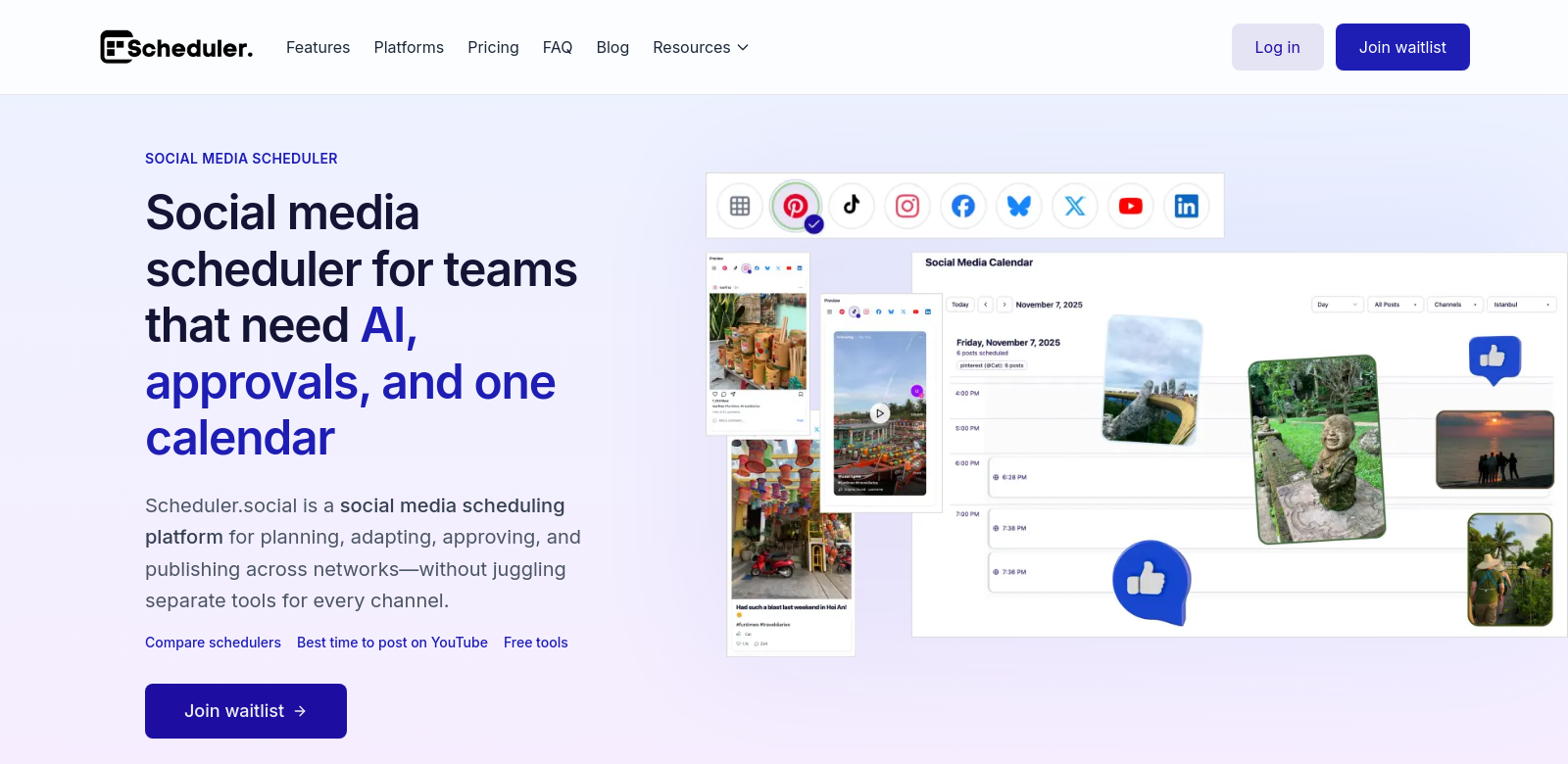
Managing social media effectively is a big deal for any organization trying to keep people engaged online. A social media scheduler built for teams makes planning, approving, and publishing posts across different platforms much smoother. It uses AI to help with workflows and offers one central content calendar, which means teams can work together better and get things done faster. Every post gets carefully put together and published right on time. If you want to check out a great scheduling tool, head over to Social Scheduler.
Who Uses This Social Media Scheduler?
To see how good a product is, you need to know who it's for. Here are the kinds of people and teams who really get a lot out of a collaborative social media scheduler:
-
Marketing Teams: Marketing pros often juggle tons of campaigns. This scheduler helps them work better, letting teams create content together, get approvals fast, and post on time. That's key for keeping a consistent brand message everywhere.
-
Content Creators: Independent creators and influencers can reach more people by planning posts ahead. A social media scheduler lets them spread out their content and make sure each post hits at the best time to grab their audience's attention.
-
Social Media Managers: If you're managing social media for lots of different clients, a central scheduling tool cuts down on mistakes. Managers can use a full-featured scheduler to make sure content gets approved and published exactly how each client wants it.
-
Corporate Communications Teams: Companies that need a strong communication plan, both inside and out, can use a social media scheduler. It helps them organize posts for press releases and updates, making sure everything matches the brand's overall message.
-
Agencies: Digital marketing agencies can count on a social media scheduler for their client work. With smart team approval systems, agencies can get content approved much faster, which is good for their own teams and keeps clients happy.
Problems This Scheduler Solves
Every tool exists to fix specific problems, and this Social Media Scheduler is no different. It directly addresses the biggest headaches teams face with social media today.
The Problems
-
Messy Posting: Without a clear plan, posts can come out all over the place. That turns off your audience and sends mixed messages.
-
Bad Coordination: Teams often struggle to talk to each other, which means delays and confusion when it comes to approving content.
-
Repetitive Content: Posting stuff that's irrelevant or just a repeat can hurt engagement and confuse followers. Nobody wants to look unprofessional.
-
Slow Approvals: Clunky approval systems create bottlenecks, stopping campaigns dead and holding up important updates.
-
No Good Data: Without solid analysis, teams don't know what's working. That means they can't adjust their strategy and miss out on chances to grow.
How the Social Media Scheduler Helps
The Social Media Scheduler tackles these issues head-on with its powerful features:
-
The content calendar lets teams plan everything out visually. You can map your posting schedule, avoid overlaps, and make sure every post goes out at the perfect time. This keeps your audience interested and engaged.
-
It makes team collaboration easy with clear workflows. Everyone can contribute, review, and approve content. This smooth process keeps communication flowing and tasks moving without annoying delays.
-
Using AI, the scheduler figures out the best times to post based on when your audience is most active. This smart approach ensures your posts get seen and get more interaction.
-
Plus, built-in analytics give you crucial insights into how your content is doing. These numbers help teams see what clicks with their audience, so they can make better plans for the future.
Real-World Examples
Imagine a marketing team running several campaigns for different products. With a social media scheduler, they can easily plan out content themes week by week, review posts together, and keep a tidy schedule that matches their marketing goals.
Or think about a content creator working with multiple brands. The scheduler helps them spread out sponsored posts evenly and make sure their personal content doesn't clash. They can plan engagements smartly, based on what their audience likes.
Key Features
This online tool packs a punch with features designed to make teams more productive and social media management better:
-
Central Content Calendar: See all your planned posts at a glance. This makes managing everything simpler and keeps your brand looking consistent.
-
AI-Powered Optimization: Smart algorithms look at engagement trends and suggest the best times to post, which really boosts how well your content performs.
-
Team Approval Workflows: Customizable workflows make working together easy. Every post gets reviewed, so you keep quality high and your message consistent.
-
Deep Analytics: Get detailed insights into how your posts are doing. This helps teams make smart, data-backed decisions and constantly improve.
-
Works Across Platforms: One tool lets you schedule across all your social media platforms without jumping between different sites. That saves a ton of time and hassle.
Common Questions About the Social Media Scheduler
-
What platforms can I manage with this social media scheduler? This scheduler works with popular platforms like Facebook, Twitter, Instagram, and LinkedIn. You can manage all your accounts from one spot.
-
Is it good for big teams? Yes, it's built for both small and large teams. You can customize workflows and roles to fit how your organization works.
-
How does the approval process work? You can set up an approval workflow where specific team members have to review and approve content before it goes live. This cuts down on mistakes and keeps things consistent.
-
Can I see how my posts perform over time? Definitely! The built-in analytics let you track engagement trends, growth, and how well your posts are doing. This helps you constantly improve your strategy.
-
Is there a free trial? Many social media schedulers offer a free trial so you can try out the features before you commit to buying. Always check the tool's website for the exact details.